

2月17日 的 RouteHistory 應用程式分析

RouteHistory
- Kazuhiko Oda
- Apple App Store
- 免費版
- 導航
"RouteHistory" is a GPS Tracker Application.
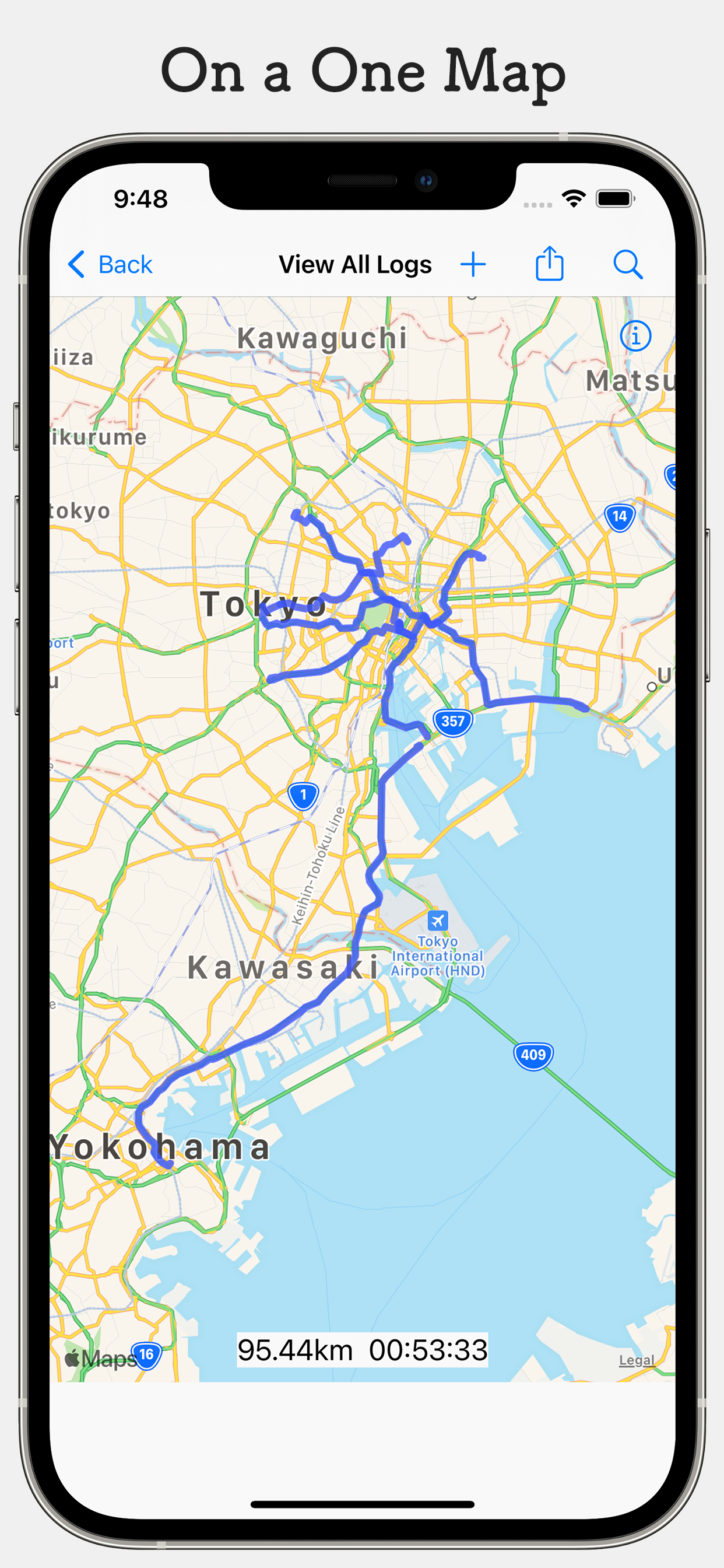
It specializes in showing you the route you have traveled and can show you all your past GPS logs at once.
It can be used in a variety of situations such as driving, traveling, and running.
Output to GPX files is supported by default.
Once you've started logging, you can use another app or even lock the screen to log.
Function
- Record GPS logs
- Set waypoints to log
- Suspend Records
- Additions to the existing log
- View Log
- Tag function
- Output to a GPX file
- Importing GPX files
- View all logs at once
- Batch display of logs for specified conditions
- Deleting the log
- Syncing data with iCloud
- Recording while displaying the past log
- Corresponds to units of km and mi
- Backup Function
- Log join function (requires viewing of reward ads)
- Delete log location (requires viewing of reward ads)
The iCloud sync feature is available by enabling the settings.
The iCloud sync feature is also available on iOS 13 and above.
The GPX file that can be imported is basically a GPX file output from this application, but it is also possible to import a GPX file created by another application, etc., if it is a GPX file with the same configuration as this application.
Premium Add-on
1. Select and display multiple logs
- You can select and display multiple logs.
- You can change the color displayed for each selected log.
2. Playback of recorded routes
- Detailed information such as time of day, distance, and elapsed time of a location recorded at a certain point can be displayed.
3. Display a portion fo the log in a specified range.
- Output a specified range to a GPX file.
4. Displaying route color settings for each group
- All log display screens can be set to display the route color for each group.
5. Hide Ads
You can purchase Premium Add-on from the settings screen.
Unlimited use with a single purchase.
*Please note that prices are subject to change without notice.
RouteHistoryPlus function (cloud function)
1.Personal folders in the cloud can be used.
- Logs can be saved in the cloud.
2.Group folders can be created in the cloud.
- Share logs with multiple users.
3.Share location information
- Share your location with other users on the logging screen.
* Some functions are available for free.
Frequently Asked Questions
Q. GPX files cannot be loaded in some applications
A. Please try it with the file that you selected [GPX Export] when you output GPX file.
Note
Since it uses the iPhone's built-in GPS for logging, power consumption is high during logging.
Depending on the reception of the GPS signal, it may not be possible to record the position correctly.
(When it is difficult or impossible to receive a GPS signal, such as in a building or tunnel)
Please do not operate the vehicle while walking or driving, as it is very dangerous.
The developer assumes no responsibility for any damage caused by the use of this application.
Terms of Use: https://www.apple.com/legal/internet-services/itunes/dev/stdeula/
商店排名
商店排名基於Google和Apple設定的多個參數。
所有類別 在
美國--
導航 在
美國--



 RouteHistory VS.
 2月 17, 2026