

2月20日 的 Before->After 應用程式分析

Before->After
- Masanori Katsuta
- Apple App Store
- 付費
- 照片與影片
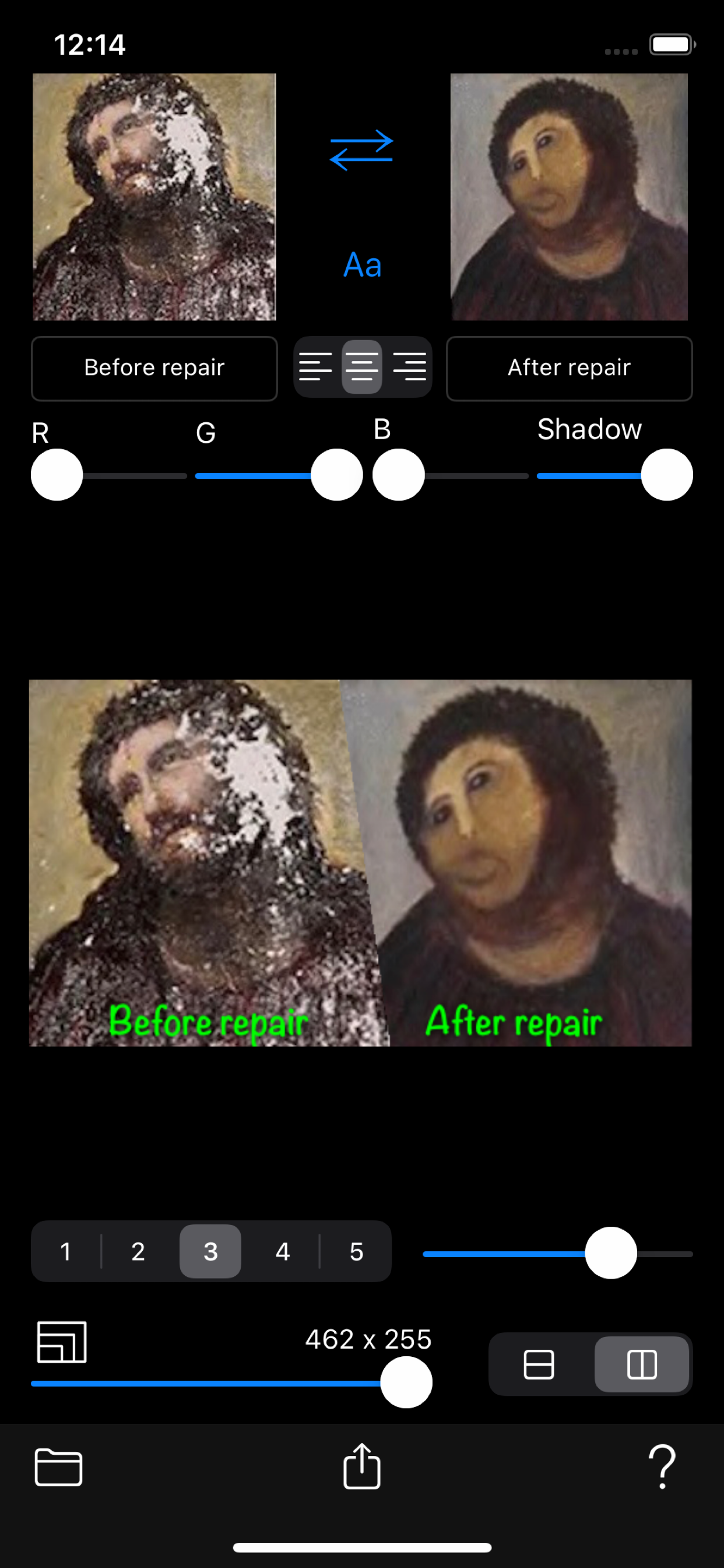
Before photo and after photo are arranged side by side. Create a composite photo that allows you to compare the difference in those photos.
You can put a title on each photo.
You can also set the title font, color, shadow, size, and position.
Composite images can be placed on the left or right or top and bottom.
In addition, you can set the border type and border length for Photo 1 and Photo 2.
[Source]
- Camera
- Camera roll
【Settings】
- Select photo 1
- Select photo 2
- Swap photos
- Title font (Select font)
- Title text (text field: typing)
- Title alignment (left / center / right)
- Title color (RGB color slider control)
- Title shadow (slider control)
- Title size (gesture: pinch in / pinch out)
- Title position (gesture: pan)
- Border type (none / gradation / ray / triangle / zigzag)
- Border length (slider control)
- Arrangement of composite photos (pile / side by side)
- Save resolution: 5-100% of original resolution
[Output]
- Save to camera roll: Composite photo
- Composite photo sharing: AirDrop, LINE, Facebook, Dropbox, Instagram, ...
商店排名
商店排名基於Google和Apple設定的多個參數。
所有類別 在
美國--
照片與影片 在
美國--


 Before->After VS.
 2月 20, 2026