

2月19日 的 Embroidery-Link 應用程式分析

Embroidery-Link
- DRAWstitch International Ltd.
- Apple App Store
- 免費版
- 生活方式
Embroidery-Link is a free embroidery editing app with which you can create beautiful designs with lettering and send them directly to JANOME Continental M17 machine. It includes many editing and transformation tools, together with the ability to create design arrays and full stitch editing abilities. It is a very useful and easy-to-use embroidery app.
What you can do:
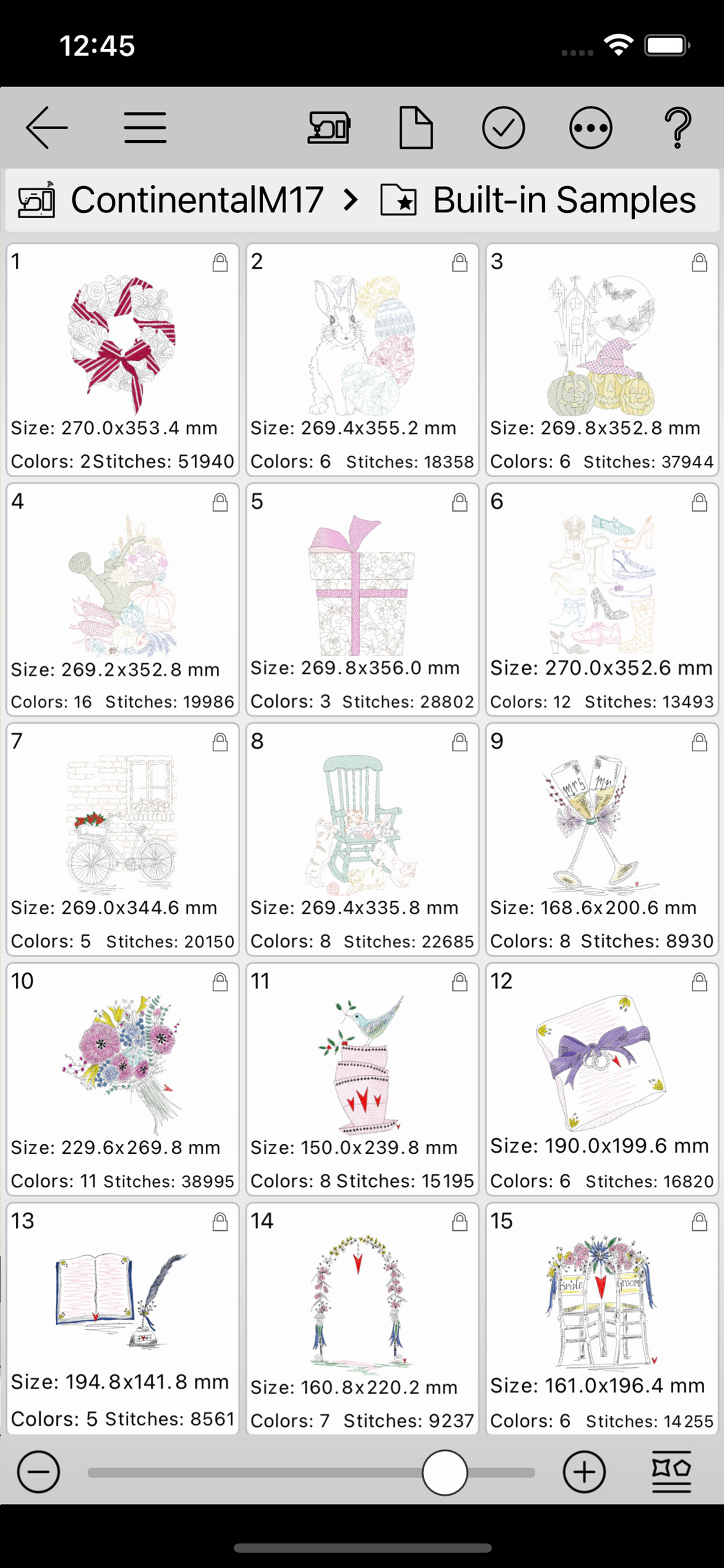
- Choose any of the built-in designs and send it wirelessly to the embroidery machine for stitching out (no need for cords or USB sticks to transfer designs)
- Have access to the embroidery machine files that are stored internally or in a plugged USB memory stick
- Combine embroidery designs with letters/words to create original designs
- Add embroidery to other projects by either importing embroidery designs into the app or using the in-app sample designs
- Create original lettering designs with the available fonts
- Resize the designs and automatically adjust their density
- Use the design browser to import and organize your designs
Main features:
- Contains various built-in free embroidery designs
- 12 different English fonts plus one Japanese font (incl. Kanji)
- Includes Design browser with all common file browser features such as:
-- Copy, paste, move, delete, rename, search files and folders
-- Create new folders
-- Import designs
-- Connect with the embroidery machine
-- Customize the Design browser view by resizing the file and folder icons and changing the information shown
- A variety of editing functions:
-- Create new designs and edit existing ones
-- Copy, paste, cut, delete parts of the design
-- Import design from the Design browser
-- Remove small stitches from the design
-- Various selection tools that will make your editing easier
-- Sequence manager with reordering
-- Moving objects in steps to all directions
-- Mirror objects horizontally or vertically
-- Thread color selections
-- Automatic or Manual density adjustment
-- Stitch editing functions such as stitch addition and re-position
-- Lettering tools that allow you to change font type, Text size, Text alignment, place text on a curve or on a line, add thread trims, break text into characters, and many more
-- Create array of the entire design
-- Change the hoop, rotate the hoop and automatically fit the design into the hoop
-- Embroidery simulation before stitching out
-- Resize, Rotate, Slant and change position to the objects of the design by using your finger
-- Use the measure tool to measure the design
System requirements:
This application is for iOS 13 and newer operating systems.
Compatible Embroidery machine model:
- JANOME Continental M17
The supported screen size of phones & tablets:
- 5 inches or larger
Language:
- The app is currently available only in English
Connect your embroidery machine to your wireless network:
A router is required to communicate with the sewing machine. Connect your embroidery machine to your Wireless network, to automatically become visible from the application. Use the instructions manual of your machine, on how to connect it with your wireless network.
商店排名
商店排名基於Google和Apple設定的多個參數。
所有類別 在
美國--
生活方式 在
美國--


 Embroidery-Link VS.
 2月 19, 2026