

You’ve hit your search limit
Start your free trial to keep exploring full traffic and performance insights.
Get StartedVestire app analytics for February 20

Vestire
- Amie, Incorporated.
- Apple App Store
- Free
- Lifestyle
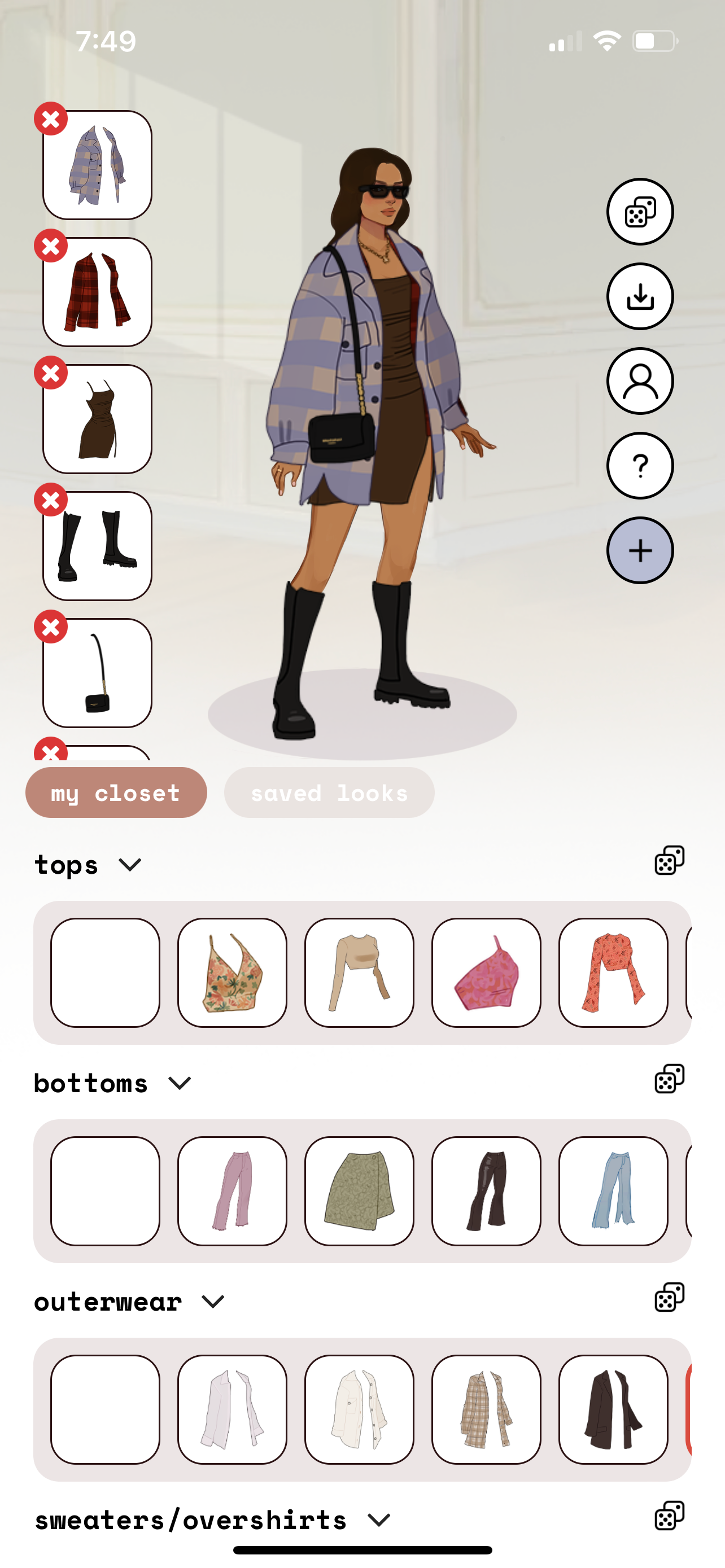
Vestire is a tool to help you organize your wardobe. You'll have a personalized avatar where you can customize the body type, skin color, hair, and hair color to look just like you, so when you're trying on clothes you don't even have to step into the closet. Vestire has a variety of features, primarily an option to import hand-drawn items of clothing that you can organize into separate categories to create looks from, or select from a few basic presets.
VESTIRE FEATURES
• Randomize your entire outfit to choose what to wear
• Customize your avatar to look like you
• Save your looks for later
• Import your own designed clothing
• Download presets to customize yourself
• Randomize items in each category
HOW DOES IT WORK?
1. When you create an account, you first need to create your avatar. You can choose from 6 different body types, 5 skin colors, and a number of hair options.
2. You are ready to add your first item! If you want to draw the items yourself, read the tutorial (from the (?) button) and download your avatar template. Now go to step 4 to learn about the upload process. If you don't want to draw from scratch, go to the next step.
3. Now introducing presets! Go to the presets tab and select one of the basic items provided. You can download these to your device to use as a template, or you can add them directly to your closet if you feel like you have a similar item. If you choose to download, then go to the next step to follow the drawing + uploading process.
DRAWING + UPLOADING PROCESS
4. Open your template in another drawing app. MAKE SURE THE CANVAS SIZE IS THE EXACT SAME SIZE AS THE TEMPLATE! You can insure this by importing the image directly, rather than opening a different sized canvas first.
5. Draw your clothing items on separate layers from the avatar layer. When you're done, export each layer with a transparent background (it should just be the clothing item, not the avatar too!).
6. Go back to Vestire and click the + button. Now you can select your item and see if it fits on your avatar. If not, make sure all the dimensions are correct. Now you can fill in the item name, brand, and category before you hit upload.
7. When you upload, it will ask you to verify if the thumbnail looks correct. The clothing item itself should fill up the thumbnail (make sure it doesn't look small, and that your avatar isn't visible).
10. If all looks good, your item will be successfully added to your closet. Now you can style it with the rest of your wardrobe!
FOR UPDATES
Follow the creator's TikTok (@sreyahalder_) and Instagram (@sreyahalder) to find out more on how to use the app.
Store Rank
The Store Rank is based on multiple parameters set by Google and Apple.
All Categories in
United States--
Lifestyle in
United States--
Top Competitors & Alternative Apps
Apps with a high probability of being used by the same users, from the same store.

MakeUp Artist Pocket Studio

ShopLook - Outfit Maker

Pureple AI Outfit Planner

Outfit Maker - Pronti AI
 Vestire VS.
 February 20, 2026