

2月17日 的 Diamond Maps Offline 應用程式分析

Diamond Maps Offline
- Ben Hill
- Apple App Store
- 免費版
- 公共設施
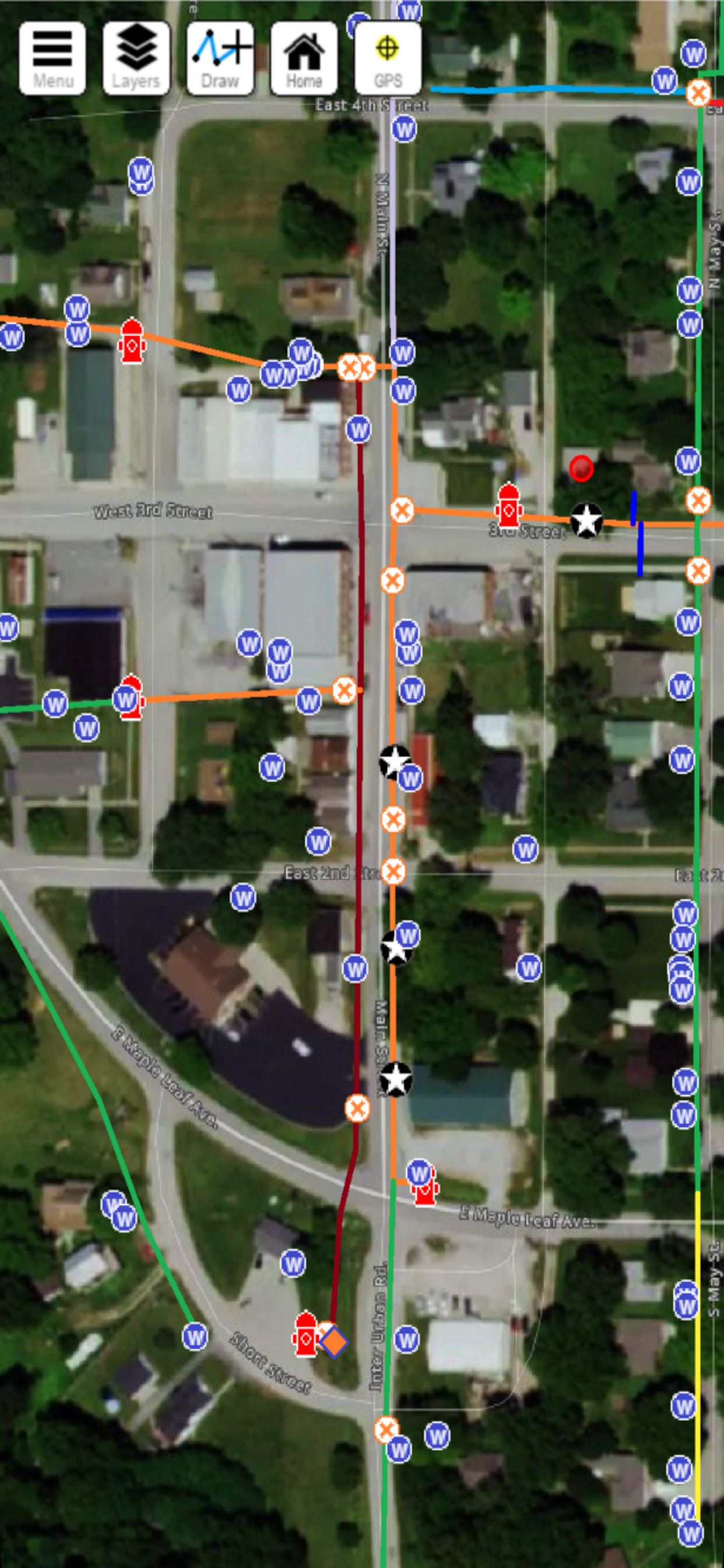
Diamond Maps Offline is an app that allows existing Diamond Maps users to download their maps from the cloud to their iOS device for use offline. Using this app you can view your map, turn layers on and off, make changes to any feature, and mark new points. Then when you are back at the office you can use the "Sync" button to upload your changes to the Diamond Maps cloud where they will be accessible to the rest of your team.
The regular browser-based Diamond Maps application is still the flagship product where you must go to create layers, change colors, modify your field layout, draw lines, etc. The offline app is a less functional version that allows you to do basic data collection and viewing offline.
How it works
1. These instructions assume you already have a Diamond Maps account.
2. Install this app on your tablet or phone.
3. Run the app and enter your Diamond Maps user name and password.
4. Select which map(s) you want to download to your phone/tablet.
5. Open your map, view it, make changes, add new points, etc.
6. When you are ready to upload your changes click Menu, then click Offline Maps, then click the 'Sync' button next to your map name. This will upload your edits and download any changes that others have made.
商店排名
商店排名基於Google和Apple設定的多個參數。
所有類別 在
美國--
公共設施 在
美國--


 Diamond Maps Offline VS.
 2月 17, 2026