

You’ve hit your search limit
Start your free trial to keep exploring full traffic and performance insights.
Get StartedDigital Cockpit - CARID app analytics for May 3

Digital Cockpit - CARID
- Miroslaw Kapalka
- Apple App Store
- Free
- Navigation
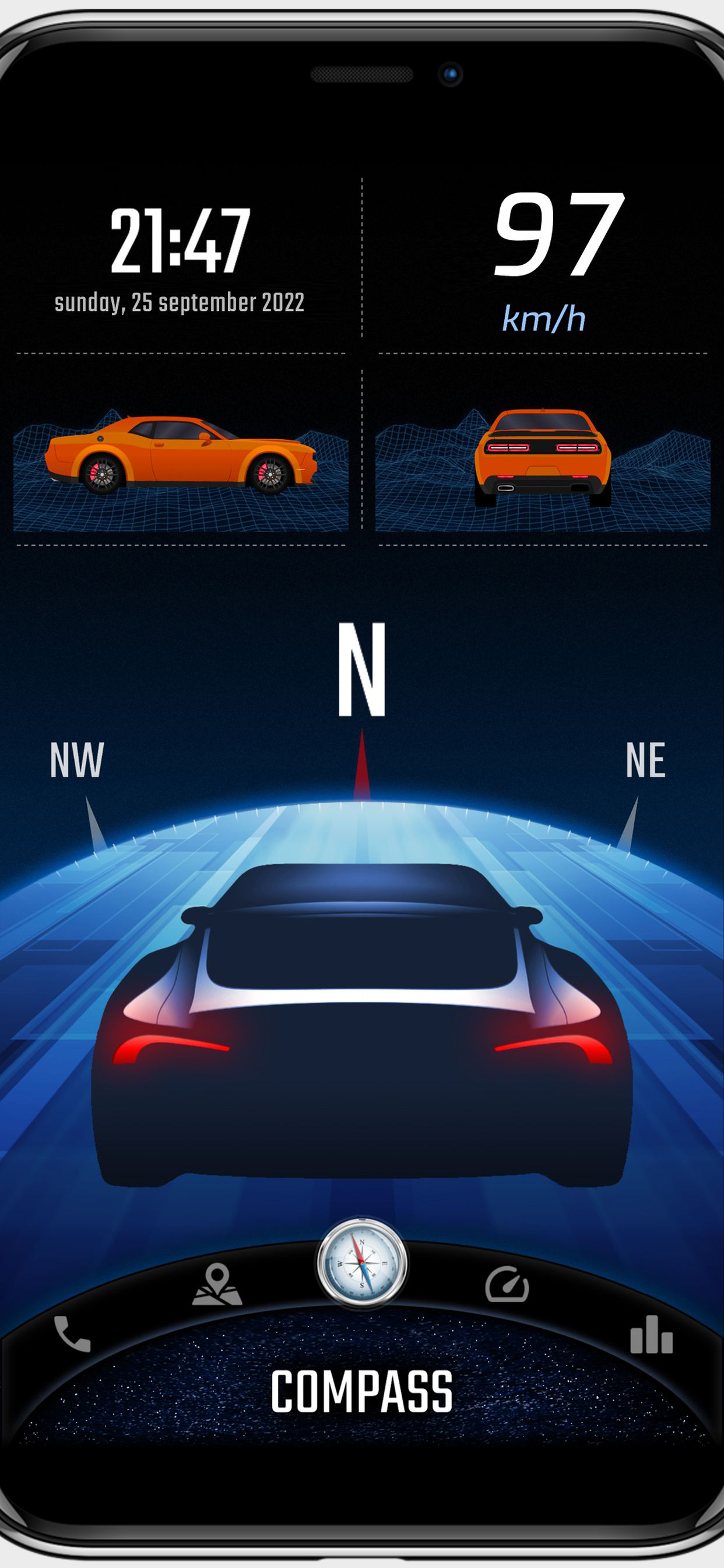
CARID is a set of carefully selected functions that you won't find in the multimedia systems of most cars. Simply and conveniently switch between them while staying safe on the road. You don't have to waste time customizing the layout of our application for your car. Right after launching, a visually attractive application appears ready for use. Our application is one of the few that can work in portrait or landscape mode - adapting to the position of the mounted device in the car.
You will find features such as:
• Off-road. The inclinometer will tell you how much your vehicle is pitch/roll. You can set visual and sound warnings - necessary for driving in rough terrain. In addition, the altitude above sea level is displayed. You can customize the appearance of your vehicle and terrain.
• Statistics. Distance covered, time, average and maximum speed. You can measure all this data for three, independent routes, and then conveniently share with your friends.
• Speedometer - an eye-catching display of your current speed. In addition, it shows the current speed limit on the road on which you are traveling (beta version).
• Compass - a very reliable way (based on GPS coordinates, not a sensor from the device) to show the direction of the vehicle.
• Acceleration times - with this function you will check the acceleration parameters of your car. You can set any starting and ending speed. During the measurement you will see a graph of the speed to time ratio. An interesting feature is also the measurement of reaction time (the moment of detecting movement from the start signal).
• Speed dial - add your favorite contacts, then make phone calls with one click.
• My place. A map where you can see your current position. You can easily switch between vector view and satellite view (photos) and turn on traffic information. The most important function is to save your current position (or the position selected on the map - by holding the place with your finger for a second). A useful feature to remember the location of your car or a favorite place. Once you save a point, you can very quickly start navigation to that place or share it with friends.
• Internet radio stations from around the world. With one click switch between stations, add them to favorites, search by country or keywords.
• Current weather that is automatically refreshed based on your location. The most important information for the driver is loaded, including temperature, humidity, cloud cover, visibility and wind direction in relation to the moving car.
You can add widgets with the most important information on the home screen (main panel), speedometer and compass views:
• Clock (time and date),
• Battery charge status,
• Compass,
• Weather,
• Current speed,
• Tilt (pitching/rolling) of the car,
• Address of the place where you are,
• Information on the distance to the saved location,
• Statistics information,
• Speed dial (phone),
• Altitude above sea level.
Apple Terms of Use (EULA): https://www.apple.com/legal/internet-services/itunes/dev/stdeula/
Store Rank
The Store Rank is based on multiple parameters set by Google and Apple.
All Categories in
United States--
Navigation in
United States--
Top Competitors & Alternative Apps
Apps with a high probability of being used by the same users, from the same store.

iCarMode: Drive Safe Dashboard

Speedmeter +

Speedometer GPS & Compass

Car Dashboard : Music & Maps
 Digital Cockpit - CARID VS.
 May 3, 2026