

5月3日 的 Memo-Only Memopad 應用程式分析

Memo-Only Memopad
- GIGABIT GAME LAB
- Apple App Store
- 付費
- 生產力
This simple note app for person who wanted an app focused solely on making note-taking as easy as possible.
The key point is its instant clarity and simple usability at a glance, yet it still includes all the essential features you’d expect from a memo app.
■ Memo-Only Memo App Features
-Folder-in-folder organization: create memos within child folders, with automatic display of the number of child memos
-Undo function: return to your previous action with a single tap
-Easily reorder memos by long-pressing and dragging
-Create image memos (use the camera or select from your photo library)
-Color-code your memos
-Autosave
-Works offline—even without an internet connection
-Supports eye-friendly, popular dark mode (automatically applies if your device is set to dark mode)
-Lightweight app for fast startup
-One-time purchase: no subscriptions or ads
■ Recommended Uses
-Quickly jot down your ideas as soon as they come to mind! Use text or camera photos. Categorize freely for easy searching!
-Shopping list memos: color-code items as you buy them!
-To-do lists: create today’s or this week’s to-dos, easily categorize by type! Mark completed tasks with colors!
-Save screenshots of news you see while browsing on your phone!
-List memorable quotes by person for quick reference and motivation!
-Draft notes for essays or novels—easy to reorder and organize!
-Brainstorm ideas like sticking sticky notes—perfect for planning sessions!
-Create separate memo folders for each person you interact with—use as a topic notebook for friends or family!
-Perfect as a flashcard app for students or professionals: write the question on the memo, the answer in a child memo, and color memos as you master them for a sense of achievement!
-Daily ranking check: record as text or screenshot!
■ How to Use
▶ Creating Memos
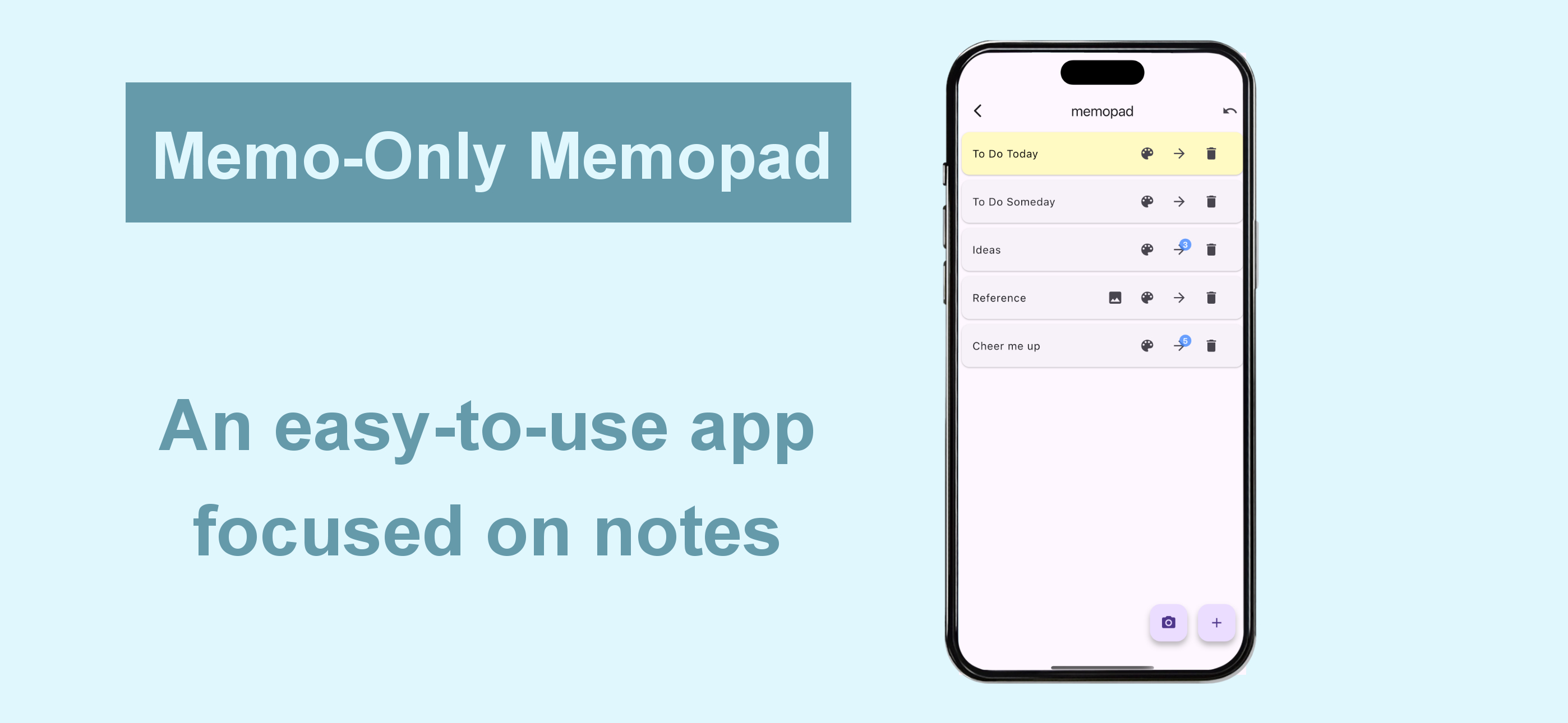
-Tap the + icon at the bottom right to create a text memo.
-Tap the camera icon at the bottom right to take a photo or select one from your album to create an image memo.
▶ Operating Memos
-Tap memo text to edit.
-Use the icons on the right to “Change color,” “Move to child folder,” or “Delete.”
-For image memos, an image icon will appear—tap it to view the saved image.
-The number of child memos is shown as a number on the arrow to the child folder.
▶ Undo Action
-Use the Undo button at the top right to return to your previous action—rest easy, even if you delete something by mistake!
商店排名
商店排名基於Google和Apple設定的多個參數。
所有類別 在
美國--
生產力 在
美國--



 Memo-Only Memopad VS.
 5月 3, 2026