

5月3日 的 Cast for Chromecast | Miracast 應用程式分析

Cast for Chromecast | Miracast
- TVSMART.APP COMPANY LIMITED
- Google Play 商店
- 免費版
- 工具
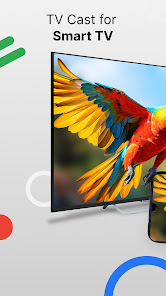
TV Cast for Chromecast - Miracast - The mobile smart TV cast app allows you to screen mirroring and TV cast your favorite videos, photos, games and cast web video in the highest quality to your Smart TV such as Google Chromecast, RokuTV, Samsung Smart TV, Fire TV, LG TV, IPTV and more.
Let us protect your eyes from the tiny screen and enhance your TV experience with Screen Mirroring & Smart Cast app. Download TV Mirror for Chromecast or Screen Mirroring app for the best experience!!
CAST FOR CHROMECAST & MIRACAST - MAIN FEATURES
Screen Mirroring - TV Cast
Smart TV Cast app assists you to miracast and screen share your phone to a bigger screen in excellent definition through wireless display.
This screen mirroring app can enable you to enjoy full-screen content on mobile devices like Google Chromecast TV, Sony TV and especially IPTV.
TV Cast videos for Chromecast TV
Screen Mirroring - Miracast also lets you cast anything from your library straight onto your Google Chromecast TV or other devices.
Thanks to Cast for Chromecast & Miracast app, sharing your best photos and videos with friends and family is now simpler than ever.
Smart TV Cast Photos & Videos
Smart Cast Media - a must-have function of Screen Mirroring - Miracast allows you to cast all photos from a camera roll to your home TV as a slideshow.
Smart Cast for Chromecast is an excellent method to cast your family's preferred films, photos, or videos on any connected smart TV, suitable for both personal and business use.
TV Remote Control
TV Cast for Chromecast App will turn your phone into a remote control for all TVs. You will be able to adjust the volume of your Chromecast TV and switch channels.
Cast Web Video
Screen Share & Smart Cast to TV Chromecast can help you search for a video online and use this screen mirroring app to cast it.
With Cast Web Video feature of Screen Mirroring and Cast to TV, you can easily enjoy recreational watching TV time with your friends.
SMART TV CAST FOR CHROMECAST: DIFFERENCES
- Easy to connect, Screen Cast, and Screen Mirroring.
- Cast for Chromecast may auto-search for available streaming devices and cast devices.
- Convenient volume, pausing, fast-forwarding, and rewinding of video controls.
- Miracast Screen Mirroring app can automatically recognize video and photo files on your device.
TV CAST FOR CHROMECAST - MIRACAST - HOW TO USE???
- Step 1: Screen Mirroring and Smart TV Cast app allows connection to the device on your local network
- Step 2: Before using Smart Cast to TV and Screen Share, make sure that your devices are on the same Wi-Fi network. Notice that you have to make sure to turn off all VPN and Proxy.
- Step 3: Open "Screen Mirroring & Miracast" and connect to Chromecast/ SamsungTV or other TV-compatible devices. Remember to permit to connect your TV device to your phone.
- Step 4: After connecting successfully with the Screen Mirroring and Miracast, the app is now ready to use: Now, images, movies from the gallery collection, or any video you are interested in can be cast and screen mirroring. You can use a screen reflector for broadcasting on your smart TV in particular.
* Security Note:
To ensure your safety, Smart TV Cast for Chromecast and Screen Mirroring app just requires the bare minimum of Android permissions. In contrast to other companies, we DO NOT access your identification information, accounts, device identifier, phone status, GPS location, or contacts. Before installing any Android app, please make sure it has the rights it needs.
Screen Mirroring & Smart TV Cast for Chromecast doesn't change the video sources and no material is hosted by the TV cast fastcast app. Therefore, the quality of the video cast web video will be entirely based on the quality of this video on the source.
DISCLAIMER: Google LLC is the owner of the trademark Google Chromecast. Roku, Google, and other brands are not connected to or endorsing this Miracast Screen Mirroring & Cast for Chromecast app.
Cast for Chromecast | Miracast 使用排名
基於 Similarweb 的算法,根據過去 28 天的安裝數和活躍用戶數進行計算。
所有類別 在
巴西--
工具 在
巴西--










 Cast for Chromecast | Miracast VS.
 5月 3, 2026