

4月4日 的 Always visible power button 應用程式分析

Always visible power button
- OkSoft
- Google Play 商店
- 免費版
- 工具
Smart Screen Lock & Floating Control Button
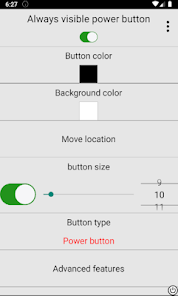
Easily lock your screen and control essential functions using convenient floating buttons, notification shortcuts, and gestures.
🔹 Main Features
Screen Lock
• Lock screen from notification bar
• Floating on-screen power button
• Home screen widget
• Long-press Back button to lock
• Shake to lock screen
• Set automatic screen lock timer (hours / minutes / seconds)
Floating Control Buttons
• Customizable floating button icon
• Quick Settings panel shortcut (pull down notification panel)
• Screen scroll button
• Screen brightness control button
• Screen timeout (lock time) control button
• Mobile data status display
Navigation Buttons
• Home
• Back
• Recents
Screen Activity Log
• View screen on/off history records
🔹 How to Use
Enable Accessibility Service (required for screen lock and navigation functions).
Enable Overlay Permission to display floating buttons.
Activate Advanced Features to use long-press actions.
(Optional) Enable Shake feature — may increase battery usage.
To wake the screen, please use your device's physical power button, fingerprint, or double-tap feature (if supported).
🔹 Important Permissions
Accessibility Service
This permission is used only to perform screen lock and navigation button functions selected by the user.
This app does NOT collect, store, or share any personal data.
Foreground Service Permission
Required to keep floating buttons visible and responsive.
If the service stops, floating buttons will disappear.
Overlay Permission
Required to display floating controls over other apps.
Always visible power button 使用排名
基於 Similarweb 的算法,根據過去 28 天的安裝數和活躍用戶數進行計算。
所有類別 在
美國--
工具 在
美國--
用戶興趣和熱門類別
Always visible power button用戶使用的熱門類別和應用程式














 Always visible power button VS.
 4月 4, 2026