

3月2日 的 5G/4G LTE Force 應用程式分析
5G/4G LTE Force
- Dilip Master Apps
- Google Play 商店
- 免費版
- 工具
Switch your device into 5G/4G LTE mode only. With this app you can convert your network to 5G/4G mode only for faster Internet speed. This can be done only if your phone supports 5G or 4G network.
This app help you to switch into 5G/4G network (LET network), WCDMA network, GSM network, CDMA network just in one click.
Open a hidden Settings menu where advanced network configurations can be selected.
Features:
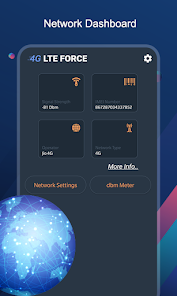
- This app helps you to find and search for 5G/4G LTE signal.
- Enable VoLTE on supported device.
- Advanced network statistics.
- Advanced network information like Network Connectivity info, Network Capability info & Link Properties info.
- Advanced Network configurations.
- Get Signal Strength in graph.
How to Use :
Step1 - open 4G LTE Force app.
Step2 - click on SIM LTE|3g|2G Settings button to switch 4g mode.
Step3 - Find the Option check "Set preferred network type".
Step4 - Click on LTE ONLY.
Disclaimer : This 5G/4G LTE Force app won't work on all device as some device restrict the force switching mode.
5G/4G LTE Force 使用排名
基於 Similarweb 的算法,根據過去 28 天的安裝數和活躍用戶數進行計算。
所有類別 在
美國--
工具 在
美國--


 5G/4G LTE Force VS.
 3月 2, 2026