

4月27日 的 Barcode Scanner - Price Finder 應用程式分析

Barcode Scanner - Price Finder
- Essential Labs
- Google Play 商店
- 免費版
- 工具
Barcode Scanner - Price Finder is an app that scans all formats of digital codes, including barcodes, QR codes, and more.
When you scan a product code in store, Price Finder will show the best online prices so you will never overpay again!
Code Scanner can also scan coupon codes, inventory codes, book ISBNs, URLs, Wi-Fi access codes, and information signs on landmarks and in parks, as well as any other digital codes, both 1D and 2D.
App Features
- Barcode Scanner/Barcode Reader
- QR Code Scanner/Reader
- Works just as well as dedicated inventory scanners at store checkouts
- Barcode Scanner can be used in any orientation - sideways or upside down is not a problem
- QR Code Scanner utilizes the fastest Android API
- For a product, Barcode Scanner gives detailed information, pictures, and the best online prices - if the product is sold online.
- Scans are saved in history
- You can share the barcode via text/email or open it in a browser
- Smart processing of QR information signs and URLs
In addition, the premium features include:
- QR Code generator - you can create and save as an image any digital information such as your email/contact information or your Wi-Fi access point for guests
- Complete removal of ads
- Unlimited history storage
- Favorites
- Dark theme
Usage
1. Click on the new scan button. Barcode Scanner mode will activate
2. Point your camera at the barcode so that it is visible in the app viewfinder
3. Barcode Scanner will recognize and scan the code as soon as the camera resolution allows. If necessary, adjust the view until the scan completes.
4. QR Code Scanner is very fast - some users report that as soon as part of the bar code is visible in the viewfinder, it gets scanned, which can result in an incomplete code being scanned. In such cases, we recommend starting with your phone sufficiently far from the code and then move closer if necessary.
5. Barcode Scanner / Price Finder will automatically detect the type of barcode / QR Code and display the information accordingly. Types include product barcodes, ISBNs, URLs, and many more.
6. If a product barcode is detected, the app will display detailed shopping information with links to online stores.
Supported code types
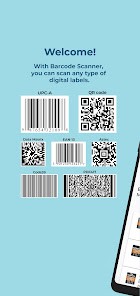
- Linear (one-dimentional): UPC-A, UPC-E, EAN-13, Code39, Code93, Codabar, EAN 8, GS1-128, ISBN, ITF, others
- 2D (two-dimensional): QR Code, Datamatrix, Aztec, PDF417
Additional details
QR Codes and barcodes are everywhere - originally invented as machine-readable optical labels that can contain information about the item they are attached to, they are now widely used to store all kinds of data, including coupon codes and product identification, to website addresses, vCard contact info, and Wi-Fi access points. You can find them on billboards, information signs, in airports, museums, malls, and many other places.
The Barcode Scanner Android App allows you to scan any codes - from a wide range of distances and angles. You can quickly look up the information online - whether it is a product UPC label, book ISBN, or a QR Code with a website URL. All scans are automatically saved so that you can check them later. You can even create your own QR Codes - and send them to your computer to print.
Barcode Scanner - Price Finder 使用排名
基於 Similarweb 的算法,根據過去 28 天的安裝數和活躍用戶數進行計算。
所有類別 在
美國--
工具 在
美國#2,915
用戶興趣和熱門類別
Barcode Scanner - Price Finder用戶使用的熱門類別和應用程式













 Barcode Scanner - Price Finder VS.
 4月 27, 2026