

4月24日 的 AI Capture 應用程式分析

AI Capture
- PAllgeuer Apps
- Google Play 商店
- 免費版
- 工具
NOTE: In order to successfully use this app, you MUST read the "Important Information" section below first! If the app is not working right, please contact us with details!
AI Capture is a completely free enhanced video capture app that, within the hardware constraints of your device, permits the capturing and logging of any multi-selection of available cameras, location providers, IMU sensors, pose sensors and other sensors.
The app was created primarily in order to allow great manual control over video recording (for instance to completely eliminate motion blur), while in parallel capturing time-synchronized IMU and GPS data. This makes the app highly suitable for extracting still frames (or video sequences) from recorded videos for machine learning / neural network / CNN purposes. The recorded data is also ideal for visual-inertial SLAM, visual odometry, mapping, 3D reconstruction algorithms, etc.
FEATURES:
* Record timestamped videos, with per-frame capture metadata and video encoding metadata in CSV format
* Record timestamped sensor data to CSV at custom rates up to 500Hz (as fast as supported, sensors typically include accelerometer, gyroscope, magnetic field and 3D device orientation sensors, but ALL device sensors are supported)
* Record location data to CSV with custom update time intervals and distances
* Record video at various aspect ratios and/or resolutions up to the maximum picture resolution (if supported this is generally larger than 4K)
* Record video at up to 60Hz (if supported by device)
* Record multiple cameras at once (if supported on higher-end devices, generally only works with one front camera and one back camera at a time)
* Record the complete device hardware capabilities in JSON format, including detailed properties of every single camera and sensor
* Manual, semi-automatic or automatic control of camera exposure parameters
* Manual or automatic control of focus and/or white balance routines
* Control whether optical and/or electronic video stabilization is used
* Control the bitrate/quality used to encode recorded videos
* Live display of active camera parameters like exposure time, ISO, focus distance, use of image stabilisation, etc
* Live display of frequency rates of captured video frames and sensor measurements of each type
IMPORTANT INFORMATION:
* The recorded videos and sensors are saved inside individual capture FOLDERS in the app's media folder. In a file browser on the device go to Internal storage -> Android -> media -> com.pap.aicapture -> captures and you should see the resulting "capture_XXX_XXX" folders once you have recorded something.
* CAUTION: If you completely uninstall the app then all recorded videos in the media folder are automatically deleted by the Android system.
* The default exposure mode is "shutter priority", which manually controls the used exposure times and sensitivities to be within certain custom ranges that can be set in the settings (e.g. to limit motion blur). The default settings of this exposure mode are trimmed for well lit environments (like outdoors), so the settings may need to be increased for indoor environments if you are getting DARK VIDEOS.
* To use the standard manufacturer-provided auto-exposure routine instead, select an exposure mode of "Auto (OEM)" in the settings (required for multi-camera). This generally provides the best exposure performance, but does NOT allow range control over the used exposure times and sensitivities.
* CAUTION: Settings are remembered between app runs, including settings like the auto-exposure bias.
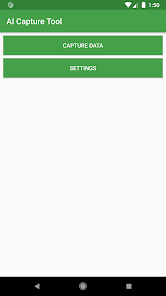
* If things seems not to be working right anymore, try Main page -> Settings -> Reset settings for a fresh start.
* Telephoto cameras are generally not exposed by the device manufacturer to the Camera2 API, and thus cannot be seen by the app.
* The app's philosophy is to try and fail rather than not even try. For example, you can tell the app to record 4 cameras at once, but that is obviously unlikely to succeed.
AI Capture 使用排名
基於 Similarweb 的算法,根據過去 28 天的安裝數和活躍用戶數進行計算。
所有類別 在
美國--
工具 在
美國#6,110


 AI Capture VS.
 4月 24, 2026