


4月26日 的 Sunny Light - M3U & XML Player 應用程式分析

Sunny Light - M3U & XML Player
- Роман Пристинский
- Google Play 商店
- 免費版
- 影片播放器與編輯器
The program is designed for Android phones, tablets and TV set-top boxes for playing audio and video from M3U, XML and JSON IPTV playlists from open sources with the ability to display a detailed TV program. In addition to the M3U format, the program also supports reading XML and JSON format playlists used for Smart TVs, satellite receivers based on Enigma2 and similar devices.
To start the program you will need an active account from Google.
At the moment, the full package of functions of the program includes the following features:
- Display detailed Yandex.Teleprogram or XMLTV EPG,
- Updating the database of television channels,
- Binding a playlist element to a TV channel,
- TV show navigation by days,
- Search for a channel in a playlist,
- Reading playlists in JSON format,
- Grouping by categories in M3U playlists,
- Selector a player: built-in, external (such as VLC, MXPlayer or Kodi), select from the list of players or open a media link in an external application,
- Adding playlists and their individual items to favorites,
- Export/import starter playlist, favorites and custom bindings to TV channels
- Vertical window layout in playlists view mode,
- Playing archives of TV programs in various formats,
- Using various parsers, including youtube and rutube links,
- Support remote/keyboard,
- Page animation,
- Voice search,
- Dark theme,
- Selecting the font size for displaying playlists,
- Setting reminders for upcoming telecasts,
- Editing playlist items,
- Saving the delimiter position in playlists view mode,
- Adding local M3U playlists,
- Embedded VLC and ExoPlayer video players,
- Time display in the program header,
- Picture-in-picture playback mode,
- Playback of the video stream from the position of the last viewing,
- Synchronization between devices of elements of the starting playlist, favorites, viewing history and reminders about TV programs,
- Displaying history of viewing and queries,
- Supporting the VKontakte videos,
- Sequential media playback,
- Casting video to external screens,
- Background media playback.
The database of Yandex TV channels is updated in accordance with the location, country and time zone. XMLTV file should be compressed by gzip archiver. To bind a playlist element to the Yandex.Teleprogramma or XMLTV channel, call the context menu (long tap of an element in the list), select the "Associate" item.
In free mode, the program allows you to open and play media links from M3U and XML playlists using the built-in video player.
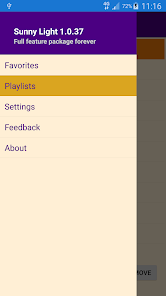
In order to take advantage of the full package of program features, you must acquire it. You can do this by clicking on the "Acquire" button, selecting "About" in the main menu.
When choosing a subscription for a year, there is a 30-day free period during which you can use the full package of application functions. Take advantage of the free period to evaluate the features of the program.
Add a playlist using the "Add" button in the "Playlists" start window. To open a playlist or start an audio/video stream, use the item's double tap or tap icon in the list of playlist items.
Please visit the program website for more details.
Sunny Light - M3U & XML Player 使用排名
基於 Similarweb 的算法,根據過去 28 天的安裝數和活躍用戶數進行計算。
所有類別 在
美國--
影片播放器與編輯器 在
美國--


 Sunny Light - M3U & XML Player VS.
 4月 26, 2026