

2月16日 的 PhotoSync Cloud Add-On 應用程式分析

PhotoSync Cloud Add-On
- touchbyte
- Google Play 商店
- 付費
- 攝影
This product is the ‘PhotoSync Cloud Add-On’ Activation License of PhotoSync. Once purchased, you can add PhotoSync Cloud Add-On capabilities to the free PhotoSync version and remove ads.
★ Over 10,000 positive reviews, thousands of happy users and millions of photo transfers
★ Number one cross-platform solution with native apps for Android, iOS, Windows & Mac
★ Reliable and secure software – operating 10 years in the market and continuously updated
★ Total user control and fully customisable
ABOUT PHOTOSYNC CLOUD ADD-ON VERSION
• Wirelessly upload and share photos & videos to cloud and photo services
• Import photo & videos stored on cloud and photo services
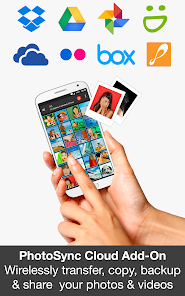
• PhotoSync supports Dropbox, Google Drive, Google Photos, Flickr, OneDrive, SmugMug, Box, Zenfolio and PhotoPrism
• No ads
HOW IT WORKS
1. Download and Install PhotoSync at https://play.google.com/store/apps/details?id=com.touchbyte.photosync
2. Download and install 'PhotoSync Cloud Add-On License'
3. PhotoSync will automatically upgrade to PhotoSync Cloud Add-On version upon the installation of PhotoSync Cloud Add-On License
PHOTOSYNC CLOUD HIGHLIGHTS
Wirelessly transfer, copy, backup and share your photos & videos to and from your favourite cloud and photo services.
Transfer to cloud and photo services
Upload and share photos & videos to your favourite cloud or photo services over WiFi and 3G / LTE. Supported services:
• Dropbox
• Google Drive
• Google Photos
• Flickr
• OneDrive
• SmugMug
• Box
• Zenfolio
• PhotoPrism
No cables needed!
Transfer from cloud and photo services
Import photos and videos stored on your favourite cloud and photo services directly to your Android phone and tablet over WiFi and 3G / LTE. Supported services:
• Dropbox
• Google Drive
• Google Photos
• Flickr
• OneDrive
• SmugMug
• Box
• Zenfolio
• PhotoPrism
You can import selected, all or new photos and videos.
Organize like a Pro
• Organize photos & videos automatically by date (recording date & transfer date), media type, album/folder and device name
• Set custom file names (recording date & transfer date)
• Browse, select or create target folder before transfer
• Delete or overwrite files after transfer to free space on device (optional)
• Choose separate transfer quality options for WiFi & cellular connections
• Set privacy levels for sharing (photo services only)
ABOUT FREE PHOTOSYNC VERSION
• Backup or restore photos & videos from Android devices to computer (PC & Mac) over WiFi or Portable WiFi Hotspot
• Send photos & videos from computer to Android phone / tablet over WiFi or Portable WiFi Hotspot
• Transfer photos & videos between Android phone and tablet over your local network (WiFi or Portable WiFi Hotspot)
• Copy and move photos & videos between Android devices and iPhone / iPad over WiFi or Portable WiFi Hotspot
• Transfer photos & videos stored on USB or SD devices connected with a USB On-The-Go (OTG) adapter
• Ad-supported
PhotoSync Cloud Add-On 使用排名
基於 Similarweb 的算法,根據過去 28 天的安裝數和活躍用戶數進行計算。
所有類別 在
美國--
攝影 在
美國--


 PhotoSync Cloud Add-On VS.
 2月 16, 2026