

2月23日 的 VirtualHere USB Server 應用程式分析

VirtualHere USB Server
- VirtualHere Pty. Ltd.
- Google Play 商店
- 免費版
- 工具
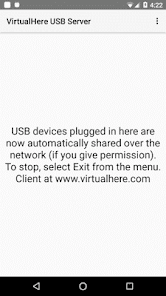
The VirtualHere USB Server will turn your Android Phone/Tablet/TV/PC/Shield/Embedded device into a USB Server.
It is written as a C native complied binary (not java) for increased performance. It will utilize multiple CPU cores if available.
NOW AUTOMATICALLY INTEGRATES WITH THE VALVE STEAM LINK APP!
In Trial mode, this app will support sharing one USB device seven times. If you want to continue to use the app and have advanced features like sharing more than 3+ devices from a single Android server, or running the client as a service, please purchase a license from https://www.virtualhere.com/android
Alternatively, if you purchase via the Play Store, the license is limited to sharing 3 usb devices at a time on an Android device.
(Just like any other App in the Play Store there is usually a refund time-period, check the Play Store terms and conditions)
Clients are available for Windows, Linux and OSX.
The VirtualHere USB Server removes the need for an actual USB cable and instead transmits USB signals over a wireless or wired network. The USB device appears as if it was directly attached to a client machine even though it is remotely plugged into your android device. All existing client drivers work as is, the client machine doesn't know the difference! Its like replacing the USB cable with a network connection (or alternatively giving a USB device an IP address)
For example:
1. Remotely control your digital camera by plugging it into your phone and controlling it remotely via a desktop
2. Turn any printer into a wireless printer
3. Use USB devices in virtual machines
4. Plug in your gaming controller and remotely play streaming games over the LAN or Internet
5. Use a USB-to-serial converter to remotely access serial devices
6. Use USB devices in the cloud. Plug in the device and it can be directly used from a cloud server with no special programming required!
7. Mount USB drives connected to your android device directly in windows/linux/osx
Your Android device needs to have USB host abilities (most larger or new devices have this). Also you may need to buy a Micro-USB OTG to Host adapter if you only have a Micro-USB plug.
The client software is available for download from https://www.virtualhere.com/usb_client_software
The first screenshot shows a USB webcam plugged into a remote Android Device and being used on a local Windows machine. i.e converting a normal webcam into an IP webcam. When sharing a webcam it is recommended your Android device connects via Ethernet for minimum network latency.
The next screenshot shows a Apple Mac machine accessing a FTDI serial device that is plugged into a remote android device. ie. serial over IP
VirtualHere USB Server 使用排名
基於 Similarweb 的算法,根據過去 28 天的安裝數和活躍用戶數進行計算。
所有類別 在
美國--
工具 在
美國#7,106
用戶興趣和熱門類別
VirtualHere USB Server用戶使用的熱門類別和應用程式
















 VirtualHere USB Server VS.
 2月 23, 2026