


5月3日 的 Zip Extractor - UnZIP, UnRAR 應用程式分析

Zip Extractor - UnZIP, UnRAR
- Bizcraft Apps
- Google Play 商店
- 免費版
- 工具
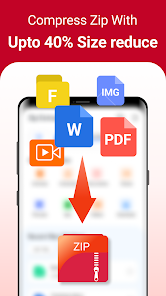
Zip Extractor: Rar Opener – Easy Archive Fun! Have you ever received a giant folder at work only to find out the attachment is just way too big for your phone to open? It is really amusing to see how a simple tool can actually take those heavy archives and make them accessible in seconds. Zip Extractor: Rar Opener is built for those times when you need to handle dozens of documents on your device. You keep your important data but the file management is just better.
✨ File Management Magic Features ✨:
🎬 Zip Extractor: Rar Opener for quick archive shrinking;
🎵 Rar Extractor: Zip File Opener for document extraction;
📉 Unzip: Zip File Opener for storage management;
🛠️ Zip Maker: Rar File Extractor for final compression touches;
🔊 Unzip Files: Rar Reader For Android for easy viewing;
📲 Zip File Reader: Rar Viewer for mobile file security;
⚡ Fast results for every single person using it;
✂️ Simple password protection for all your daily folders.
How to best enjoy your Rar Extractor: Zip File Opener! Life moves fast and honestly it is just nice to have a way to turn a 5GB archive into a simple zip format without any stress at all. Using the Zip Extractor: Rar Opener to fix your downloads or even to clear up your storage is fun and is streamlined. Users of this tool have fun with the results. People using the software see their new files appear instantly. It is that simple to use the Rar Extractor: Zip File Opener.
📷 Shrink and Extract:
With the Unzip: Zip File Opener, magic feels as if it can occur on your screen while the app processes the data. In just seconds, the software makes the file much lighter for sharing with your boss. All you have to do is tap the button and let the software do its magic. This helps settle those moments when your phone storage is completely full. Perfect results become possible with the smart mode, activated within the Zip Maker: Rar File Extractor.
📅 Beyond Basic Swaps:
The Zip Maker: Rar File Extractor feature has great benefits for your creative office projects. It even helps you with high quality tools like AES encryption or 7z support. Using the built-in system, you can pick between compressing a video or adding a password. It does the heavy lifting so you can focus on the work. Users of the Unzip Files: Rar Reader For Android have a great experience.
🖼️ Quality and Vision:
The Zip File Reader: Rar Viewer is best shown off when you need to grab a specific photo from a massive folder. Check the output folder so you can see your new high quality file ready to play or view. It is a great way to stay organized with your email attachments. The results are often surprising for the transfer speed. Users like to see the Zip File Reader: Rar Viewer results right on their own devices. The software really makes the Zip File Reader: Rar Viewer feel very fast.
🎁 Daily File Power:
What differentiates this Rar File Viewer: Zip Manager from others is the way it handles almost every file format from ISO to JAR. Within the Rar Extractor: Zip File Opener, you can find a way to fix a corrupted download. It is that little extra piece of functionality that helps the Rar File Viewer: Zip Manager stand out. Users of the software like the easy navigation. They really like how the Unzip Files: Rar Reader For Android keeps their media ready. Using the Unzip Files: Rar Reader For Android ensures that every document is safe.
Start Enjoying Zip Extractor: Rar Opener Today! Fixing your files should be quick! This app is all about quick swaps and fun ways to manage your archives while you are busy. Enjoy the software and have fun with what the Rar File Viewer: Zip Manager does for your phone. Go ahead and download the Zip Extractor: Rar Opener now. Experience the Unzip: Zip File Opener on your own phone today.
Zip Extractor - UnZIP, UnRAR 使用排名
基於 Similarweb 的算法,根據過去 28 天的安裝數和活躍用戶數進行計算。
所有類別 在
巴西#8,212
工具 在
巴西#1,378
用戶興趣和熱門類別
Zip Extractor - UnZIP, UnRAR用戶使用的熱門類別和應用程式











 Zip Extractor - UnZIP, UnRAR VS.
 5月 3, 2026