

4月20日 的 Remote Phone Call 應用程式分析
Remote Phone Call
- justRemotePhone
- Google Play 商店
- 付費
- 通訊
Use your Microsoft Windows PC as remote dialer for managing incoming and outgoing calls and for writing and receiving SMS messages. Look for missed incoming calls in your call log, read your SMS and use your phone contacts for dialing and creating SMS messages. All from your Windows desktop via Wi-Fi or Bluetooth....
Ideal in conjunction with a Bluetooth headset. You can leave your phone in the docking station while managing your calls.
The additional Microsoft Office integration allows simple dialing and SMS creation direct from Outlook, Word and Excel.
Also look for the 15 day trial version "Remote Phone Call Trial".
Simply the remote control for your mobile phone!
CallCenter features (app running on your PC):
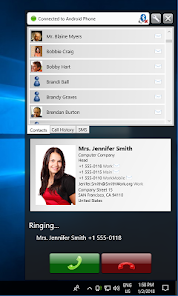
- Shows phone contacts
- Shows call log
- Allows dialing contacts, call log entries and entered numbers
- Writing and reading SMS messages
- Contact search
- Answer incoming calls
- Popup for incoming calls and SMS messages
- Manage audio settings
- Hotkey for dialing numbers from the clipboard
- Hotkey for accepting incoming calls
- Handle "tel" and "callto" ULRs
- Auto start at windows login
CallCenter Microsoft Office integration:
- Allows dialing selected numbers using the context menu of the text editor (Outlook, Excel and Word)
- Allows calling email sender and recipients with help of contact information (Outlook)
RemotePhone features (app running on your phone):
- Auto start with Wi-Fi or Bluetooth
- Acoustic signal on connect
- Show connection status
- Send or download client installation package
to your Microsoft Windows PC
System requirements:
- Android 4.0 or higher
- a Microsoft Windows PC (Vista or newer)
- a Wi-Fi (WLAN) environment or a Bluetooth* enabled PC
- optional: Microsoft Office 2007 or newer
*Supported Bluetooth stacks: default Microsoft stack
The PC application CallCenter offers a programming interface (API), which allows developers the use of the remote control features within arbitrary own applications. The SDK together with a sample can be found in the subdirectory "SDK" within the installation directory on your PC.
If you have any questions, please contact us at support@justremotephone.com! We cannot respond to comments left on Google Play.
Remote Phone Call 使用排名
基於 Similarweb 的算法,根據過去 28 天的安裝數和活躍用戶數進行計算。
所有類別 在
美國--
通訊 在
美國--


 Remote Phone Call VS.
 4月 20, 2026