

4月20日 的 Rokie - Roku TV Remote Control 應用程式分析

Rokie - Roku TV Remote Control
- New World Apps
- Google Play 商店
- 免費版
- 生產力
Replace your physical Roku TV remote with today's most intuitive and easy-to-use app.
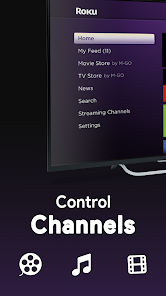
Roku Remote is a full-featured TV remote control app that allows you to easily control your Roku Streaming Players and Roku TVs from your smartphone. After a simple pairing procedure, you can use this smart control app to manage TV channels & apps, control volume, enter text, and power on/off to Roku TV in a simple way. Access to movies, music, and games will become simpler and easier, and you will love your Roku even more. You only need to connect your Android device and Roku to the same Wi-Fi network.
Get this Roku Remote now and forget about that physical remote controller.
Features:
Easy channel switcher
View all your TV channels and jump directly to the one you like.
Adjust your Roku TV's volume and toggle the input.
Pair with multiple Roku devices
Automatic connection to Roku
Power on/off your Roku device
A handy list of apps with large icons
Navigation using the buttons or touchpad like a real remote stick.
Content playback control
Simple and user-friendly interface
No setup is required. This app automatically scans your local network to find your TV.
The keyboard feature helps you to enter text and search on your Roku device more easily.
All Roku Remote buttons are supported
Toggle Input HDMI Sources
Fast & Simple
Search for Movies and Channels
Works with Roku TV, Stick, Express, Premiere, Ultra
- No setup:
Connect and control it's that simple.
- Easy to Use:
We designed the app to be used by anyone, quickly, without any need for training. It's simpler than a physical Roku remote.
- On/Off Controls:
Turn your TV on or off right from your app.
- Keyboard & Trackpad:
Search, enter passwords, and navigate around quickly with the deceptively simple trackpad and full keyboard.
- Manage Channels:
See all the channels installed on your Roku TV right in the app and access them quickly.
- Adjust Volume:
Remote for Roku is a complete and better replacement for your physical remote. It can do everything it can, including changing channels and controlling the TV's volume.
Compatibility:
- App is compatible with all TV models with Roku OS including
TCL, Sharp, Hisense, Philips, Sanyo, Element, JVC, RCA, Magnavox, Westinghouse, and more.
- Roku Streaming Sticks and Smart TV devices including:
Roku express, Roku express +, Roku streaming stick 4K, Roku streaming stick 4K +, Roku ultra
How to connect to TV:
1. Your TV must be connected to your home's wifi network.
2. Your Android phone's WiFi must be turned on and connected to the same network as the TV.
3. Launch this app and tap to select the target device to connect. Once connected, you can control your Roku devices as you wish.
Troubleshoot:
- This app can only connect if you are on the same wifi network as your TV device.
- For cases of not connecting to the TV, reinstalling this app and rebooting the TV can fix most of the bugs.
Disclaimer:
This Roku Remote Control App is not the Roku Official Remote Control of Roku, Inc. It is not affiliated with the TV brands above in any way.
Rokie - Roku TV Remote Control 使用排名
基於 Similarweb 的算法,根據過去 28 天的安裝數和活躍用戶數進行計算。
所有類別 在
美國--
生產力 在
美國#1,187
用戶興趣和熱門類別
Rokie - Roku TV Remote Control用戶使用的熱門類別和應用程式



















 Rokie - Roku TV Remote Control VS.
 4月 20, 2026