What's newtag icon
Our latest AI innovations will deliver tomorrow's market todayDiscover howbanner icon

12月2日 的 Screenshot Assistant 應用程式分析

Screenshot Assistant

Screenshot Assistant

  • Waskysoft
  • Google Play 商店
  • 免費版
  • 工具
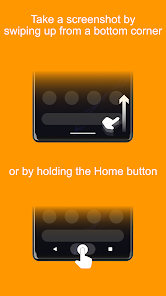
Take a screenshot by swiping up from a bottom corner or by holding the Home button. Features: • Crop screenshot to the desired size • Draw on screenshot • Save screenshot to the device • Share screenshot with your friends How to configure the app: • From the Home screen navigate to Settings • Select Apps • Press Settings icon in the upper right corner • Select Assist & voice input • Press Assist app and select Screenshot Assistant
Screenshot Assistant

Screenshot Assistant 使用排名

基於 Similarweb 的算法,根據過去 28 天的安裝數和活躍用戶數進行計算。

所有類別 在
德國#2,535
工具 在
德國#331

每日活躍使用者

通過查看Screenshot Assistant 的下載量和每日活躍用戶數,分析 Screenshot Assistant 用戶的使用模式。

位使用者

通過查看Screenshot Assistant 的下載量和每日活躍用戶數,分析 Screenshot Assistant 用戶的使用模式。

解鎖每日活躍使用者
10月11月12月

隨時間變化的 Screenshot Assistant 排名統計

Similarweb 的使用排名和Google Play 商店Screenshot Assistant排名

使用排名

排名

Screenshot Assistant按國家/地區排名

Screenshot Assistant 在其主要類別中排名最高的國家


用戶興趣和熱門類別

Screenshot Assistant用戶使用的熱門類別和應用程式

熱門分類
關聯性
該類別中的熱門應用
More apps
18%
Telekom Mail – E-Mail App
FairEmail, privacy aware email
FRITZ!App Fon
Messenger
Chomp SMS
15%
Early Bird Alarm Clock
PDF Editor & Reader | Xodo
Floating Apps (multitasking)
Reminder Pro
Clipboard - Paste Keyboard
8%
Township
Matching Story - Puzzle Games
Bubble Shooter
7%
Bitdefender Mobile Security
ULarCam
PROBE PLUS
Swiss Post
Unseen - No Last Seen

的頂級競爭對手和替代方案

來自同一應用商店,有很高可能被相同使用者使用的應用程式。

Loom – Screen and Cam Recorder

Loom – Screen and Cam Recorder

Loom, Inc

ScreenMaster:Screenshot Markup

ScreenMaster:Screenshot Markup

Blossgraph

Private Screenshots

Private Screenshots

ShamanLand

Screen Recorder

Screen Recorder

naveensingh

Screenshot Assistant VS.

12月 2, 2025