

2月27日 的 Time UI for KLWP 應用程式分析

Time UI for KLWP
- MTheme
- Google Play 商店
- 付費
- 個人化
- Installation Tutorial Video
https://www.youtube.com/watch?v=Be1u4xIF440
- Please join the discord server if you have any questions
https://discord.gg/SWaH6jBjCU
**This is not a standalone application**
If you don't have the following apps, please install the following apps first:
- KLWP
https://play.google.com/store/apps/details?id=org.kustom.wallpaper
- Nova Launcher
https://play.google.com/store/apps/details?id=com.teslacoilsw.launcher
Install
(0. Install KLWP and Nova Launcher)
1. Open the app.
2. In the menu, select Widgets and the theme will be displayed.
3. Click and jump to KLWP.
4. After the template is loaded, tap the "Save" icon to apply the template and then set KLWP as your wallpaper.
Notice
- Tablet devices are not supported.
- Landscape mode is not supported.
- The number of screen pages needs to be 5 pages.
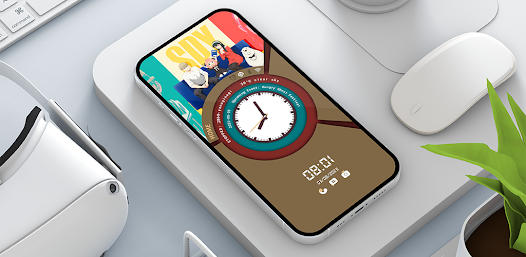
Time UI for KLWP 使用排名
基於 Similarweb 的算法,根據過去 28 天的安裝數和活躍用戶數進行計算。
所有類別 在
美國--
個人化 在
美國--




 Time UI for KLWP VS.
 2月 27, 2026