

2月21日的Daily Notes Planner 2应用程序分析
Daily Notes Planner 2
- Truth Honest Messaging, Inc.
- Apple 应用商店
- 免费
- 生产力
Download Daily Notes Planner for Mac in the Mac App Store and start syncing your notes between your iPhone and MacBook!
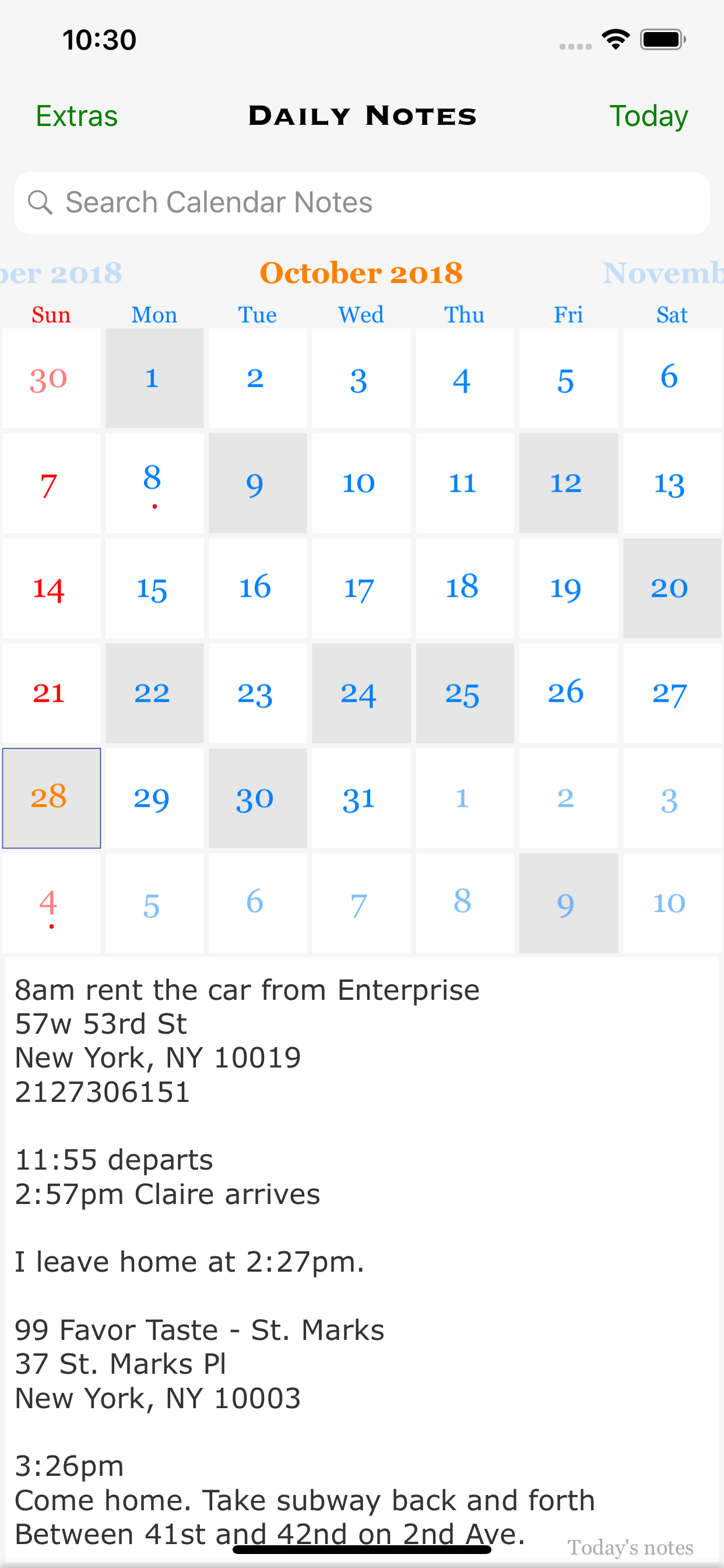
As a much simpler calendar app than the built-in iCalendar app, Daily Notes Planner allows you to type in plain-text-notes for every date (no complicated hourly scheduling or reminders here). Because notes are organized by date, you will know exactly where to look for when you reference them later. Tap on the date in the calendar to go into that date and record or reference notes. The dates with notes are highlighted in the calendar.
Tapping onto the search bar will immediately list all of your notes chronologically with today's note right in front of you and with older notes above and newer notes below it. Search term will be highlighted as you search.
Use iCloud to sync your notes between multiple devices (iPhone, iPad, Mac, MacBook ...) and apps (Daily Notes Planner 1 & 2). All you need to do is to SAVE your notes in a device/app and LOAD them in another device/app in the app's iCloud page (under "Extras").
Reference today's notes in the not editable textview below the calendar without worrying that you would accidentally change it from frequent referencing. If you have a lengthy today's notes, you can minimize the calendar to a weekly mode by scrolling on it.
Check out another app by the same developer called "Close Ties - Honest Messaging" that allows you to message each other in real time under each date in the calendar (also supports typing indicator and read receipts).
IN "EXTRAS" PAGE
In addition to organizing your notes by dates, use three additional notes formats to completely satisfy all of your note taking needs: "One Page Note", "Folder Notes", and "Weekly Schedule". Daily Notes Planner app can store all of your life's notes.
"One Page Note" has just one page of note. If you need to jot something and don't want to save it permanently, this is a good place to put it.
"Folder Notes" organizes your notes with folders and files. Create folders and note files inside them. Search folders and files with search bars. You can change color of texts in your notes dynamically easily: simply tap onto a color on top of the keyboard and type - the blinker color indicates the current color. Also, you can long press any file or folder row to change its name. Also you can press "edit" button in the bottom to delete or rearrange rows.
"Weekly Schedule Notes" allows you to draw a nice, colorful chart of your schedule, classes, or weekly appointments. Tap onto an item to type in notes for it. Change color of texts dynamically here too.
Today's widgets & iOS 14 home widgets
Ask Siri to add notes to a date. "Add note using Daily Notes/Daily Notes 2/Daily Notes Planner app. When Siri asks what to call your note or which one to edit, say a date like "this/last Monday/Tuesday/etc" or "July 1st (year is optional)" or "next week/month".
Ask Siri to search notes in any time range. When prompted "what time?", you can specify any date range.
A hidden tip: you can do a quick swipe gesture to move left and right of the days anywhere on the detail page from the calendar view (also tap or slide the the dates on the top). Also you can long press "Password & Touch ID On/Off" in the Settings to change your password.
App only uses internet connection when you press SAVE or LOAD in the iCloud page to sync data. Other than that it doesn't use the internet at all. All holidays calculations rely on sophisticated astronomical models and other calculations, all done very efficiently within the app.
Supports Apple's Handoff feature to help you to sync your notes via iCloud among multiple devices. Whenever you save your notes to iCloud in one device, all other nearby devices would prompt you to load your latest notes from iCloud either in app switcher / multitasking screen (iOS) or in the dock (Mac).
If you have any questions, feedbacks, or concerns about the app, send me an Email at inhoDeveloper@gmail.com.
商店排名
商店排名基于 Google 和 Apple 设置的多个参数。
所有品类在
美国--
生产力在
美国--


 Daily Notes Planner 2 VS.
 二月 21, 2026