

A380 Clipboard 对比 Selcall Selective Calling Tone 的使用情况和统计数据
Airbus A380 Clipboard
An A380 Clipboard "ECAM" lookalike with the most important Pre-Flight Checks and all you need for your entire flight.
Includes plenty of procedures and features such as:
Basic calculator;
Quick Scratchpad (Pre-Flight);
NADP procedures;
De-Rate Thrust settings;
Loadsheet Limitations and Cargo Hold containers Diagram and Dangerous goods;
Fuel Discrepancy calculator;
Time selector of the Departure time in UTC, returning automatically the "Time to Go" (T -);
Checklist creator
Notes Creator
Limitations;
Memory Items;
In-Flight Contingencies Procedures for OCA, Russia and China;
IFPB and TIBA procedures;
Meters to Feet conversion table for China and Russia;
TOC/CRZ actions checklist, TOD/APPRCH actions Checklist;
In-flight Emergencies procedures such as, Lost comms for NAT, Shannon, Murmansks and Magadan, Lost Navigation capability procedures for NAT, and "square" of equipment required for NAT;
Cold Operations Checklist;
Altimetry calculator for Pressure Altitude, True Altitude and Density Altitude;
Cold Temperature Correction calculator;
Diversion Checklist and Alternate option page;
Failures before T.O. diagram;
Minimum Cabin emergency equipment;
A/C MSN & engine search (Middle East carrier);
Flight Rest calculator;
IRS/Polar Ops;
Seating Diagrams;
GRF - SNOWTAM decoder;
Snowtam decoder (Used in Russia);
RWY Performance Basis for T.O. and Landing tables;
U.S. Units converter and SM Visibility to Meters table;
Flight Time Limitation for variations calculator;
some useful Public Address;
Dedicated page for notes using Pencil or finger.
- Apple 应用商店
- 付费
- 公共事业
商店排名
- -
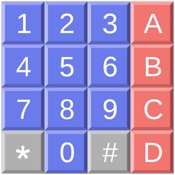
SelCall generates Selective Calling Tones. Select your tone type from the extensive selection of available modes, then touch the button for each tone you wish to send. You can even queue up tones and have them sent in a burst, if you wish. The following tone types can be generated:
DTMF
CCIR1
CCIR7
PCCIR
EIA
EEA
CCITT
EURO
NATEL
VDEW
MODAT
ZVEI1
ZVEI2
ZVEI3
PZVEI
DZVEI
PDZVEI
ICAO
ICAO SELCALL 32
CTCSS
CODAN
Touch the button on the upper right corner to get a list of SelCall tone modes, and select the mode you wish to use.
Then touch the button for each tone you wish to generate.
If you turn the switch off, you can queue up several tones (they will be displayed to the left of the switch) and then turn the switch back on to play them.
Any tones that you played by turning the switch on can be repeated by tapping the RPT/Repeat button.
You can also store commonly used tone sequences. Tap on the Mem button to bring of the list of memory entries, which will by empty at first. To add an entry, tap the Edit button, then the green plus sign to add an entry, which will get a default name of Untitled. Tap Done, then tap on the Untitled entry to edit it. You can change the name, as well as the tone keys to be sent. To send an entry, tap the send button. It will be sent (or stored in the buffer if the switch is off). It will also be placed in the repeat buffer, so you can tap RPT/Repeat to re-send it.
The duration of tones and gap between them can be customized for most modes. Enter the values in milliseconds. The maximum allowed values are 500 milliseconds.
In CTCSS mode, touch the button for the tone that you wish to continuously generate. There is a switch which turns the tone on and off, and when on, the tone will continuously play, even when you switch to another tone mode, so you can combine CTCSS with other tone modes.
In CODAN mode, adjust the center frequency if necessary, select the priority of the message, and dial in the ID to call, and your ID. Then tap Send.
Sequence mode allows you to create sequences of arbitrary tones. First, you will see a list of your sequences. You can use Edit to add additional sequences, delete a sequence, or re-arrange them. Three sample tone sequences are created for you, as examples. To rename a sequence, tap on it and edit the text.
To edit to send a sequence, tap on the disclosure indicator at the extreme right. Each sequence is a set of lines, each of which has two numbers. The first is the frequency of the tone in Hertz, the second is the duration of the tone in milliseconds. One second is 1,000 milliseconds. Do not put an additional space between the numbers, after them, before them, or use any other characters, or the sequence will not correctly play.
You can play two tones at the same time, in that case, three numbers must be entered on each line, the first two are the tone frequencies, the third is the duration.
The first sample sequence, Seq 1, sends eight tones. The first is 1200 Hz for 550 milliseconds, then there are six more tones: 1100, 1000, 1100, 1000, 1100, 1000 Hz, each 200 milliseconds. Then a final tone of 1500 Hz for 350 milliseconds.
To play a sequence, tap Send.
To edit a line, tap on it and edit the text. You need a single space between the frequency and length. You can use Edit to add additional lines, delete a line, or re-arrange them.
- Apple 应用商店
- 付费
- 公共事业
商店排名
- -
A380 Clipboard与Selcall Selective Calling Tone排名比较
对比 A380 Clipboard 与 Selcall Selective Calling Tone 在过去 28 天内的排名趋势
 Selcall Selective Calling Tone- -
排名
A380 Clipboard 对比 Selcall Selective Calling Tone 的排名,按国家/地区比较
对比 A380 Clipboard 与 Selcall Selective Calling Tone 在过去 28 天内的排名趋势
所有品类
公共事业
通过免费试用版比较任何网站
 A380 Clipboard VS. Selcall Selective Calling Tone
二月 21, 2026