

2月21日的Rolled Paper Calculator应用程序分析
Rolled Paper Calculator
- Taizo Yamamoto
- Apple 应用商店
- 免费
- 金融
~ An Innovative, User-Friendly Calculator with History ~
Selected as one of AppBank's Best iPhone Apps of 2010, this calculator is highly regarded by many users. It makes daily calculations easier and more accurate.
Use cases: Calculating expenses while shopping, double-checking household finances, calculating business expenses, learning tool for students, etc.
Main Features:
1. Scrolling Paper Display
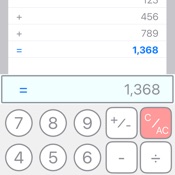
Displays calculations like a scroll, allowing you to check your work anytime. Easily review past calculations by scrolling.
2. Standard/Advanced/Note Keyboard Switching
Equipped with three keyboard modes: Standard, Advanced, and Note. Easily switch between modes based on user preference and calculation needs.
- Standard: Provides simple, easy-to-use basic calculator functions
- Advanced: Extended keyboard with more advanced features
- Note: Offers note-taking functionality to save and manage calculation results
3. Flexible Decimal Point Modes
Three decimal point modes:
- F (Free): No limit on decimal places
- 0 (Zero): Displays integers only
- 2 (Euro mode): Displays up to two decimal places
Easily switch using the "dp/VAT" button (Advanced mode).
4. VAT Calculation Feature
Long-press the "dp/VAT" button in Advanced mode to set the VAT rate. After setting, simply switch to +VAT mode using the "dp/VAT" button to automatically add tax to calculations.
5. Scan Function
Use the "SCAN" button in Advanced mode to scan numbers from receipts or price lists for automatic input. Especially useful for accurately entering large numbers for tax returns.
6. Advanced Calculation Features
- Square root calculation: Easily calculate square roots with the "√" button.
- Sign inversion: Switch between positive and negative values with the "±↻" button.
- Backspace function: Delete the last digit in case of input errors (Advanced mode).
- Restore function: Restore deleted numbers (Advanced mode).
- C/AC function: Press "C/AC" to reset current input or calculation results. Long-press to clear all scroll content and choose whether to save as a note.
7. Copy Function
Copy calculation history displayed on the scroll to the clipboard using the "copy" button in Advanced mode.
8. Total Calculation Function
The "=/Σ" button displays normal calculation results. In Advanced mode, long-press to calculate the sum of all results displayed on the scroll.
9. Note Function
Save calculation results as notes for later reference or editing. Saved notes are grouped by date for easy management. Create notes by:
- Long-pressing the "C/AC" button to clear all scroll content and save as a note.
- Creating or editing notes in Note mode.
10. User-Friendly Interface
- Intuitive operation
- Clear display
- Dark mode support
- Easy switching between Standard/Advanced/Note modes
11. NoteToCalc Function
Import saved note content directly into the calculator. Main purpose: Record unit prices as memos without using the calculator function, then perform batch calculations later.
12. All Sum Function
After importing note content using NoteToCalc, long-press the "+/sum" button in Advanced mode to automatically calculate the sum of all imported values.
Compatible Devices
Available on iPhone, iPad, and Mac (Apple Silicon). Provides layouts optimized for each device's screen size.

商店排名
商店排名基于 Google 和 Apple 设置的多个参数。
所有品类在
美国--
金融在
美国--


 Rolled Paper Calculator VS.
 二月 21, 2026