

2月20日的Musk MIDI Keyboard应用程序分析

Musk MIDI Keyboard
- Joerg Garbers
- Apple 应用商店
- 付费
- 音乐
Musk MIDI Keyboard: Your expandable MIDI keyboard!
* Use the included General MIDI sound font or import your own sound libraries
* Play on the multi-touch keyboard (8 octaves)
* Send notes to other MIDI apps or keyboards
* Receive notes from external MIDI sources
* Use installed Sounds in other apps using the built-in Audio Unit Extension.
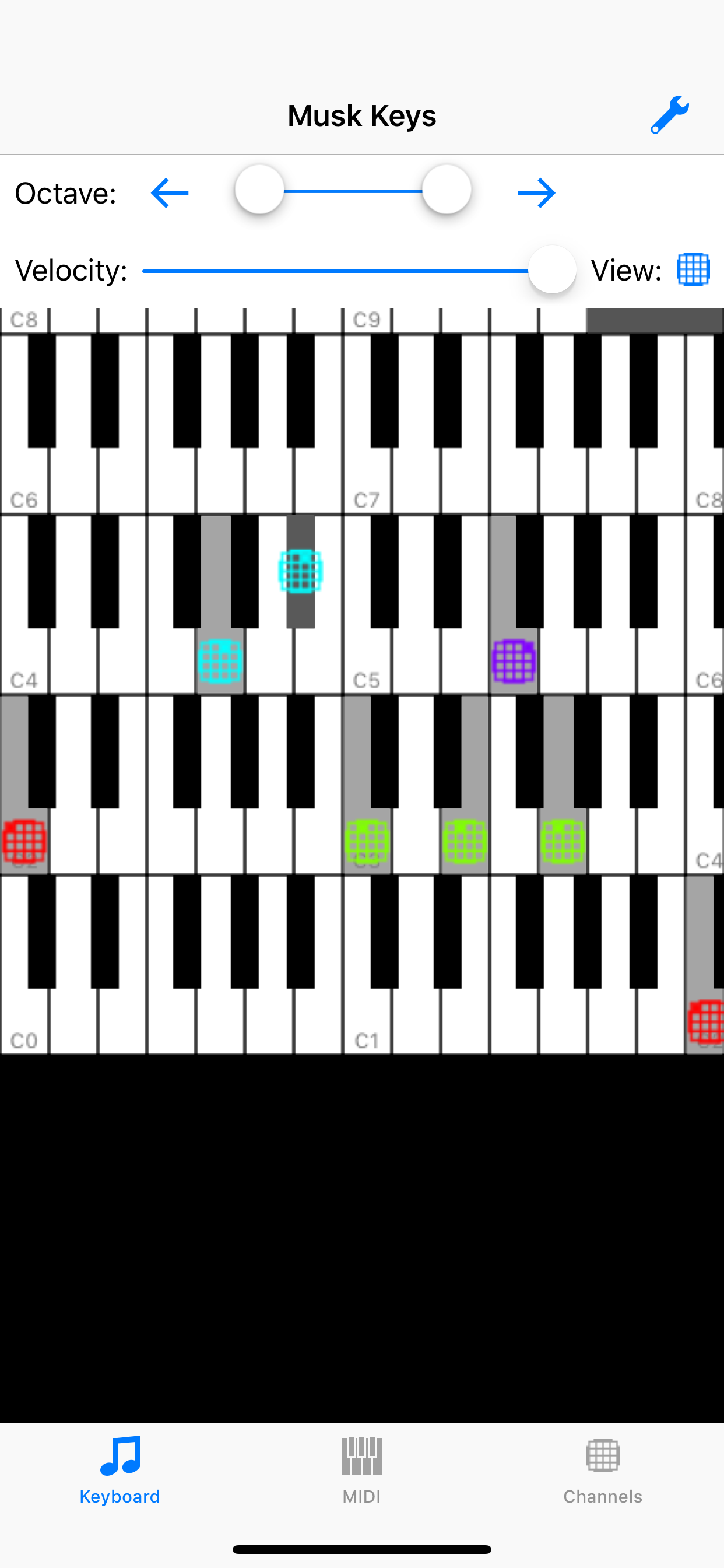
* Track MIDI notes and channels on the keyboard
* Load sound libraries and change MIDI channels to different sounds
* Highlight individual channels visually and acoustically
* Let the app speak the pitch class (pitch class ) of the notes (C = 0 , C # = 1, ..., H = 11) in your own language. (Requires the iOS 7 voices)
The following MIDI sources and targets are supported and can be individually turned on and off:
* Network-MIDI (WiFi) : So you can connect the app to other devices (eg. Mac, iPhone, iPad)
* MIDI devices: you can connect your devices via Camera Connection Kit and USB-MIDI (e.g. a MIDI keyboard)
* Core MIDI-enabled apps : You can, for example, display the notes of a MIDI player and use the sounds of other apps.
* MIDI via Bluetooth (iOS8)
* Experimental MIDI via Gamekit support.
Full Core-MIDI support:
* Other apps publish their MIDI input and output ports: you activate the connection in this app. Active connections are reestablished, if possible, at app restart.
* This app publishes a MIDI input and output: you activate the link in another app or the other app automatically activates the connection.
Setting and filter adjustment options (per channel):
* Show notes
* Hear notes
* Instrument sound
* Instrument and voice volume
* Accepting program and volume change commands (via MIDI input)
Import of sound libraries via:
* ITunes: transmission via Mac or PC
* ICloud: synchronizes the data on all your Apple devices. (Network connection required)
* Other Apps from the manufacturer this app: All of his apps access to the same iCloud directory. (No network connection required)
* Safari: search for a website that offers SoundFonts. Click on the file. Wait until it is downloaded. Then select this app in the "Open In" dialog.
* Mail: Select the attachment and select this app in the "Open In" dialog.
* Other apps: use the "Open In" dialog. (Dropbox, Google Drive, SkyDrive)
Supported file formats and extensions:
* Sound fonts (sf2)
* Downloadable Sounds (dls)
* Logic Pro EXS-24 instrument Files (exs)
* Audio Unit Presets (aupreset)
* Zip files (zip)
Inter-App-Audio, AudioBus 3 and Audio Unit support:
You can use the audio output of the app in other apps:
* Record a MIDI performance in Garageband, AudioShare or other apps.
* Add sound effects in GarageBand, VoiceSynth or other apps.
* Use a sound font as an Audio Unit in a host app. (Experimental)
Limitations:
* Speech output can not be sent to other apps.
* Playing many notes per second can push older devices to their limits. When you hear a scraping noise, try terminating other apps.
Have fun!
商店排名
商店排名基于 Google 和 Apple 设置的多个参数。
所有品类在
美国--
音乐在
美国--


 Musk MIDI Keyboard VS.
 二月 20, 2026