

4月24日的PoseMixerAR Animation Camera应用程序分析

PoseMixerAR Animation Camera
- Maruyu Apps
- Google Play 商店
- 免费
- 艺术与设计
PoseMixerAR is an application that allows you to apply your own animations to your favorite 3D characters.
You can use it to create illustrations, cartoons (comics), watch animations, create images for social networking sites, and much more.
Creating an animation is easy!
Just choose two of your favorite poses from the more than 440 available!
It will automatically create an animation that transitions between the two poses.
With AR support, you can take photos with various expressions (including looking at the camera), poses, and angles.
Your favorite photos can be shared to Twitter and other social networks from the app.
VRoid Hub support
You can call up to five original 3D characters or public 3D characters.
(Please refrain from sharing photos with imitation characters such as Hatsune Miku, Kagamine Rin, Kizuna Ai, and Tsukino Misato.)
Your character used in the Metaverse service
You can call it into the real world.
-Contents Introduction
Introduction to AR Mode
There are two modes: "AR Mode" for AR display and "Smartphone Mode" for 3D display in the device.
The mode setting can be switched at any time you like while keeping the character intact.
You can switch modes by clicking the button on the top left of the app menu.
•AR mode
By detecting a flat surface with the AR camera, you can display the character in the real world.
If your device does not support AR, you will only be able to use smartphone mode.
In order to place a character in AR mode, you must first detect a plane.
The plane can be detected by moving the device back and forth, left and right.
When a plane is detected, it will be indicated by a green dot.
When a plane is detected, it is indicated by a green dot, and the 3D character can be moved by tapping the dot.
•Smart Phone Mode
You can place the character in the 3D space.
The background can be changed. Green background and blue background are supported.
By switching characters, the center of rotation of the camera will move to the feet of the character.
Camera Control Method
One-finger swipe Rotate
Two-finger swipe Parallel movement
Pinch in/out Zoom in/out
-Pose Category
We have prepared a variety of poses, from everyday poses to sexy poses.
If there is a pose you would like to see, please send us a request in the review section.
•Crouching
•Crouch
•Kneeling
•Sitting
•Chair
•Roll over
•Squatting
•Exercise
•Rest
•Sleep
•Falter
•I'm sorry
•Hold on
•Jumper
•flying
Recommended for
•People who like MMD (Miku Miku Dance)
•People who like idols
•People who like Hatsune Miku.
•People who like to look at cute models
•People who like good-looking models.
•Those who have VRoid models.
•People who like dancing.
•If you are looking for an application to help you create pictures, illustrations, cartoons (manga), and drawings.
•People who like holo-live.
•Those who want to appreciate girl models.
•Those who like Niji Sanji.
•Those who want to see beautiful girl models.
•People who like Vtubers.
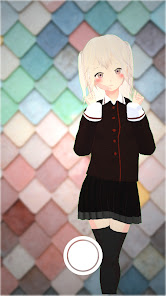
Icon Model
Model Name:Mariel
Publisher Name:hyuuuuganatu
PoseMixerAR Animation Camera 使用排名
使用率排名基于 Similarweb 的算法,该算法会计算 28 天内的当前安装量和活跃用户数。
所有品类在
美国--
艺术与设计在
美国--



 PoseMixerAR Animation Camera VS.
 四月 24, 2026