

2月21日的Message Reader: Text to Speech应用程序分析

Message Reader: Text to Speech
- G-Technology
- Google Play 商店
- 免费
- 工具
Message Reader - Do not waste time for reading any big messages through eyes. This app speaks for you using TTS Reader.
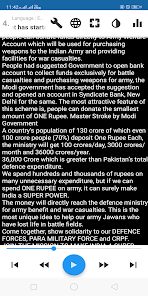
Nowadays you will receive very long messages in many apps like social media app, news app, chatting app, books app, blog, web page etc. This app reads those messages for you. You just need to copy & play those messages in this app.
How to Use: You just copy the messages from any app, the copied message reads automatically from the clipboard and play it with the Message Reader.
This message reader app is very useful when you are listening at travel time or any free time by using earphones. It saves your valuable time by reading longer messages or any stories from books or website.
The app will speak and guide you how to use it.
Features:
1. App speaks only required text, it will reject all the Emojis and unwanted special characters to feel the speech pleasant.
2. App removes the date and time from copying message when you copy multiple messages from any chat app
3. Able to switch day & night mode for comfort reading in the night time.
4. Using Forward, Rewind, Next and Previous button, you can skip, switch to next and previous messages by clicking buttons in the bottom bar.
5. Easily control the voice pitch, speech rate and volume.
6. Options available to pause and resume the speech where you can stop.
7. Optionally select other different languages to speak.
8. Separate page is available to read all the messages in the list, like a chat view.
9. Automatically pause and resume the speech for incoming mobile calls starting and ending.
10. No need to paste the copied message in the app, it will automatically paste from clipboard.
11. Able to find the no of words in the messages.
12. Able to read multiple language messages in their country slang.
13.Able to read the book, messages, website etc.,
Advantages of Message Reader:
This app filters all the Emoji’s, unwanted symbols, numbers, URL and unwanted mobile numbers when copying multiple messages from any app. Even you can remove and tune those in the settings page.
The main advantage is the TTS Engine starts to speak the next messages once the message completes.
You can adjust the voice pitch, speech rate, and volume by clicking the icon in the panel. Now start, copy, play, hear and enjoy with the Message Reader app.
This app speaks multiple language messages and multiple country slang's like English (United Kingdom), English (United States), English (Australia), French (France), German (Germany), Italian (Italy), Korean (South Korea), Spanish (Spain), Chinese (China), Chinese (Hong Kong), Chinese (Taiwan), Hindi (India), Greek (Greece), French (Canada) , Japanese (Japan) , Portuguese (Brazil) , Urdu (Pakistan), Vietnamese (Vietnam), Thai (Thailand), Tamil (India), Telugu (India), Portuguese (Portugal), Bangla (Bangladesh) etc.., These languages can be changed in the settings page.
#NOTE:
Make sure you have set the right language for a speech Engine, otherwise it may not work properly.
We strongly recommend Google Speak TTS Engine, as it has better compatibility with T2S. You can download Google T2S from below link.
https://play.google.com/store/apps/details?id=com.google.android.tts
IMPORTANT: You must need a Text-To-Speech (TTS) engine and voices installed on your device to use this app. You can use more than one speech engine if you want.
Message Reader: Text to Speech 使用排名
使用率排名基于 Similarweb 的算法,该算法会计算 28 天内的当前安装量和活跃用户数。
所有品类在
美国--
工具在
美国--


 Message Reader: Text to Speech VS.
 二月 21, 2026