

2月22日的QR code reader应用程序分析

QR code reader
- LookAndFeel Lab
- Google Play 商店
- 免费
- 生产力
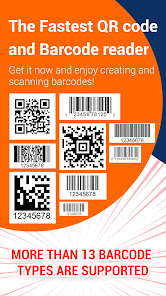
QR code reader, Barcode scanner & QR generator is a free, simple and powerful app which allows you to read / scan and generate all QR code types. Barcode scanner app is an ultimate Barcode reader app free to scan qr code and create qr code for any Android device. Enjoy all the benefit by code scanning QRcode / Barcode from everywhere to access promotion and coupon.
This QR code scanner & QR code generator gives you the ability to create qr code easily, and save it or share it with your friends, you can create qr code of many types of QR Code like:
⭐ Create qr code for phone number.
⭐ Create qr code for your predefined SMS.
⭐ Create qr code all link types and websites.
⭐ QR generator for your custom text.
⭐ Generate qr code for E-mail message.
⭐ Create qr code for a contact (vcard).
⭐ QR generator for an event.
⭐ Barcode generator.
⭐ QR code location generator.
⭐ QR generator from clipboard content.
⭐ Create qr code for your Youtube channel, playlist or video.
⭐ Create qr code for Wifi to share with your family easily.
Key features of QR code reader | Barcode scanner | QR generator app:
⭐ Good reader QR Code: the fastest qr code reader/ qr scanner app you can found in the market for free.
⭐ Scan barcode product: scan your barcode product and do a search in the Web by a simple click.
⭐ QR code location scanner.
⭐ Create qr code: create your custom qr code easily, and share it with your friends.
⭐ Read QR code from picture: read qr code and bar code from your storage.
⭐ QR Generator: Create QR Code for multiple types for free.
⭐ Enjoy Saving and Sharing QR code.
⭐ Enable flashlight for a darkness environment.
⭐ History for scanned QR Code and Bar code.
How to scan qr code and barcode?
- Install and launch QR Code Scanner App.
- Scan Tab launched automatically.
- Place qr code or barcode to scan in the frame of camera.
- Then, you will have the result of your qr code or barcode.
How to make a qr code?
- Install and launch QR Code Generator App.
- Click on Generate Tab.
- Choose the type of your qr code (Website, Phone, Wifi, Event…)
- Input all needed fields.
- Click Generate button.
- Then, you will have a nice Qr code that you can save it in your storage or share it.
QR Code Reader & QR Code Generator for android scan all flash code types: QR code, EAN13, Barcode product (UPC), ITF, Code39, Code128...
QR reader is designed with the permission of the camera. If you are interested in security, this is the application that scans the code you need. It is safe and fully compatible with your devices. The barcode scanner is comparable to a professional QR code reader.
Download QR Code Reader app and enjoy reading QR Code for free.
If you like this QR Code Reader app, please leave us a positive review.
QR code reader 使用排名
使用率排名基于 Similarweb 的算法,该算法会计算 28 天内的当前安装量和活跃用户数。
所有品类在
美国--
生产力在
美国--









 QR code reader VS.
 二月 22, 2026