

4月15日的Wallets: money manager应用程序分析
Wallets: money manager
- Oleh Romanenko
- Google Play 商店
- 免费
- 金融
---=== SUPER DISCOUNTS! Get rid of ads almost for free!!! ===---
The "Wallets" expense manager will provide you with:
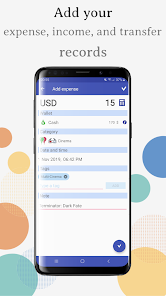
– Three-level drill-down in expense and income categories
– Possibility to manage your debts, budgets, recurring payments
– A huge number of icons for expense and income categories
– Powerful, customizable filters for expense, income, and transfer transactions
– Possibility to export your personal finance data to a .csv table file
– Support of almost all world currencies
– A handy shopping list
– The "Wallets" expense manager –
The idea of the "Wallets" expense manager is to keep your personal finances in separate wallets. For example, you may have a "Base wallet" for your living expenses, a "Cash savings" wallet for your piggybank, a "Loans" wallet for your loans, and so forth. You may easily transfer funds between your wallets.
– Managing debts, budgets, payments –
The "Payments" section of the "Wallets" money manager will help you manage your debts, budgets, and recurring payments in a single place.
– Drilling down in expense and income categories –
In the "Wallets" expense manager, expense categories can be detailed up to three levels! Say, you want to keep track of what you spend on food. You can split your "Food" expense category into the subcategories: "Food –> Healthy food –> Salads" or "Food –> Sea food –> Salmon". You will then have full statistics on each expense subcategory.
– Fancy looking icons that meet your every need –
In the "Wallets" expense manager will provide you with a huge number of icons so that you can easily find one for any of your expense or income categories.
– Using advanced filters –
With filters, you can find your expense and income transactions based on any search conditions. For example, you want to display all transportation expenses you had when traveling, say, to Cyprus. To do this, just add a filter "My Cyprus trip," specify a period for it, specify a "Travel –> Transportation" expense category, and save the filter. Then just apply it to the records list, and you will get only those records that you are interested in.
– Backing up your personal finance data –
At any time and for free, you can obtain a file in which your personal finance data is stored and then import it to the "Wallets" money manager on another device!
You can also export your data to a table that can be opened either in Excel or Google Sheets.
– Using world currencies –
Using world currencies will be handy, for example, if you like traveling abroad.
Manage your finances with the "Wallets" expense manager!
Wallets: money manager 使用排名
使用率排名基于 Similarweb 的算法,该算法会计算 28 天内的当前安装量和活跃用户数。
所有品类在
美国--
金融在
美国--







 Wallets: money manager VS.
 四月 15, 2026