

4月17日的Applock - Gallery Vault应用程序分析

Applock - Gallery Vault
- StoreVN
- Google Play 商店
- 免费
- 工具
AppLock is an Android lock app by password to protect your privacy, keep safe for your phone.
Applock can lock apps and also able to hide photos & hide videos from anyone (move private photos, videos to a gallery vault).
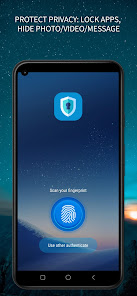
You can get other application lock by a touch (just touch to lock icon of that on main screen to lock), apps lock in several ways like passcode lock or finger lock (if your device support fingerprint password)
Features:
✔ Lock apps: Applock can lock apps include system apps & also all other apps, keep safe for all your phone.
✔ Lock system apps: Lock message SMS, call phone lock, lock Settings, Play, Contacts … keep safe your phone with unwanted activity.
✔ Lock sensitive apps: Lock Messenger, Whatsapp lock, lock Instagram, Facebook, Telegram ... keep safe your privacy & your sensitive chat.
✔ Multiple lock methods: Pattern Lock, PIN Lock (this uses passcode lock apps), Fingerprint password.
✔ Many lock themes: Applock has built-in beautiful lock themes, and you can also add more themes from your gallery.
✔ Gallery vault: By the gallery vault feature, this is not only an app locker but also a gallery locker that helps you to hide photos, hide videos. Applock will move photos, video from your gallery to a secret vault and protect them by app password.
✔ Separated lock application tab: Locked Apps and All Apps are in separated tab, let you easily to find & lock for apps you want.
✔ Lock private notifications: Lock notifications of locked apps, protect your private information.
✔ Prevent uninstall: Prevent others from uninstalling Applock apps.
✔ Intruders capture: Take pictures of intruders when entering the wrong password.
=== FAQ ===
1. How to get my phone lock apps & ensure no anyone can disable or remove the aap lock from the phone?
You must lock at least these apps: Settings & Google Play to prevent someone disable or uninstall the Applock
2. How to change password ?
To change password for apps, open the AppLock, click menu Settings then chose “Change password”, then set new password for Applock.
3. How to enable or disable app lock fingerprint ?
Go to app settings and find the item “Use fingerprint...”, switch ON to enable app lock fingerprint, OFF to disable it.
4. How to enable or disable AppLock ?
Go to app settings and find the item “Enable App Lock”, switch ON to get lock for apps or in the same way, switch OFF to disable app lock for all apps. This is quick solution to disable app lock for all apps without having to uninstall the AppLock, useful for urgent situation.
5. If I forgot password of app lock, what do I need to do ?
If you forgot password app lock, just enter your security question, click 'Reset password' then set your new password for apps.
6. When I hide photos then uninstall app, if these photos lost ?
No, simply install the AppLock again, then you can control everything (restore, delete, share, ... the photos you hide).
7. When I lock message app (eg lock whatsapp or lock messenger), if am I able to receive the notification when have a new message come ?
Yes, you still receive the notification but must have app password to open the apps lock and see your message.
IMPORTANT NOTE: This app uses the Device Administrator permission, it is NOT required, you can enable or cancel at anytime.
The privacy: We does not collect any your personal & device information.
Experience the great features of the app right now and don't forget to give us your rating in order for us to improve.
Download AppLock - Gallery Vault now!
Applock - Gallery Vault 使用排名
使用率排名基于 Similarweb 的算法,该算法会计算 28 天内的当前安装量和活跃用户数。
所有品类在
美国--
工具在
美国--











 Applock - Gallery Vault VS.
 四月 17, 2026