


4月27日的Hola-Private&Fast web Browser应用程序分析

Hola-Private&Fast web Browser
- COIHUB TECHNOLOGY
- Google Play 商店
- 免费
- 沟通
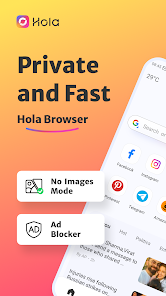
Hola Browser is your private browser and mobile desktop browser with custom news recommendation, free video downloader, ad blocker, and quick scan web pages that help you save mobile data, also protect your private information.
😀Why choose Hola Browser?
√The free ad blocker can block annoying ads when you search in Hola browser and help you implement safe and free Adblock.
√Incognito browsing mode that you can conduct the private search as a private browser and keep your privacy protected all the time.
√Dark web mode gives you a better experience in a low-light environment. √Video downloader to play and download wonderful and favorite videos with AdBlock as you like.
√Private incognito browser mode to freely browse and search for information.
√Breaking news recommendations keep you up to date on local news.
-------All Functions-------
⭐Smart Video Downloader
Fast and Easy
With Hola browser which is a multifunction private browser that has fast and free video sniffer, you can download easily and quickly all videos and movies from mainstream websites and any social media application, like
Instagram, WhatsApp, Telegram, Snapchat, and Facebook to your devices.
⭐AD Blocker
Safe and Private
A plug-ins-free adblocker blocks ads that prevent your privacy from being invaded and Adblock stop ads impact your user experience on hola browser, also incognito keeps you from being tracked on the web browser.
⭐Fast web page search
Convenient and Quick
By enabling quick web search for notification panel in settings, you can incognito and private search directly and safely in the notification panel.
⭐No Images mode
Fast and Economical
Web browser with No Images mode will help you save your mobile data and money in the hola browser, also implement the private browser experience.
⭐Incognito Mode
Safe and Privacy
The private hola browser has Incognito mode that allows you to browse and search the web pages privacy and incognito without leaving any search or browsing history.
⭐Bookmark management
Customized and Fast
Bookmark web pages at any time and visit your favorite web with one tap.
⭐Night mode
Protect your eyes
Turn on the Night mode for a great visual search experience when you browse web pages in low-light environments.
-------Q&A-------
1.How to turn on incognito mode on hola browser?
Open the Me tab in hola browser, “Incognito” will appear on the screen page, click the button on the right to open incognito mode. Incognito mode can protect your privacy.
2.How to use the video downloader?
Search the video or movie you want to download, there will be a download button below the video, click the download button to launch the video downloader then you can watch it in the hola browser.
3.Why use adblocker?
Hola browser is a safe and private browser with a free ad blocker, search with adblocker allows the web pages to load faster and reduce annoying ads on the web, also can save your data and money.
4.What kind of video can be downloaded in hola browser?
Hola Browser’s video sniffer can automatically identify the media resources in the URL. You can download videos on social media channels like Instagram, Facebook, WhatsApp, and so on, also use video downloader to download the favorite movies and interesting videos you searched on the web.
Hola-Private&Fast web Browser 使用排名
使用率排名基于 Similarweb 的算法,该算法会计算 28 天内的当前安装量和活跃用户数。
所有品类在
美国#4,492
沟通在
美国#199
用户兴趣点和热门类别
Hola-Private&Fast web Browser 用户使用的热门类别和应用程序




















 Hola-Private&Fast web Browser VS.
 四月 27, 2026