

4月20日的Video Splitter for WhatsApp应用程序分析

Video Splitter for WhatsApp
- Promising Apps
- Google Play 商店
- 免费
- 视频播放器与编辑器
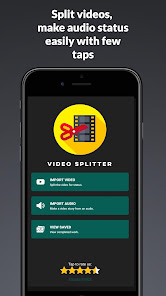
Easily split videos for WhatsApp, Facebook and Instagram stories to the required length with no watermark and no quality loss. Post status videos with a length of more than 30 or 60 seconds. Share long videos on WhatsApp status with a single tap. The app runs faster than ever, ensuring perfectly trimmed output with no frame freeze. Beyond splitting, you can create audio statuses by converting audio to video or adding background music to your WhatsApp status—all while keeping your content professional and watermark-free.
Why Choose Video Splitter?
➤ No Watermark: Keep your content clean and professional.
➤ High Speed: Optimized processing—the fastest in its category.
➤ No Quality Loss: High-definition output with perfect audio-video sync.
➤ Works Offline: Process your videos anytime, anywhere, without using your data.
Technically you can upload 30 seconds videos as 30 parts which mean a full 15-minute video as WhatsApp status!.
Video splitter allows you to split a long video in 3 ways:
1. WhatsApp Split - Automatically split long videos to 15/30 seconds.
2. Custom Split - Split videos based on the custom duration
3. Trim videos - Trim/cut videos from start time to end time seconds.
Video splitter Also has other features:
1. Add background audio to your video status before splitting. This will make your WhatsApp status or Instagram story more effective and beautiful.
2. Convert audio clip to video status - Have you ever wanted to post an audio clip as WhatsApp status?. It is now easy with Video Splitter. This feature will allow you to choose an audio clip and an image and create a video status for you. Later you can save the video or split it to status.
Video Splitter works offline and doesn't use your data.
Video Splitter uses FFMPEG open-source library to split and process videos, the carefully selected commands will ensure your video plays perfectly with audio-video sync and without any freezing issues. Video Splitter is the fastest in this category.
Features:
★ Works offline
★ More than 30 seconds status upload
★ Share videos in one tap after the split
★ Custom video chunk size
★ Add background audio to video
★ Convert audio to video with background image
★ Gallery viewer - view and manage all your files
★ View, share or delete the videos within the app.
How To Use:
➤ When you want to post a lengthy video to WhatsApp or any other social media app, open Video Splitter, choose the Import Video option
➤ Select the video file you want from the gallery or file manager
➤ You can select the WhatsApp split option if you are splitting the videos for WhatsApp status.
➤ You can select the required status length by selecting the duration from the dropdown. It has multiple options like 30 seconds, 60 seconds, 90 seconds ( Since Whatsapp changes the status length limit). You can also make your selection default so that you don't need to change it every time.
➤ Tap on SAVE - You will be asked to select a different quality output if needed. Tapping START will begin the splitting process.
➤ If you want any other status video length, choose the Custom Split option. Move the slider and select a chunk size, tap SAVE.
Video Splitter for WhatsApp 使用排名
使用率排名基于 Similarweb 的算法,该算法会计算 28 天内的当前安装量和活跃用户数。
所有品类在
美国--
视频播放器与编辑器在
美国#535













 Video Splitter for WhatsApp VS.
 四月 20, 2026