


5月3日的Text reader app Read Text File应用程序分析

Text reader app Read Text File
- Office Reader Pro X
- Google Play 商店
- 免费
- 教育
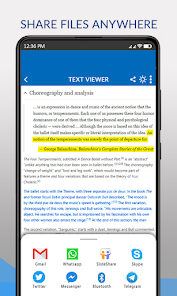
Text files reading is no longer a problem for readers. Get your text files to be read via this text viewer the document reader will read all files with .txt format or extension. The users in text viewer for android are given the flexibility to read any text file whenever they want. Users can also share delete or rename any text file or document they want to.
Use text viewer to read text files that help users to view numerous multiple text files in offline mode. Using a text reading app is very easy to use with simple features of text viewer which help users to view search share or rename any text files. The number of documents in text format is automatically retrieved or fetched into this text viewing app. The user is in no need to search the file and open it with this app. With a single tap, the user can view all available text files from the phone at once as the user open this text reading app.
How to use Text View App?
- Open the text reader app
- Choose the language you want to select
- After selection of language move ahead
- All text files will be displayed to the user
- Select any text file you want to open
- You can search any text file from the file manager
- After finding the text file you want the simple tap to read
- Text file will be open to you in front of you
- If the document contains more than a one-page scroll bar with navigation available
About Our Apps: Please Note:
Our apps uses All Files Access Permission to fetch all supported format files to display inside the document readers app. All Files Access Permission grants document reader to load and display all supported document files for you inside the app. Without the All Files Access Permission the document reader apps doesn't perform their task to load and display document files to you.
Grant the All Files Access Permission for the document reader apps so they can run smoothly on your mobile phones.
The users of text viewer will be able to read and view text docs with a single tap. The viewer of the text processor can read the files using a file reader or can see the text document in the file viewer. Open the document to view a file in all file readers.
The encoding scheme of the text document is simple and can be viewable by file viewer which displays text format file including txt with view document listing. In all file readers, the good reader seeks a reading app that is going to read text files that solve the text file reading using file viewer.
The text view app list down all files upon opening the text viewer for the android app. The text viewer search option will let users read text docs in terms of viewer for having a quick see text processor for document viewer. In file viewer, the text format files are easily openable and readable. The text reader app will open documents of all file readers by sorting and displaying multiple text files all in one place.
As a user of the text reading app, you can use the scroll bar for navigation. You can also use the search the text option to list down any specific text or text doc you want to view or read. The text document is saved with a .txt file that is viewable easily in this text viewing app.
View document or docs using office viewer to read any number of pages with some docs app that makes the file viewer cover the best use of text reader. The txt app helps users to read text documents from office viewers.
The file reading app is simple & easy to use with the arrangement of the text app that shows numerous files of the docs app. When all kinds of files are having plain text with the quick purpose for replacing text in the docs app.
Review document by viewing numerous files along with all kinds of files to work in viewing thousands of text views for their representation in documents app. The file reader will open a document file for the user to bring numerous document views with plain text and with rich formatting without considering the text size or document management system.
Text reader app Read Text File 使用排名
使用率排名基于 Similarweb 的算法,该算法会计算 28 天内的当前安装量和活跃用户数。
所有品类在
美国--
教育在
美国#3,057


 Text reader app Read Text File VS.
 五月 3, 2026