

3月1日的Webkey: Android remote control应用程序分析

Webkey: Android remote control
- Go Dev Team
- Google Play 商店
- 免费
- 工具
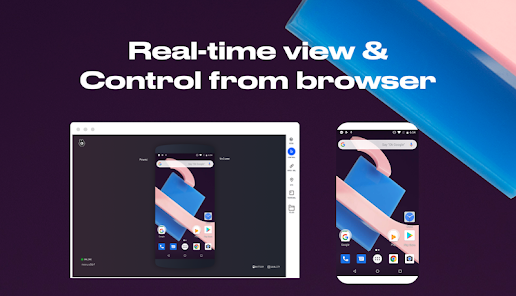
Webkey connects your 📱Android devices and your 💻computer via WiFi or internet. Once devices are paired you can control and manage them from your browser.
What can I do with with my devices?
With Webkey service, feature availability depends on your access level to the device.
Some of them are readily available with Android, while others require rooting access or a signed Webkey APK.
Accessibility API polcy
If you find it difficult to use the touch screen of your device then with the Android Accessibility service you can control your device with your PC peripherals, like a touchpad, or keyboard.
You can revoke this permission at any time via the settings menu. Our app uses the Android Accessibility service for its core functionality and we do not collect or share any personal or sensitive data.
Important disclosure:
When using our app you may consent to the "screen recordings" on your device to be processed through our server used to connect your device to your Dashboard which is the core functionality of our application. This means that your data is uploaded to our servers with your consent. Screen recordings are not stored on our servers, only broadcast to your Dashboard in a browser.
Privacy policy disclosure: File information from your controlled device will be uploaded to our servers while using our app to ensure core functionality.
Android 4.4
• Web Dashboard to monitor devices
• File browser
• Quick open URLs in Android
• GPS-based location tracking
• Linux terminal access
• List installed packages through a Rest API
• Direct access to your device by nickname (https://webkey.cc/yournick)
Android 5.0
All of the above, plus
• Screen mirroring
• Remote screenshot
• Remote screen recording
• Clipboard function
• Full screen mode
For Samsung devices
All of the above, plus
• Full remote control including touch and key events
• Install/Remove packages
• Touch position fix
For rooted devices
All of the above, plus
• Full remote control including touch and key events
• Install/Remove packages
Signed Webkey APK
All of the above, plus
• Pre-installed Webkey client
• Automatic Webkey app install after factory reset
• Headless version
• Configuration via intent (stop/start service, set fleet id, set server address)
How to get started?
1, Download and install the Webkey Client app to your Android device
2, Register to Webkey in the app
3, Go to www.webkey.cc in your web browser and login to your newly created account (alternatively, register on the Web)
4, You will find your device appearing on your Webkey Dashboard
5, Now you can start using Webkey to manage and control your device
Webkey: Android remote control 使用排名
使用率排名基于 Similarweb 的算法,该算法会计算 28 天内的当前安装量和活跃用户数。
所有品类在
美国--
工具在
美国--




 Webkey: Android remote control VS.
 三月 1, 2026