

4月21日的Split Screen: Multitasking应用程序分析

Split Screen: Multitasking
- kurekoo
- Google Play 商店
- 免费
- 生产力
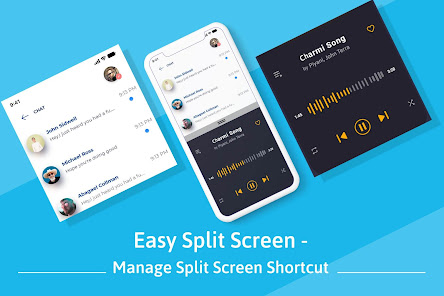
If you want to work with two different apps at the same time then you can do it using the Easy Split Screen app. This app creates dual windows on your phone screen so you can do multitasking.
To split your screen into two parts first you have to enable split-screen service from the app. Then there are two shortcut ways available to get the split-screen, the first way is using the floating button and the second way is using the notification.
Features of Easy Split Screen:
- You can adjust the size of the floating button.
- You can customize the foreground color and background color of the floating button.
- You can change the opacity of the floating button.
- The floating button will automatically get adjusted towards the sides of the screen if the Adjust to sides option is turned on.
- Your phone will vibrate when you activate or deactivate the split-screen.
Download the app to split your mobile phone’s screen into dual windows and access any two apps simultaneously.
Note: Split screen will only work on those apps which supports screen splitting, if split is applied on non-supported apps it won't work and will show error message.
Our application needs accessibility services since we need to use the accessibility API to perform actions like Split Screen on floating button or using notification action.
Split Screen: Multitasking 使用排名
使用率排名基于 Similarweb 的算法,该算法会计算 28 天内的当前安装量和活跃用户数。
所有品类在
美国--
生产力在
美国#1,501










 Split Screen: Multitasking VS.
 四月 21, 2026