

Sectograph. Day & Time planner 对比 TickTick:To Do List & Calendar 的使用情况和统计数据
🎯 Sectograph is a new, intuitive way to view your calendar and daily schedule.
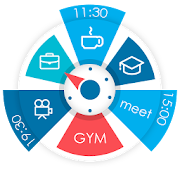
It shows your day as a circular planner — a 12-hour clock face — with events and free time between them.
A visual time planner for time blocking, time management, and a clearer sense of time.
⚙️ HOW IT WORKS
Sectograph is lightweight, privacy-friendly, and works with your existing calendars on the device.
It overlays your day planner (routine, local calendar, Google Calendar) onto a clock-face timeline and automatically calculates:
• upcoming events
• time blocks and durations
• gaps between events and your real free time
Everything updates as time passes, keeping your schedule always current.
Not a to-do list — it’s a calendar-based schedule planner that visualizes what’s already on your calendar.
👀 HOW IT LOOKS
Like an analog clock your brain already understands — but with your day mapped onto it as sectors.
• Events appear exactly in the hours they happen (a radial / circular calendar view)
• Each sector width matches the event duration (a true pie-chart schedule)
• See gaps and the time from “now” to the next event at a glance
A clock planner / visual planner that helps you read your day instantly.
🎯 USE CASES & IDEAS
Use Sectograph as a day planner, daily planner, time planner, or routine planner for time management and daily schedule planning.
Great for time blocking (deep work, meetings, breaks), work/shift schedules, class schedules, travel itineraries, and Pomodoro planning (place focus sessions as time blocks).
If you like Chronodex, you’ll feel right at home.
🔄 SYNC & CALENDARS
Reads events from Google Calendar and your local device calendar; Microsoft Outlook calendar: beta.
📱 HOME SCREEN CALENDAR WIDGET
Keep your schedule always visible with a calendar widget / home screen widget.
• Automatic updates (including a clock refresh once a minute)
• Tap a sector to open details and quick actions
• Flexible visual settings + free widget themes: Dark / White / Gray
• Optional: light/dark app theme, 24-hour mode & extra zoom (1–12h), month/day grid views
⌚ WEAR OS (SMARTWATCH SUPPORT)
A true Wear OS calendar / smartwatch calendar at a glance:
• Watch app with an interactive widget
• Tile for quick access to the circular planner
• Watch face for continuous schedule awareness (installed separately)
• Large complication to enhance some third-party watch faces
🧠 HELPFUL FOR ADHD & “TIME BLINDNESS”
Designed to make time easier to grasp — especially if you struggle with time blindness, which is common for people with ADHD.
(Sectograph is not a medical app.)
✅ Install Sectograph and get a calm, visual overview of your day.
- Google Play 商店
- 免费
- 生产力
使用排名
#8,405
🥇 Great to-do list app for new Android device - The Verge
🥇 The best to-do app for Android - MakeUseOf
🥇 The best to-do list app for 2020 - Wirecutter (A New York Times Company)
🙌 MKBHD's favorite productivity tool
TickTick is your personal productivity powerhouse, expertly designed to simplify your life and supercharge your efficiency. This multi-dimensional task manager brings together all your to-dos, schedules, and reminders in one intuitive space, letting you manage time and tasks seamlessly whether you're at home, at work, or on the go. Discover a smarter, streamlined way to stay organized and make every moment count with TickTick
TickTick helps you make the most of your day and get things done (GTD). Whether there is an idea you want to capture, personal goals to achieve, work to accomplish, habits to track, projects to collaborate with colleagues, or even a shopping list to share with family (with the help of a list maker). Achieve your goals with our productivity planner.
💡 Easy to use
TickTick is easy to get started with its intuitive design and personalized features. Add tasks and reminders in mere seconds, and then focus on things that really matter.
🍅 Stay focused with Pomodoro Timer
It logs distractions, aiding your concentration at work. Try our white noise feature for even better focus
🎯 Habit Tracker
Enable Habit in the Tab Bar and start building some good habits - meditation, exercise, or reading etc. Setting a goal to help track your habits and life in a more precise and scientific way.
☁️ Sync across Web, Android, Wear OS Watch, iOS, Mac & PC
You can view and manage them wherever you are to achieve your goals more efficiently.
🎙️ Create tasks and notes faster
Quickly generate tasks and notes with typing or voice in TickTick. Our Smart Date Parsing auto-sets due dates and alarms from your input, maximizing your productivity with our efficient time manager and to-do checklist.
⏰ Instant task to-do list reminder
Delegate your memory to TickTick. It records all your tasks, providing immediate to-do list reminders to help you get things done. With multiple alerts for vital tasks and notes, you'll never overlook a deadline again
📆 Sleek calendar
Enjoy a clean, easy-to-navigate calendar with TickTick. Visualize your schedule weeks or months ahead with our free Day Planner. Integrate third-party calendars like Google Calendar and Outlook for maximum efficiency
📱 Handy Widget
Get easy access to your tasks and notes by adding widgets to your home screen.
🔁 Schedule recurring tasks effortlessly
Whether it's daily, weekly, or monthly, you can tailor the repetition, such as “every 2 weeks from Monday to Thursday”, or “project meeting every 2 months on the first Monday”
👥 Seamless collaboration
Share lists and assign tasks to family, friends, or colleagues, reducing time spent in meetings or emails and enhancing productivity in teamwork.
What to enjoy more at TickTick Premium?
• Choose from a variety of beautiful themes
• View business calendar in grid format (better than in other time management apps)
• Take ultimate control of 299 lists, 999 tasks per list, and 199 subtasks per task
• Add up to 5 reminders to each task
• Share a task list planner with up to 29 members
• Use the checklist format and type a description in the same task
• Subscribe to third-party calendars and day planners in TickTick
Learn more about at: ticktick.com
Connect with us at
Twitter: @ticktick
Facebook & Instagram: @TickTickApp
Reddit: r/ticktick
- Google Play 商店
- 免费
- 生产力
使用排名
#712
Sectograph. Day & Time planner与TickTick:To Do List & Calendar排名比较
对比 Sectograph. Day & Time planner 与 TickTick:To Do List & Calendar 在过去 28 天内的排名趋势

排名
Sectograph. Day & Time planner 对比 TickTick:To Do List & Calendar 的排名,按国家/地区比较
对比 Sectograph. Day & Time planner 与 TickTick:To Do List & Calendar 在过去 28 天内的排名趋势
所有品类
生产力
通过免费试用版比较任何网站
Sectograph. Day & Time planner VS. TickTick:To Do List & Calendar三月 6, 2026