




by Darrell Mordecai4 Min.
Oct 21, 2026
Most shoppers aren’t even aware that the Amazon Buy Box influences their purchases. However, for Amazon sellers, it’s a coveted spot that directs 82% of sales on the popular eCommerce platform. What happens when more than one seller gears up to win the buy box? How does Amazon pick who gets featured? In this article, we’ll show you how to win the Amazon Buy Box, and, include special insights from Retail Intelligence, our ecommerce solution.
Buyers looking for an item usually start with a search on Amazon and then click on the most interesting product. After that, they go directly to the product detail page. While on the product page, they’ll see the product photo, a description, and a white box on the far right of the page.
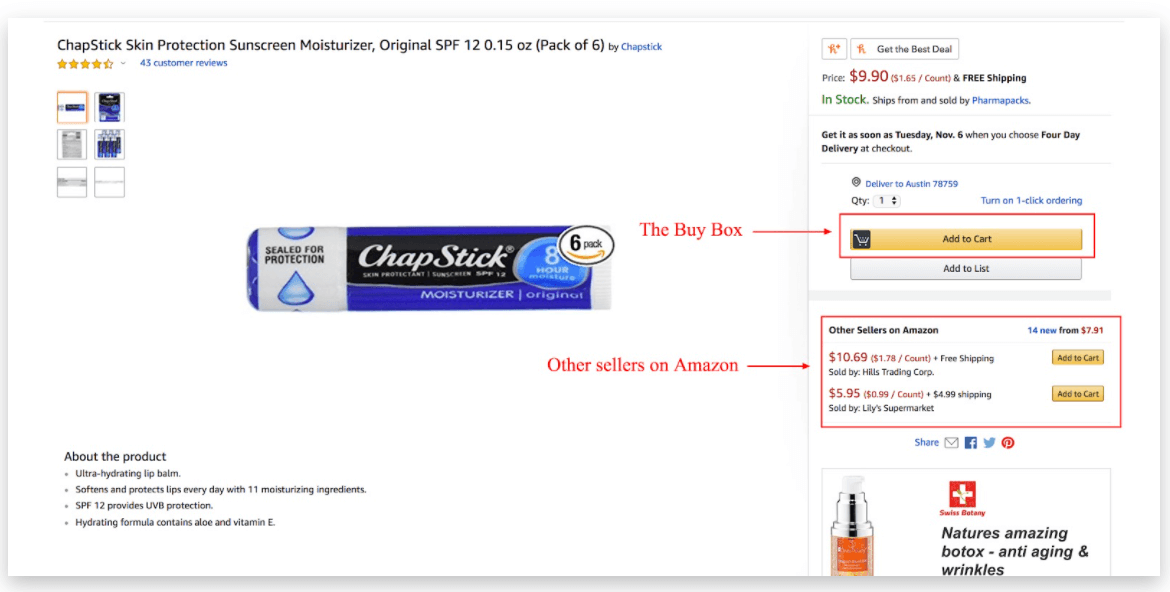
We know this box as the Amazon Buy Box, and it’s considered prime real estate. It’s where your customer can see the price and know whether Amazon or one of many Amazon resellers has the item. Customers can usually specify the number of items to order and add the item to their cart directly from the buy box. The Buy Box also offers other options for some products, such as trade-ins, accessory add-ons, and Subscribe & Save (SnS).
What happens when multiple third-party (3P) sellers offer the same product for sale? Each identical product will share the same ASIN. Since only one of them gets the product featured in the Buy Box, there is some competition. Amazon uses its own buy box algorithm to determine the winner.
Consumers have two easy buying options from the Buy Box: They can press “add to cart” or can skip adding it to their cart and use Buy It Now to check out immediately. If you have your item in the Buy Box, there are fewer steps for a customer to pick you up. If you’re the only seller of a particular product, this opportunity isn’t as important, since you have a unique product with no e-tailers trying to compete.
Not all product listings are even eligible for the buy box. Only professional sellers qualify. If you have an Amazon professional seller account, check the status of your inventory for the Buy Box by doing the following:
This prompts a list of all your ASINs, along with each product’s buy box eligibility.
The Buy Box is also called the “Featured Offer,” depends on many factors, some of which are only known to Amazon. Seller metrics matter, so consider these pointers:
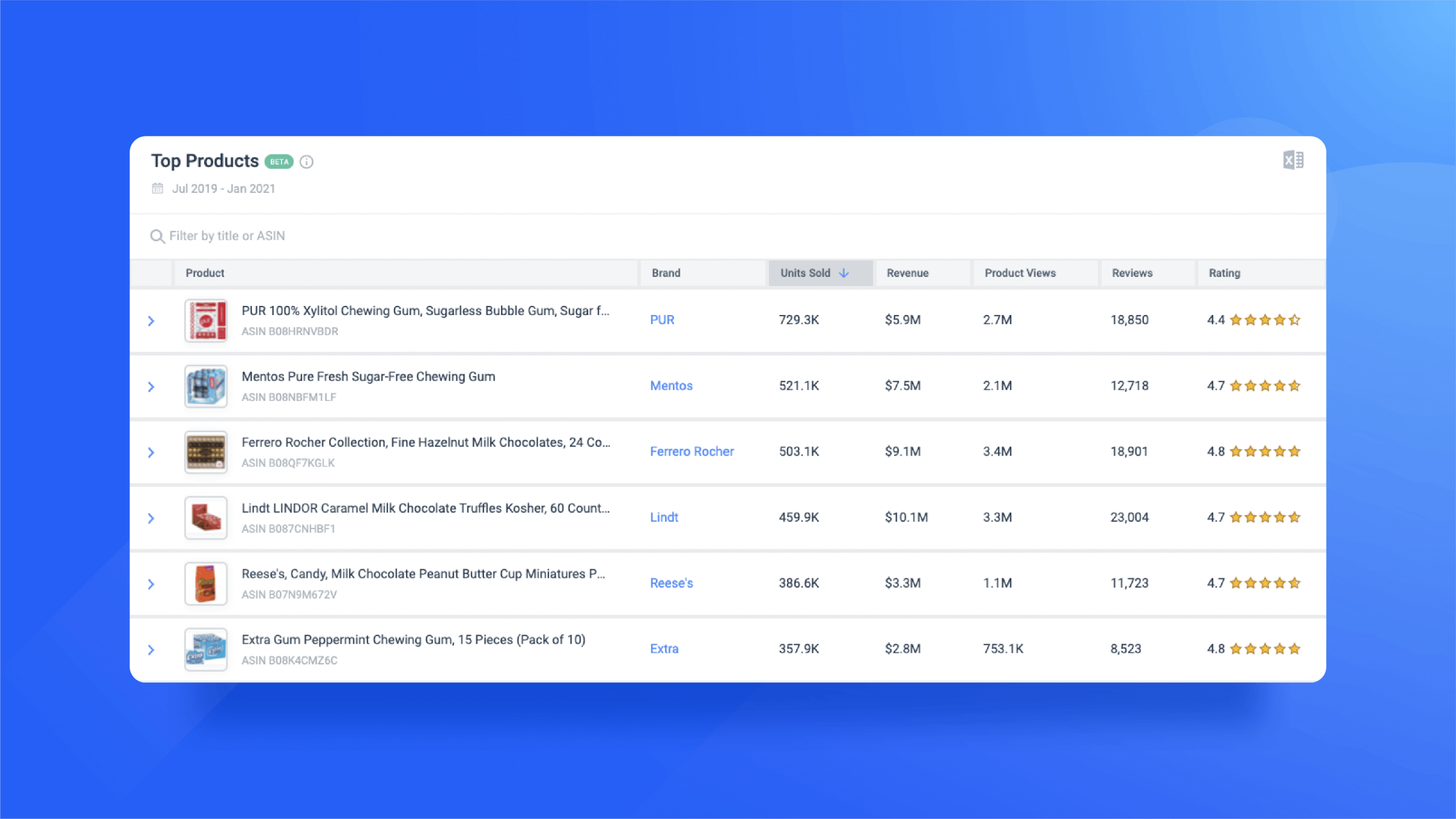
Pro tip: Through Retail Intelligence you can determine reviews and ratings of top Amazon products in your category to see where you stand.
Since new products have proved more popular, Amazon rarely grants the Buy Box to used products. If your products aren’t used or second-hand, make sure they are in the original packaging.
While you can use software to track pricing and undercut the competition, the lowest price doesn’t always guarantee a win. Instead, opt for a better pricing strategy that factors in your cost of product, fulfillment, and shipping (also known as a landed price.) From there, adjust your product price by using repricing software or your own industry knowledge. Not only can researching products through software help automate your pricing strategy, but it also alerts you when a lower price is much too low.
If you’re an Amazon FBA seller, you already know that Amazon provides a reliable shipping time. Amazon’s vast network and infrastructure offer faster shipping vs. FBM (fulfillment by merchant) options. Still, it’s possible to win the Buy Box with seller-fulfilled prime shipping. This option offsets Amazon’s responsibility to the seller and may grant you a greater chance to be a Buy Box winner.
As you sell more and get more seller reviews, you will see some negative feedback. This is simply part of doing business. To ensure these poor reviews are rare, work on your overall customer experience. Be attentive to your buyer’s needs, answer questions, and give timely assistance. Check out more tips to optimize your Amazon product reviews.
Watch your stores to ensure you don’t run out of items, especially during popular shopping periods, like Amazon Prime Day. Amazon won’t give the Buy Box to sellers with nothing to sell for a particular Amazon Standard Identification Number (ASIN).
Amazon considers the ODR to be a significant factor in seller account status. Anything higher than 1% can get your seller account deactivated. Amazon adds up your negative feedback rate, credit card chargeback rate, and A-to-z guarantees claim rate – as well as your refund rate and cancellation rate – to create your ODR.
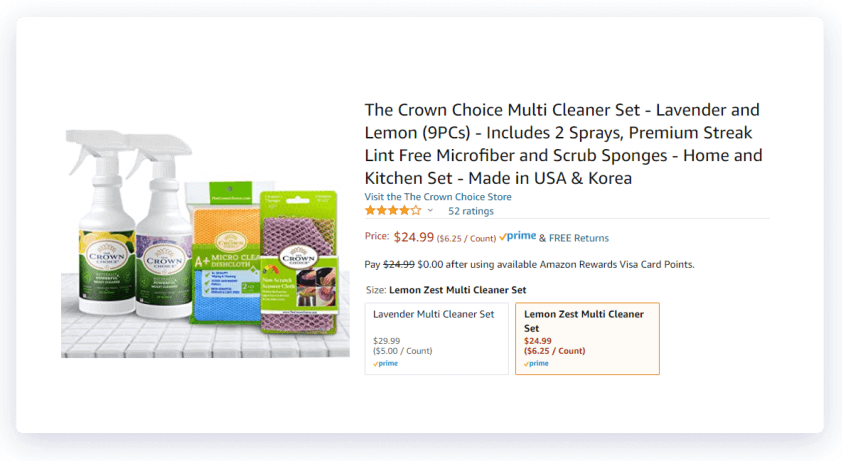
Creating your own product bundles with a unique ASIN can get you into the Buy Box when there’s too much competition for a single product. Amazon sets some strict rules for what qualifies as a bundle. Multipacks, for example, do not qualify.
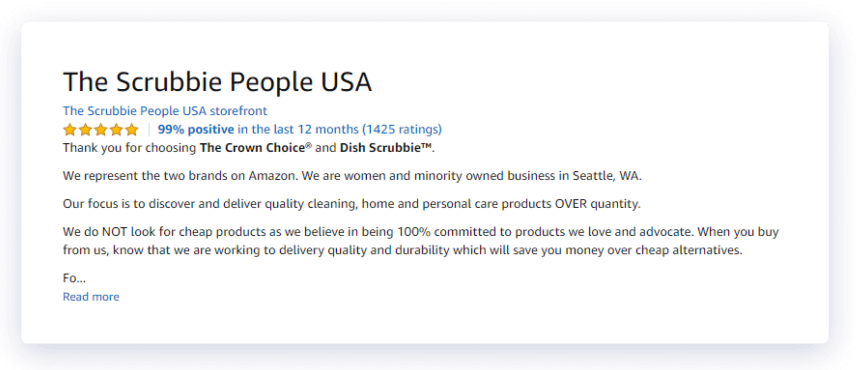
Here’s a Product bundle example: Crown Choice Multi Cleaner SetIf did well, you can not only secure the buy box easily, but you can upsell accessories and provide your customers with the best overall buying experience.
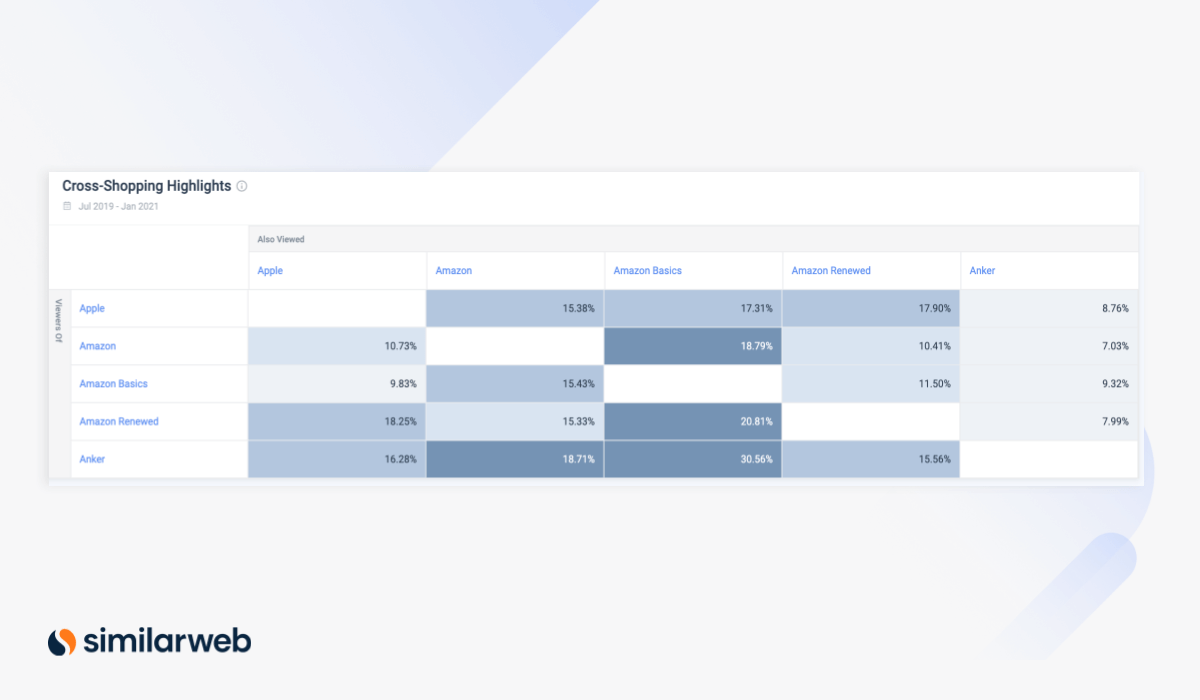
Pro Tip: To help create the perfect product bundle, use Similarweb Retail Intelligence to identify the cross-shopping behavior of customers.
Even if you’re new to being an Amazon Prime seller, the Buy Box is well within your reach. By following the simple rules, understanding the market, and pricing your items well, you’ll ensure your chances of winning the buy box at least as much as the competition.
For more Amazon tips, sign up for our Prime Day 2021 Insights Webinar on June 28.
Also, with ecommerce tools like Similarweb Retail Intelligence at your disposal, rising above your competition is possible, too.

by Emily Hunt
Market Research & eCommerce Specialist
Emily writes about digital retail, CPG, travel, and consumer finance, with a background in business development and marketing.

What Is Retail Intelligence? How It Works and Why It's Essential to Digital Commerce
Most Searched Things on Google in 2026
Put the full picture at your fingertips to drive product views and sales
