

You’ve hit your search limit
Start your free trial to keep exploring full traffic and performance insights.
Get StartedAnálisis de la app Video Speed Control Vmotion para 17 de febrero

Video Speed Control Vmotion
- Philip Kohn
- App Store de Apple
- Gratis
- Foto y vídeo
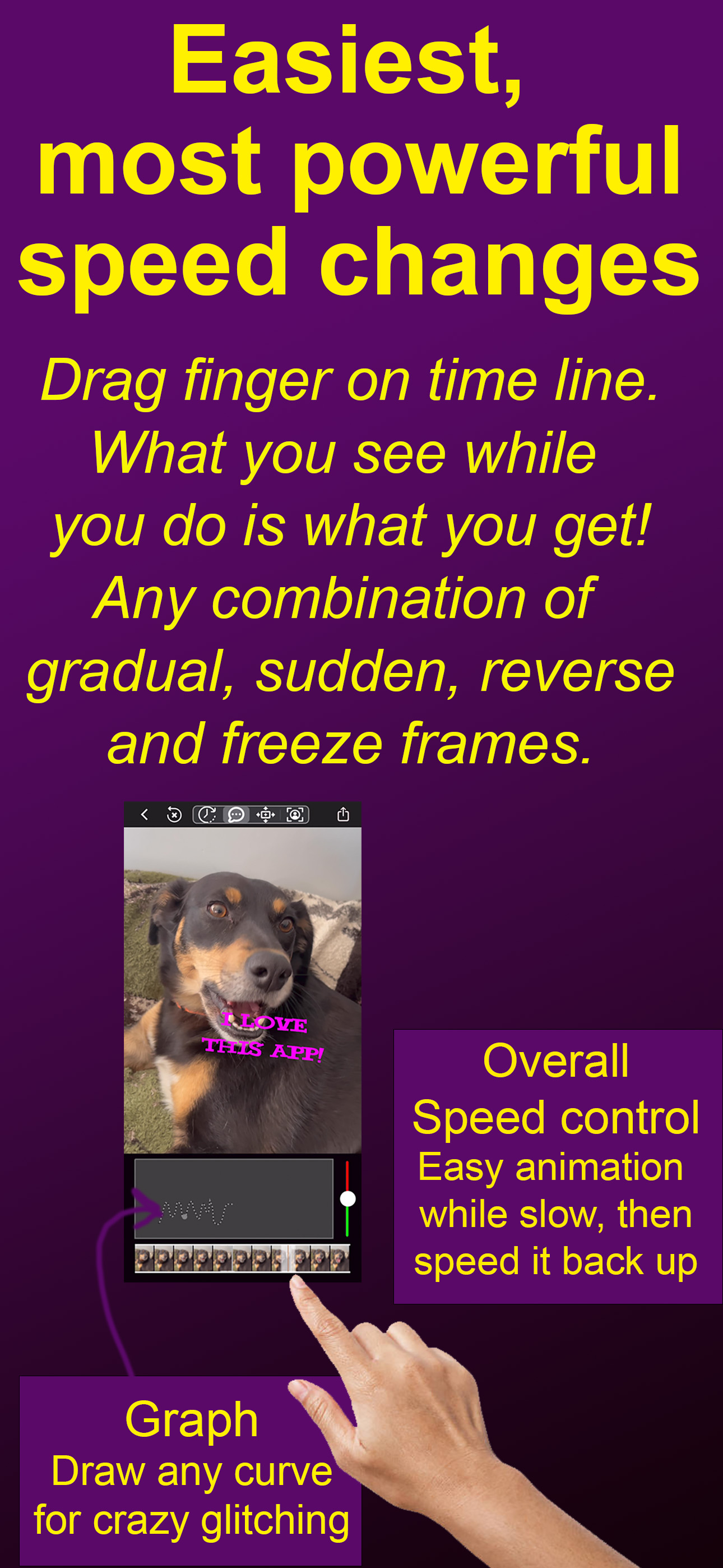
Create outstanding original transformations of your video, live photos or popular GIF memes. Change speed continuously to slow down or freeze frame on the best parts, then reverse over it a few times to make it even funnier! You can do any time warp that you can imagine, even make animals look like they are talking. And it is SUPER EASY! As you move your finger along the time line you will see the video animate at the speed and direction you move your finger. What you see while you do this is what you will get! If you don't like it, just do it again until you get it perfect. There is also a graph that you can directly draw directly on to make unique glitch effects.
Express your feelings by adding text in over 200 unusual fonts. Then make your text dance around in sync with your video. Just drag the text the way you want it to move. Pinch to make it grow, shrink or rotate.
Tell your story by zooming into the video and moving or rotating within the part you want to focus on. Zoom in on your friend's reactions and move between their faces. All you have to do is use 2 fingers to zoom, rotate or pan within the video as it plays.
You can even record a video selfie bubble showing your own reaction as the video plays. Make your video bubble move around, expand, contract, and rotate by simply dragging or pinching it the way you'd like it to move.
To make really fancy changes, you can slow down the whole video loop with the speed slider to the right of the graph. Then you can make your animation while everything is playing slowly. Then simply speed it up again before sharing. Your friends will wonder how you did it!
- Start with any video, live photo, regular photo, or GIF search on popular websites.
- Change speed in literally any combination of ways: gradual, sudden, glitch, freeze, reverse.
- Scrub time slider, what you see while you do that is what you'll get..
- Scrub again until you get it right.
- Get fine time control on longer videos by dragging up and away from the time slider.
- Draw directly on graph to change transformation of output video time on x-axis to original video time on y-axis.
- Touch anywhere on graph to change that part, creating unique glitch effects.
- Touch right end of graph and drag to the left to erase from end of the graph.
- Use speed slider to the right of graph to slow down the video loop allowing even easier control of effects you are drawing. Then speed it back up again before sharing it.
- Add text in crazy (and normal) fonts. As the video plays, make it move around by dragging it or make it expand, contract and rotate by pinching it.
- Zoom into the video and move the cropping frame around to focus on different parts of the video. Pinch to zoom in and out or rotate and shake the whole video to create earthquake effects.
- Record a selfie video circle that shows your reaction as the video plays. Then make that video circle move, expand, contract or rotate in the video simply by dragging or pinching it.
- Copy any video or GIF from your social media and autopaste to add new text, selfie, time effects or whole video zoom and pans. VideoSpeed will ask if you'd like to paste it automatically.
- Share or save as video, or as high quality GIF.
- GIFs are optimized using the best desktop level algorithms to reduce data costs and pop up faster when received.
- NOTE: a watermark will appear on the video. You can pay a small amount to make unwatermarked video.
Terms of Use: https://www.apple.com/legal/internet-services/itunes/dev/stdeula
Clasificación de tiendas
El Store Rank se basa en múltiples parámetros establecidos por Google y Apple.
Todas las categorías en
Estados Unidos--
Foto y vídeo en
Estados Unidos--
Principales competidores & aplicaciones alternativas
Aplicaciones con una alta probabilidad de ser utilizadas por los mismos usuarios, desde la misma tienda.

Slow Motion Video Speed Editor

Video Speed slow motion editor

Video Speed Master

Slow Motion - Slow Mo, Fast Mo
 Video Speed Control Vmotion VS.
 febrero 17, 2026