

You’ve hit your search limit
Start your free trial to keep exploring full traffic and performance insights.
Get StartedAnálisis de la app Magic Cinema ViewFinder para 18 de febrero

Magic Cinema ViewFinder
- Roman Medvid
- App Store de Apple
- Gratis
- Foto y vídeo
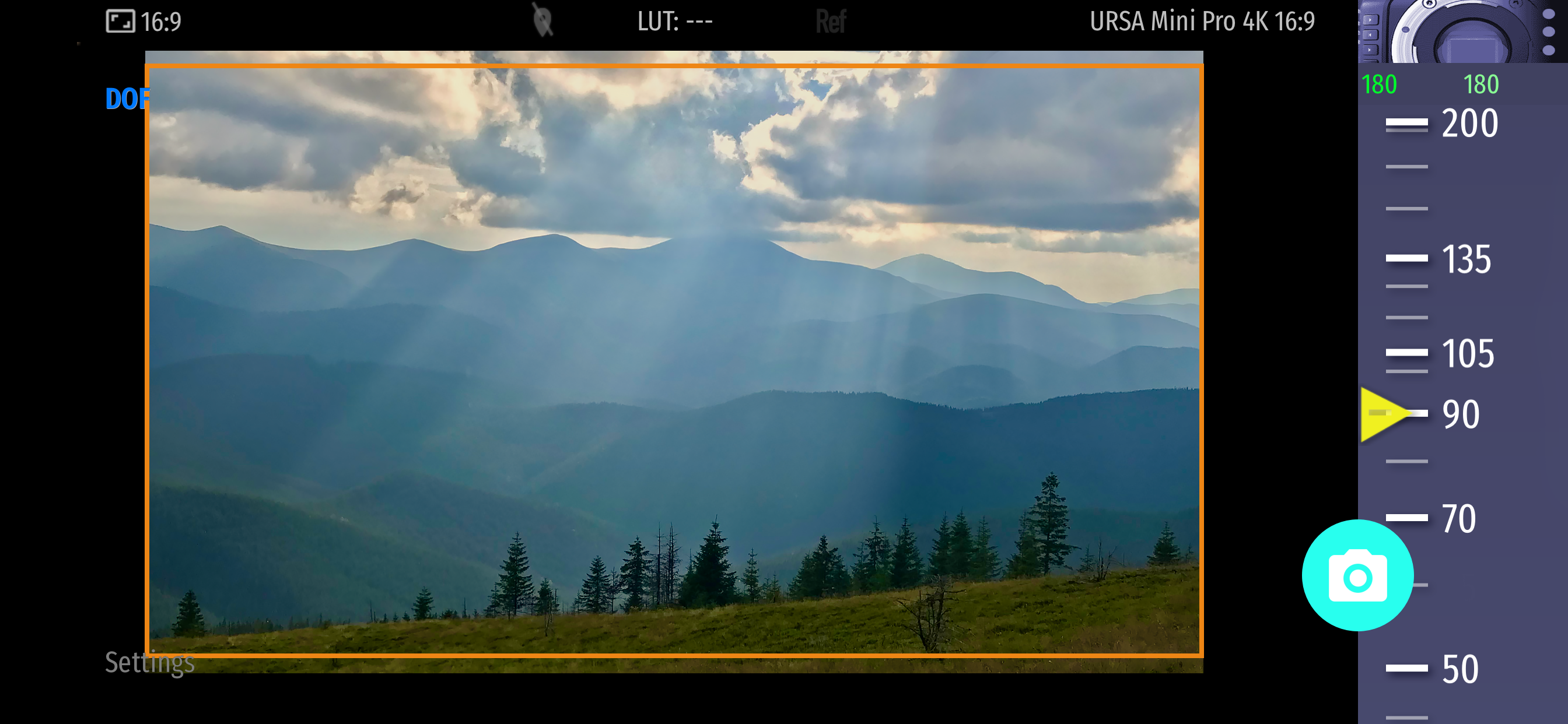
Magic Cinema ViewFinder presents you a precise framing preview for the real Blackmagic camera/lens combination you'll be shooting with, right where you stand with your iPhone / iPad. It simulates the field of view of any Blackmagic camera or lens and can help thousands of professionals in filmmaking at the preproduction.
PLEASE READ: this app does not turn your Apple device into an external monitor, but operates as a stand-alone director's viewfinder.
The app contains ad banners, which can be turned off with additional in-app purchase (in 'About the App' menu).
The app is a digital directors viewfinder -- it helps you see the exact field of view for your future shot. Select the camera from the menu and rotate the wheel to select the focal length of the lens.
Supported cameras:
- Blackmagic URSA 4.6K / URSA Mini
- Blackmagic URSA
- Blackmagic URSA Mini Pro
- Blackmagic URSA Broadcast
- Blackmagic BMCC, BMPC 4K
- Blackmagic Micro Cinema / Pocket / 4K
Magic ViewFinder simulates using tele adapters or anamorphic optics on your camera (see menu). From the menu you can also select the aspect ratio of the frame guide overlaying your image.
Magic ViewFinder also lets you apply some commonly used color presets (also known as LUTs) to the live picture, which brings you even closer to the final shot.
When you have found the right view, you may save it for future reference, with additional data like the focal length, date and time and camera / lens information.
While taking a photo, you may lock exposure and turn on and off the auto focus to better control the captured picture.
You can set camera to work in constant auto-focus mode, or lock the focus temporarily. You can also tap the live screen to focus on particular objects (which turns on the focus-locked mode).
White balance may work in Auto, Locked or Manual mode.
If the field of view of your real camera is wider than your in-device camera, the app adds 'padding' around the image, since the device cannot 'see' what is beyond. It is the best solution that we developed first amongst other viewfinder apps.
Please note that position of your iPhone/iPad should correspond to the 'nodal point' of your real lens, which is somewhere in the middle of the lens.
Ad policy: The ads are designed to appear non-intrusively, and help me to develop.
Additional info about the app may be read at: http://dev.kadru.net/index.php/magic-viewfinder/
If you have any issues please email us for a quick support: dev@kadru.net
To activate additional settings (i.e. to use all available optical adapters and frame guides) and to turn off advertising, please subscribe to (Option #1) or purchase Premium Features (Option #2) in 'About the App' menu.
In-App Purchase Option #1:
- Title of service: Premium features: subscription
- Length of subscription: a month (auto-renewable)
- Contents of service: Turned off ads and additional options for frame guides, optical adapters, anamorphic indices, more LUTs
- Payment will be charged to iTunes Account at confirmation of purchase
- Subscription automatically renews unless auto-renew is turned off at least 24-hours before the end of the current period
- Account will be charged for renewal within 24-hours prior to the end of the current period, and identify the cost of the renewal
- Subscriptions may be managed by the user and auto-renewal may be turned off by going to the user’s Account Settings after purchase
- Any unused portion of a free trial period will be forfeited when the user purchases a subscription to that publication, where applicable
Terms of Use:
http://dev.kadru.net/tos.html
In-App Purchase Option #2:
- Title of service: Premium features: purchase
- Length of subscription: once and forever
- Contents of service: Turned off ads and additional options for frame guides, optical adapters, anamorphic indices, more LUTs
Privacy Policy: http://dev.kadru.net/privacy_policy/Privacy_Policy_Magic_Cinema_ViewFinder.html
Clasificación de tiendas
El Store Rank se basa en múltiples parámetros establecidos por Google y Apple.
Todas las categorías en
Estados Unidos--
Foto y vídeo en
Estados Unidos--
Principales competidores & aplicaciones alternativas
Aplicaciones con una alta probabilidad de ser utilizadas por los mismos usuarios, desde la misma tienda.

FinderKit: Viewfinder

CameraKit: Camera Tools

Shot Designer

Cadrage Director's Viewfinder
 Magic Cinema ViewFinder VS.
 febrero 18, 2026