

You’ve hit your search limit
Start your free trial to keep exploring full traffic and performance insights.
Get StartedAnálisis de la app PDF Joiner & Merger para 25 de abril

PDF Joiner & Merger
- Ruchira Ramesh
- App Store de Apple
- Pagado
- Negocios
Merge pages of choice from one pdf with pages of another PDF files. The application offers various cutomizations to merge the PDF files.
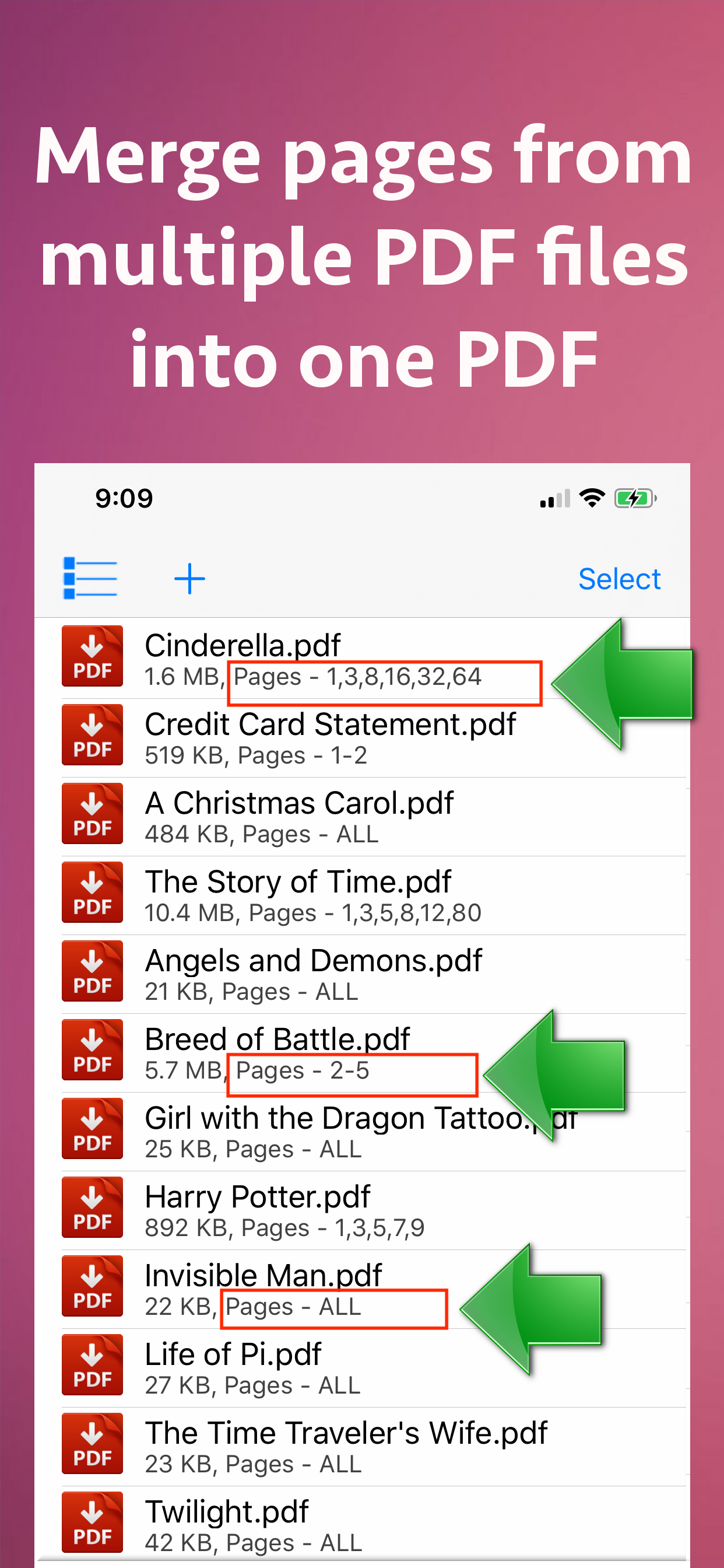
For example : You could merge page 2 and 4 of a PDF with page number 30 and 32 of another PDF.The resulting PDF will contain 4 combined pages from both PDF files.
You could also merge a range of pages of a PDF with other PDF. For example : You could merge from page 5 to 10 of a PDF with page number 30 to 50 or another PDF.
Apart from this, the entire PDF could be merged with the other PDF files as well.
The application could combine pages of choice from even hundreds of PDF files at once.
The application also supports Password protected PDF. This means that once you provide the password, the password protected PDF could be merged easily with other PDF files.The resulting PDF file will not ask for the password.
The application also retains all annotations and links in the created PDF files.If you have added annotations and links to a PDF file, these will be retained when the application creates the Merged PDF files.
Merging multiple PDF files help to reduce the clutter of PDF files. It also helps to organise the similar topics, novels, pages from books, study topics or the project documentations together.
Using the application, you could have your own collection of various categorized PDF. You could combine and keep all of your favourite books, titles, topics or notes together.This will help to find and share these materials easily whenever required.This also simplifies managing PDF files.
In order to merge the PDF files, just add them to the application.After you add the PDF files, their merging order could be adjusted using the "Move Up" and "Move Down" buttons.
The application comes with its inbuilt PDF previewer.Using this, you could directly preview the PDF files that are added to the application.The previewer also previews the password protected PDF files.
The below optional settings could be adjusted for each and every PDF separately as well :
a) Password : Provide a password if applicable
b) Page Range : Provide a range of pages if required.For example pages from 1 to 10
c) Random Pages : Provide a comma separated values of pages from PDF. For example : You could specify random page numbers like 1,3,5,7,9,42,95
If you want to consider all pages for merging, please check the checkbox named "Merge all pages from this PDF".
Once all settings are made, please save these settings.Different settings of page numbers and passwords could be saved for each PDF separately.
The application supports batch processing.This means that you could merge even hundreds of PDF files into one PDF.The Merged PDF files could be saved to cloud using the Files application.These could also be shared with other applications.
Clasificación de tiendas
El Store Rank se basa en múltiples parámetros establecidos por Google y Apple.
Todas las categorías en
Estados Unidos--
Negocios en
Estados Unidos--
Principales competidores & aplicaciones alternativas
Aplicaciones con una alta probabilidad de ser utilizadas por los mismos usuarios, desde la misma tienda.

PDF Merger 2025

Maplytics Location Tracking

stickLabs.io Door Unlock

ReaderView
 PDF Joiner & Merger VS.
 abril 25, 2026