

You’ve hit your search limit
Start your free trial to keep exploring full traffic and performance insights.
Get StartedAnálisis de la app Counting Money CAD para 22 de febrero

Counting Money CAD
- Blooming Kids Software LLC
- App Store de Apple
- Pagado
- Educación
The default selections for this program are Values 5 to 95, Coins, Training Mode, Prompt with Blink, Congratulatory Animation, Numerical Label under Coin or Bill, and Sums in Numerical Order.
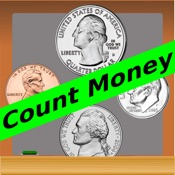
Here coins or bills are shown at the top of the screen. The student is asked to type or click the number that represents the value of the coins or bills shown in the box at the top of the screen. When the student types or clicks on the correct number, the number moves to the box at the center of the screen and a congratulatory animation appears.
Settings
“Settings" is located at the bottom left corner of the screen. If the therapist/parent needs to adjust the settings, click the “Settings" to make the settings box disappear or reappear.
Change Values to 5¢ to 95¢
When this box is clicked the selection of values of coins or bills in the box at the top of the screen and numbers in the box near the bottom of the screen will change from “5 to 95". This is a toggle switch if the box says “Change Values to 5¢ to 95¢" that the change is made when the box is clicked.
Change Values to $1 to $20 or Change Values to $21 to $99
When this box is clicked the selection of values of coins or bills in the box at the top of the screen and numbers in the box near the bottom of the screen will change from “21 to 99" to “1 to 20". This is a toggle switch if the box says “Change Values to $21 to $99" that the change is made when the box is clicked.
Change to Sums in Numerical Order or Random Order
When this box is clicked the selection of sums of coins or bills in the box at the top of the screen will change numerical order per each training or test, if “Change to Sums in Numerical Order.“ If “Change to Sums in Random Order" is toggled, sum will be in random order. This is a toggle switch if the box says “Change to Sums in Random Order" that the change is made when the box is clicked.
Coins
This is checked by default. If the “Coins" box is checked only coins will appear on the screen.
Bills
If the “Bills" box is checked only bills will appear on the screen.
Mode
Training
When this is selected, the program can be used to train the student.
Test
Select this option to measure the student’s progress. The “Report” button under “Test” mode is enabled.
Report
This displays results of the “Test”. The report Holds Only 20 Records.
Grade On/Off: If it is on, app will monitor correct and wrong responses by the student
Correct Answer: When a student response to a question with correct answer
Wrong Answer: When a student response to a question with wrong answer
Number of Total Attempt: Number of times a student tried to answer questions in the app.
Bar Chart: Represents the student's performance graphically.
Detail Report: Test results including the grade. Object identified distracter and time taken to finish the test.
Print: This will print the grade or data on the screen.
Clear Data: This button erase all the data that was stored and free up the memory that data was occupying.
Numerical Label under Coin or Bill
When this is checked a numerical label appears under each coin or bill.
No Label under Coin or Bill
When this is checked no label appears under the coins or bills.
Prompt (Blink)
This is checked by default. If the student fails to type or click the correct value within ten seconds, the program guides him/her to the correct value by making the number blink. This is available for “Training" mode but disabled for “Test" mode.
Uncheck this box if the prompt is not needed in “Training" mode.
Back
Click on the “Back" button to close “Counting Money and Typing the Value" and return to the main page.
Clasificación de tiendas
El Store Rank se basa en múltiples parámetros establecidos por Google y Apple.
Todas las categorías en
Estados Unidos--
Educación en
Estados Unidos--
Principales competidores & aplicaciones alternativas
Aplicaciones con una alta probabilidad de ser utilizadas por los mismos usuarios, desde la misma tienda.

Dollars & Cents Lite

CloudLabs Building a Scale

World Map Quiz Geography Games
Count Money
 Counting Money CAD VS.
 febrero 22, 2026