

You’ve hit your search limit
Start your free trial to keep exploring full traffic and performance insights.
Get StartedAnálisis de la app Participant 3rd Party Zoom App para 24 de abril

Participant 3rd Party Zoom App
- Think Tap Work, LLC
- App Store de Apple
- Gratis
- Negocios
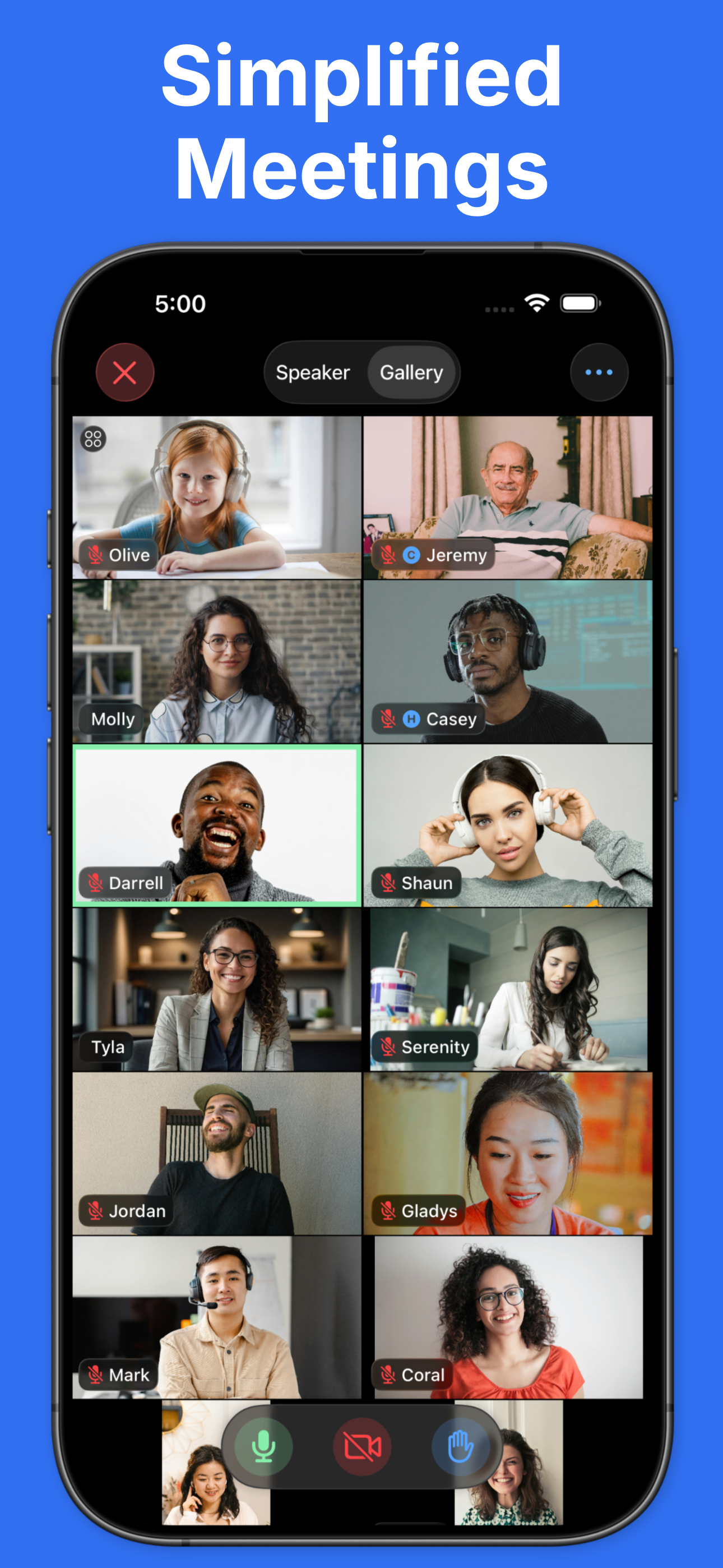
Participant is an intentionally simple, video-focused 3rd-party Zoom client* designed for meeting participants. No sharing, polls, or host features. Participant may not be for you, and that's OK. Here's what it gives you:
• Get back in that meeting quickly – your recent meeting IDs and passcodes are stored and one tap away. No more searching for the link or trying to find the passcode in an email.
• Control of your mic, camera, and raised hand – always on-screen and easy to reach.
• Data Saver Mode – bad connection or on cellular? Use Data Saver to turn off your camera and stop streaming videos. This will reduce your data usage by approximately 60-95% depending on the number of participants.
• Live Activity – control your mic or raised hand from the Dynamic Island or Lock Screen.
• Watch app – control your meeting from across the room. Use the Apple Watch app to control the mic, camera, and raised hand in a meeting on iPhone or iPad.
• Automatic Raised Hand Detection – turn this on in Meeting Settings and we'll raise your Zoom hand when you raise your actual hand. Vision at work.
• Put videos in focus – configure columns, focus on active cameras only, or hold and drag to sort it just how you like it.
• Sane chat – Pro users can use threaded chat. No more accidentally responding to everyone when you meant to DM.
• Get on the big screen – share to your Apple TV and you have total control of what is shown on the external display.
• Zoom in/zoom out – simply tap a video to get a larger view. Tap again to close it.
• Control host requests – you control what happens if a host asks to unmute or start your camera: ask, always allow, or automatically allow if your hand is raised.
Thanks for giving Participant a try. Let us know what you think.
Please note that webinars are not currently supported.
* Participant uses the Zoom SDK but is not endorsed, certified, warrantied, or supported by Zoom Communications Inc. If Zoom changes their policies or capabilities of their SDK this app may lose access.
If you choose to purchase a Pro subscription, payment will be charged to your iTunes account, and your account will be charged for renewal 24 hours prior to the end of the current period. Auto-renewal may be turned off at any time by going to your settings in the iTunes Store after purchase.
Terms of use: https://thinktapwork.com/tos.html
Clasificación de tiendas
El Store Rank se basa en múltiples parámetros establecidos por Google y Apple.
Todas las categorías en
Estados Unidos--
Negocios en
Estados Unidos--
Principales competidores & aplicaciones alternativas
Aplicaciones con una alta probabilidad de ser utilizadas por los mismos usuarios, desde la misma tienda.

AI Note Taker - flick

Zoom Rooms

Zoom Workplace for Intune

Zoom for BlackBerry
 Participant 3rd Party Zoom App VS.
 abril 24, 2026