

You’ve hit your search limit
Start your free trial to keep exploring full traffic and performance insights.
Get StartedAnálisis de la app Geometry Projection Camera para 3 de mayo
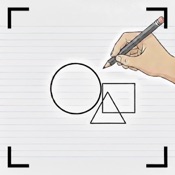
Geometry Projection Camera
- Shun Isayama
- App Store de Apple
- Pagado
- Artes gráficas y diseño
This app is a camera-based drawing assistant that helps you create precise geometric drawings and artwork even without tools like rulers or compasses.
By overlaying semi-transparent guides such as circles, regular polygons, and star shapes onto the live camera view, you can easily draw accurate figures just by tracing along the lines on paper.
It is useful in many situations, including mathematics, art, crafts, illustration, manga, model making, and DIY.
<Features>
・Three geometric modes
Supports three modes: circle, regular N-gon (3–12 sides), and star (pentagram).
・Fine control of side count
Offers many options such as triangle, quadrilateral, pentagon, hexagon, octagon, decagon, and dodecagon.
・Precise sizing with scaling
Adjust the figure size from 30% to 100%, from small shapes to large ones as needed.
・Perfect alignment
Use the rotation slider to freely rotate the figure from 0° to 360° and project it onto the camera image at exactly the angle you want.
・Six guide-line colors (semi-transparent for easy tracing)
Choose the best color for your drawing background from six options: white, yellow, light blue (cyan), magenta, green, and black.
<How to use>
1. Select a shape mode
Choose the shape that fits your purpose: circle, regular N-gon, or star.
2. Adjust sides and size
For regular N-gons, select from 3 to 12 sides, then adjust the figure size with the slider.
3. Fine-tune the angle (non-circular shapes)
Use the rotation slider to align the shape perfectly to the angle you want to draw.
4. Choose a color
Select the most visible guide-line color to match your drawing background.
5. Draw along the camera guide
Simply trace along the guide lines to complete your figure.
With this app, you can create highly accurate geometric shapes even without traditional drawing tools.
It is ideal for anyone who wants to draw precise geometric figures.
This is a paid app, so no advertisements are shown at any time.

Clasificación de tiendas
El Store Rank se basa en múltiples parámetros establecidos por Google y Apple.
Todas las categorías en
Estados Unidos--
Artes gráficas y diseño en
Estados Unidos--
Geometry Projection Cameramayo 3, 2026