

You’ve hit your search limit
Start your free trial to keep exploring full traffic and performance insights.
Get StartedAnálisis de la app All Documents Reader PDF Xlsx para 1 de abril
All Documents Reader PDF Xlsx
- Bucket Of Apps
- Google Play Store
- Gratis
- Productividad
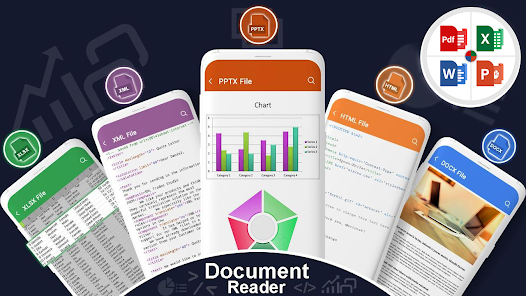
All Document Reader: Documents Viewer a reader app which lets you read almost any document files that are available on your phone. This app serves as pdf reader, docx viewer, xls viewer and ppt viewer all this with a size lesser than other apps available. Whether it be an odt file, ott file, html, mhtml or xml file it’s an all in one Document Reader. All Document Reader: Documents Viewer gives you the freedom to view and read documents online and offline in more than 10 document file formats. It serves as Pdf Reader, PDF Viewer, Docx Reader, Doc reader, Ppt viewer, PPTx viewer, Txt, rtf, html & mhtml viewer, xps reader, odt reader, e-book reader, ppt & many other doc format for document viewer. All Document Reader: Documents Viewer can be used in office if you are a business man and have too many documents to go through or sign, in school if you are a student and get your teachers PPT/PPTx, doc/docx files on your phone to read later or in home if you are a housewife and have a great habit of studying books at night or during day.
All Document Reader: Documents Viewer is a multipurpose All in one E-books reader app which lets you open PDF, ppt, docx files, e-magazines and comic books online and offline on your smartphones and tablets. The All Documents button in this app finds all the document files available in your mobile storage and brings all of them right at one place so you can easily open your file to read. Rest of the buttons are specific to open the required file type like, doc, docx, ppt, pdf, odt, ott, html, mhtml, xml and many other supported doc formats. The Document Manager Button (File button) offers the option to find your specific folders such as Downloads folder and get the document to read instantly. If you have a pdf doc reader of 15 pages and you want to jump to a specific page just click the page number in the Top bar and enter your required page to continue from where you paused reading from.
All Document Reader: Documents Viewer gives you the functionality of “renaming” a file a feature that is unavailable in other apps. You can also delete your unwanted pdf files reader by long pressing the specific file and permanently delete the file to save storage. If you like an e-book, an e-magazine or any pdf, ppt, doc, docx or odt file you can share it with your friends and family again with just a single long press. All Document Reader: Documents Viewer gives you complete freedom to go through, read and jump to a specific page in your document and helps open any pdf files viewer, docx file viewer, doc file viewer.
View and Read All Documents:
All Documents reader: Documents Viewer apps serves as text viewer used to view all text files. It is a fast and quick reader app to view all documents. This app is a pocket reader for your phone which can be used to manage & maintain all documents present in your phone. Whether it be an xls file or a txt file or even a presentation ppt file this Documents reader & Viewer app helps you go through your documents.
*DISCLAIMER*
All Documents Reader: Documents Viewer requires READ_EXTERNAL_STORAGE permission to function properly. It has to scan all the files present in your storage and gets back all the document files to show you at a single place. For more information please read our PRIVACY POLICY at: https://www.bucketofappsprivacy.blogspot.com and for EULA https://www.bucketofappseula.blogspot.com, please go through End User License Agreement.
This app might show you some txt or xml files that you haven’t stored or downloaded. These are Operating system generated files and we request you not to delete these files as your phone might require them. You can view content of all the files but do not delete any of the system generated text files.
Clasificación del uso de All Documents Reader PDF Xlsx
El rango de uso se basa en el algoritmo de Similarweb que calcula las instalaciones actuales y los usuarios activos durante un periodo de 28 días.
Todas las categorías en
Estados Unidos--
Productividad en
Estados Unidos#2,233
Intereses de los usuarios & Top categorias
Principales categorías y aplicaciones utilizadas por los usuarios de All Documents Reader PDF Xlsx.
Categorías principales
Afinidad
Principales aplicaciones de la categoría
Más aplicaciones
25%




17%





9%

9%

Principales competidores & aplicaciones alternativas
Aplicaciones con una alta probabilidad de ser utilizadas por los mismos usuarios, desde la misma tienda.

Document Reader, PDF Converter

ShiftFlow - Track Team Hours

SynkedUP

yescan - PDF OCR Scanner
All Documents Reader PDF Xlsx VS. abril 1, 2026