

You’ve hit your search limit
Start your free trial to keep exploring full traffic and performance insights.
Get StartedAnálisis de la app iCast: MiraCast Android to TV para 25 de febrero

iCast: MiraCast Android to TV
- Muster Apps
- Google Play Store
- Gratis
- Herramientas
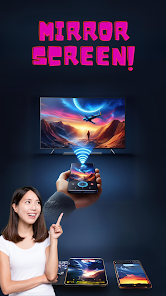
Experience the wireless screen mirroring and casting with Miracast. Our app allows you to effortlessly share your screen with any compatible device, whether it's a smart TV, projector, or monitor. Enjoy the flexibility of streaming your favorite movies, videos, photos, and apps from your smartphone, tablet, or laptop to the big screen in stunning clarity. With Miracast, there's no need for cables or complicated setups—simply connect and share instantly. Whether you're giving a presentation, watching a movie with friends, or playing mobile games on a larger display, Miracast offers seamless connectivity and reliability. Unlock the full potential of your devices and elevate your entertainment experience with Miracast!
With Miracast, you can use the latest in wireless display technology to effortlessly cast your Android screen to your TV. Say goodbye to cables and enjoy the freedom of wireless connectivity. Our app supports high 4K quality casting, ensuring that your content looks stunning on the big screen.
Key Features:
- Seamless screen mirroring from your Android device to your TV
- Support for high 4K quality casting
- Effortless wireless display technology
- Compatible with Chromecast and Anyview Cast
- Fast and professional TV casting experience
- Share photos, videos, presentations, and apps with ease
How to use this App?
1. Check your TV whether it supports Wireless Display / Miracast.
2. Your device and TV must connect same network.
3. Click connect button on app and choose TV.
HDMI Device Support Guide:
if your device is not supporting the wifi display technology / miracast wireless display.
1. Plug the cast device into the HDMI port on your TV and switch.
2. Connect WiFi cable (micro USB head) to TV.
3. Plug USB cable into USB port OR an external USB power adapter.
4. You should see the main device page on TV.
Download Miracast now and experience the future of screen mirroring. Cast your Android device to your TV wirelessly and enjoy your favorite content in stunning quality. Mirror wirelessly, mirror effortlessly - with Miracast.
Clasificación del uso de iCast: MiraCast Android to TV
El rango de uso se basa en el algoritmo de Similarweb que calcula las instalaciones actuales y los usuarios activos durante un periodo de 28 días.
Todas las categorías en
Alemania--
Herramientas en
Alemania--
iCast: MiraCast Android to TVfebrero 25, 2026