

You’ve hit your search limit
Start your free trial to keep exploring full traffic and performance insights.
Get StartedAnálisis de la app TV remote for Vizio SmartCast para 26 de abril

TV remote for Vizio SmartCast
- osApps
- Google Play Store
- Gratis
- Herramientas
Power in the Palm of Your Hands
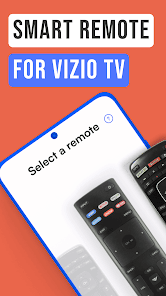
Control your TV experience like never before. The Vizio TV remote gives you command from anywhere in the room, personalized options, enhanced navigation, and so much more for modern-day enjoyment right from your mobile device. Ditch punching buttons and digging through couch cushions—upgrade to a more convenient, customizable, and feature-rich experience with a Vizio smart remote today.
Get Smart
Instantly access all that your Vizio SmartCast system has to offer. Connect to your favorite channels, streaming apps, and more.
At Your Fingertips
Skip fumbling with tiny buttons on a traditional TV remote and type like a pro with a keyboard on your phone! No more squinting, guessing, and backspacing—the keyboard capability feature on the Vizio smart remote is here to make usernames, passwords, and the search bar a breeze.
Hit the Hay
Say goodbye to late-night binges and hello to a good night's sleep with a built-in TV sleep timer. The sleep timer capability on the Vizio remote control app can be programmed to turn your TV off at a later time of your choosing. Save energy, get some shut-eye, and sleep soundly!
As Easy as 1-2-3
To get started, you'll need to choose your TV from the Selection screen. If you're having trouble finding it, you can use the Discovery screen to see all the devices connected to your network. Once you've found your TV, just tap on it, and you'll be taken to the Connection screen. If the connection is successful, you'll be redirected to the screen of your choice and ready to start using the app!
Freedom At Your Fingertips
Get ready to take control with the Vizio Remote Control Screen! Your remote will appear on the whole screen, ready for you to tap, swipe, and press all the buttons, just like a real remote. Take control from afar and start effortlessly navigating channels, apps, settings, volume controls, and all the necessities.
Touch & Go
Streamline your device navigation with the Touch Pad Screen. Swipe and slide your fingertips to optimize your control and get the most out of your Vizio TV remote. Plus, easily access your go-to features with the Touch Pad Screen's customizable button strip.
Appy Browsing
All your apps—all in one place! Find all of the apps that are installed on your Vizio TV and easily launch them with just a tap. Plus, save your favorite apps on the App Screen for even quicker access.
Make the Most of Media
Access all the tools you need for seamless media navigation. Whether you want to pause, play, adjust the volume, or use the playback bar to skip ahead, it's all here at your fingertips with the TV remote for Vizio SmartCast.
Disclaimer
Please note that this app is not affiliated with Vizio or any other TV brand.
Reach Out
For more information or to view our Privacy Policy, please contact us here: support@os-apps.com
Clasificación del uso de TV remote for Vizio SmartCast
El rango de uso se basa en el algoritmo de Similarweb que calcula las instalaciones actuales y los usuarios activos durante un periodo de 28 días.
Todas las categorías en
Estados Unidos#5,497
Herramientas en
Estados Unidos#664
Intereses de los usuarios & Top categorias
Principales categorías y aplicaciones utilizadas por los usuarios de TV remote for Vizio SmartCast.
Categorías principales
Afinidad
Principales aplicaciones de la categoría
Más aplicaciones
15%


9%





8%





6%





Principales competidores & aplicaciones alternativas
Aplicaciones con una alta probabilidad de ser utilizadas por los mismos usuarios, desde la misma tienda.

Roku Smart Home

VIZIO | WatchFree+

Sling: Live TV + Freestream

VIDAA Smart TV
TV remote for Vizio SmartCast VS. abril 26, 2026