

You’ve hit your search limit
Start your free trial to keep exploring full traffic and performance insights.
Get StartedAnálisis de la app Check Internet Data Usage para 29 de marzo
Check Internet Data Usage
- SYSTWEAK SOFTWARE
- Google Play Store
- Gratis
- Herramientas
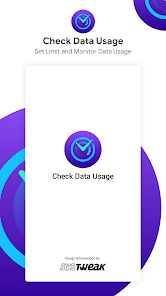
Are you worried that you might exhaust your data plan while streaming videos on OTT or playing games on your mobile? Are you working from home with mobile data? Worry no more! Manage your data plan and avoid over-usage with this mobile data usage app.
Monitor your data usage on Android using Check Data Usage by Systweak Software. This data monitoring app is the perfect tool to track internet usage on your smartphone. It can show you the total data consumption on a daily basis. You can set a plan to limit data usage on your device and save money.
Additionally, the Check Data Usage app allows you to check the internet speed. You can also check which apps use the most and least amount of data on your device with this data tracker app. Get notifications on exceeding the set data limit from your plan.
Features of Check Internet Data Usage:-
● Check mobile data usage: Find out the mobile data usage on your Android device.
● Check Wi-Fi data usage: Get information on real-time data consumption with Wi-Fi.
● Limit data usage: Set a plan to limit data usage on your Android and save money.
● Speed Test: Run a quick speed test with Check Data Usage app to learn about your internet speed.
● App-wise data usage: Shows data consumption for each app individually.
● Notification display: Check the data usage statistics in the overlay notification tray.
Reasons to use Check Data Usage by Systweak Software:-
● Real-time updates - With this data manager , get the real-time data updates on your Wi-Fi and mobile data consumption.
● Data monitoring tabs - Helps users to keep track of data usage whether on mobile data or Wi-Fi.
● Speed test - Quickly find out the internet speed on your device.
● Set Data Plan - Easily set the mobile data usage with details such as Plan Validity, Data limit and Starting date.
● Get Reminders - This internet data usage monitor app sends data alerts for exceeding the plan limit.
● Plan History - Always stay informed and get detailed information on the older data-usage plans set on the application.
● Easy-to-use - Simple interface shows all the important information on the home screen of the app.
Steps to check data usage on Android:-
Step 1: Open Check Data Usage by Systweak Software, grant necessary permissions to access the device data usage.
Step 2: Tap on Set Data Plan and enter the specific details.
Step 3: To apply the changes, tap on ‘Set Data Plan’. Now, it will show you the total data consumption along with the app-wise data usage on the home screen.
Get the internet data usage monitor app now!
NOTE: The application requires all the permissions required to run the data monitoring app . We at Systweak Software never save your data. Feel free to allow the permissions, as we assure you that your files are safe and your privacy is maintained.
For more information, visit the official website - https://www.systweak.com/check-data-usage
Clasificación del uso de Check Internet Data Usage
El rango de uso se basa en el algoritmo de Similarweb que calcula las instalaciones actuales y los usuarios activos durante un periodo de 28 días.
Todas las categorías en
Estados Unidos--
Herramientas en
Estados Unidos--
Intereses de los usuarios & Top categorias
Principales categorías y aplicaciones utilizadas por los usuarios de Check Internet Data Usage.
Categorías principales
Afinidad
Principales aplicaciones de la categoría
Más aplicaciones
75%





13%

5%


4%

Principales competidores & aplicaciones alternativas
Aplicaciones con una alta probabilidad de ser utilizadas por los mismos usuarios, desde la misma tienda.

Private VPN: Secure Connection

Tetra Browser & VPN

F-Secure Mobile Security
NetSpeed Indicator
Check Internet Data Usage VS. marzo 29, 2026