

You’ve hit your search limit
Start your free trial to keep exploring full traffic and performance insights.
Get StartedAnálisis de la app Docs Reader - Word Office App para 25 de febrero

Docs Reader - Word Office App
- Brain Trust
- Google Play Store
- Gratis
- Herramientas
Are you looking for a word office app to:
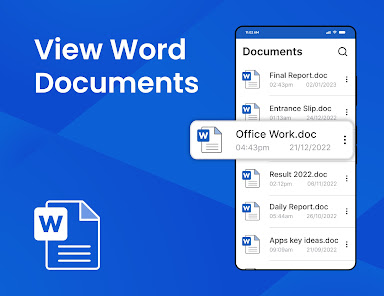
■ View word documents in Android
■ View docx, docs and doc files
■ Convert Doc to PDF
■ Read docs in dark mode
■ Search text in document files.
■ Share and print word documents
Well, this docx reader is exclusively designed to open word documents in Android. Word file reader is a docs app that let you open and view a wide range of MS Office documents right on your phone. Docx reader is a quick and genuine app that helps to read word office documents. Doc, docx, docs, or any other word format can be quickly viewed in this app. Whether it's a business document or a school assignment, the docs reader can help you open and edit word docs on your phone. Read and view documents on your mobile device using word document reader just like you do on your PC. No need to print your whole bunch of documents to send them to others when you can easily share files with others with this docx reader. Documents are easy to read and share with the docs reader app. Apart from opening word docs office, word document reader also supports view for other office documents. The word file reader can be used to read documents, letters, business documents, or school assignments.
Docx reader is an all-in-one office word app that helps to read word office documents and open MS Office files on your phone. The amazing part is that word office app automatically finds and organizes all the docs files in the app. Users can search files by name in the word docs reader app to quickly open word docs and read docx files. Users can read all word files available on the phone and open word files directly from their email attachments.
Docs reader is a state-of-the-art app to view word docs on Android anytime, anywhere. View documents, and convert Doc to PDF documents using the word reader app on your mobile device. From document reading to converting docs to PDF and more, word file reader is one of the best docs apps to edit and read documents on the go. Users can convert word documents to PDF using the Doc to PDF converter feature in word file reader app. Doc to PDF converted files will be saved directly on your device. Read documents and open emails and other attachments with the built-in document viewer. Users can access word files and read docs more efficiently using the word office app.
Word documents can be sorted by name, size, and date modified to give users an easy experience of reading office word docs. Frequently used files can be added to favorites in the word document reader app for easy access. To easily access and read all word documents, users can add frequently used files to favorites in the docs app. Unlike other applications, this word file reader supports both horizontal and vertical modes to read word office documents. Users can view word docs office in dark mode and enjoy navigating through docs reader in dark view mode. The dark mode is the best feature of the word document reader when it comes to reading large document files. Dark mode provides the best experience when it comes to reading documents. Large document files can be easily viewed in the word reader app and read for a long time in dark mode. It is not only a doc reading app but a word office app that can be used to rename, delete and share word docs with others and much more.
Clasificación del uso de Docs Reader - Word Office App
El rango de uso se basa en el algoritmo de Similarweb que calcula las instalaciones actuales y los usuarios activos durante un periodo de 28 días.
Todas las categorías en
Estados Unidos--
Herramientas en
Estados Unidos#2,544
Intereses de los usuarios & Top categorias
Principales categorías y aplicaciones utilizadas por los usuarios de Docs Reader - Word Office App.
Categorías principales
Afinidad
Principales aplicaciones de la categoría
Más aplicaciones
26%


13%





13%


12%



Principales competidores & aplicaciones alternativas
Aplicaciones con una alta probabilidad de ser utilizadas por los mismos usuarios, desde la misma tienda.

DOCX Editor: PDF, DOC, XLSX

Office Word Reader Docx Editor

PDF Viewer Lite & Editor

PDF Editor – Edit Everything!
Docs Reader - Word Office App VS. febrero 25, 2026