

You’ve hit your search limit
Start your free trial to keep exploring full traffic and performance insights.
Get StartedAnalyse de l'application Chordana Play pour le 20 février

Chordana Play
- CASIO COMPUTER CO., LTD.
- App Store Apple
- Gratuit
- Musique
●This App was featured as "New apps we love" on the App Store of more 90 countries and regions, including USA, China and Japan! !
●This App won the first place in the free iPad app music category of the App Store of 65 countries and regions, including Japan, Saudi Arabia, Ukraine and UAE! !
Learn your favorite songs.
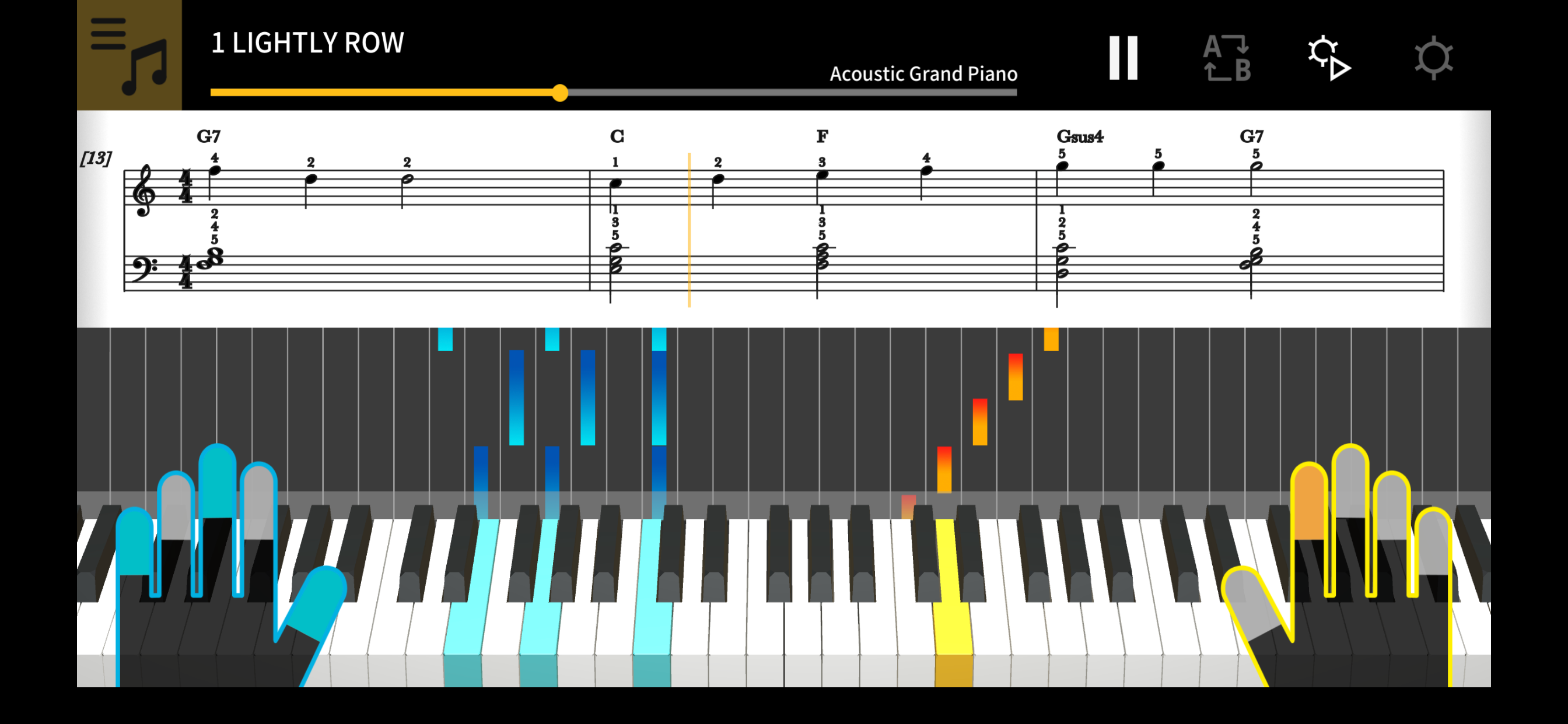
1. Music score and piano roll notation make it fun and easy to learn!
Chordana Play displays the music score and piano roll notation for built-in songs and MIDI files. With MIDI files, you can select which tracks to play with your left and right hands, or you can assign the melody to the right hand and chords generated by the app to your left hand. Slow the tempo, transpose the score into a key that is easier to play, and with the AB repeat function, take lessons (practice) at your own pace.
You can take three-step lessons using the virtual on-screen keyboard. Select from 128 kinds of tone quality. Plus, a scoring system lets you keep track of your improving skills.
2. Use the 50 built-in songs or import standard MIDI files
Play one of the 50 songs included in Chordana Play, or add MIDI files.
Chordana Play can generate a music score from the MIDI file and detect chords, too, making it easy to learn to play two-handed piano pieces. You can search for and download MIDI files using the browser on your smartphone or tablet, then import them directly into Chordana Play. You can also import MIDI files from your computer to Chordana Play.
3. Lesson Mode
Using either the app's keyboard or a USB-connected musical instrument keyboard, you can take a three-step lesson while following the music score and piano roll. The scoring feature makes mastering a song even more fun.
4. Audio Mode
Play back audio on your device with musical tools such as key shift and tempo change, looping, and melody cancel.
5. Connecting your smart device to a musical instrument via a wireless adapter
● Supported CASIO Keyboard models
CT-S1, CT-S400, CT-S410, LK-S450
● What is needed for connecting and the connection method used
See here for more details on connections.
https://web.casio.com/app/en/play/support/connect.html
・Using a wireless adapter keeps the area around your keyboard neat and tidy and makes Lesson mode or Audio mode even more enjoyable.
・Do not connect the Wireless MIDI & audio adaptor (WU-BT10), a USB cable and an audio cable to the smart device at the same time.
・Set the connected smart device to a mode that prevents mobile data communication, such as In-Flight mode.
6. Connecting your smart device to a musical instrument via a USB cable
● Supported CASIO Keyboard models
CT-S1, CT-S195, CT-S200, CT-S300, CT-S400, CT-S410, LK-S250, LK-S450
● What is needed for connecting and the connection method used
See here for more details on connections.
https://web.casio.com/app/en/play/support/connect.html
・Do not connect a USB cable and audio cable to the smart device at the same time.
・Set the connected smart device to a mode that prevents mobile data communication, such as In-Flight mode.
7. Keyboard Link
● Supported CASIO Keyboard models
LK-265, LK-266, CTK-2500, CTK-2550, and CTK-3500
● Stereo mini to stereo mini cable required.
The keyboard link function enables you to use an audio cable to send melody and chord data along with the audio playback. Use the keyboard's light-up function and practice step-up lessons directly on the keyboard itself. The function has two modes.
■ Performance mode
When a song is played, the light-up keyboard shows the left-hand part and the melody. The notes and chords for the melody are shown on the keyboard's LCD.
■ Save mode
You can transfer and save the song's right-hand melody and left-hand chord data, or the left-hand performance data, to the keyboard. You can then play along to the song and use the step-up lesson function.
Classement dans le store
Le classement des stores est basé sur plusieurs paramètres définis par Google et Apple.
Toutes les catégories dans
États-Unis--
Musique dans
États-Unis--
Principaux concurrents & apps alternatives
Applications ayant une forte probabilité d'être utilisées par les mêmes utilisateurs, à partir du même store.

KORG Module

Piano Chords and Scales

Solfa: learn musical notes.

Piano Partner 2
 Chordana Play VS.
 février 20, 2026