

Analyse de l'application Conference Room Display 2 pour le 27 avril

Conference Room Display 2
- Sebastian Bub
- App Store Apple
- Gratuit
- Entreprises
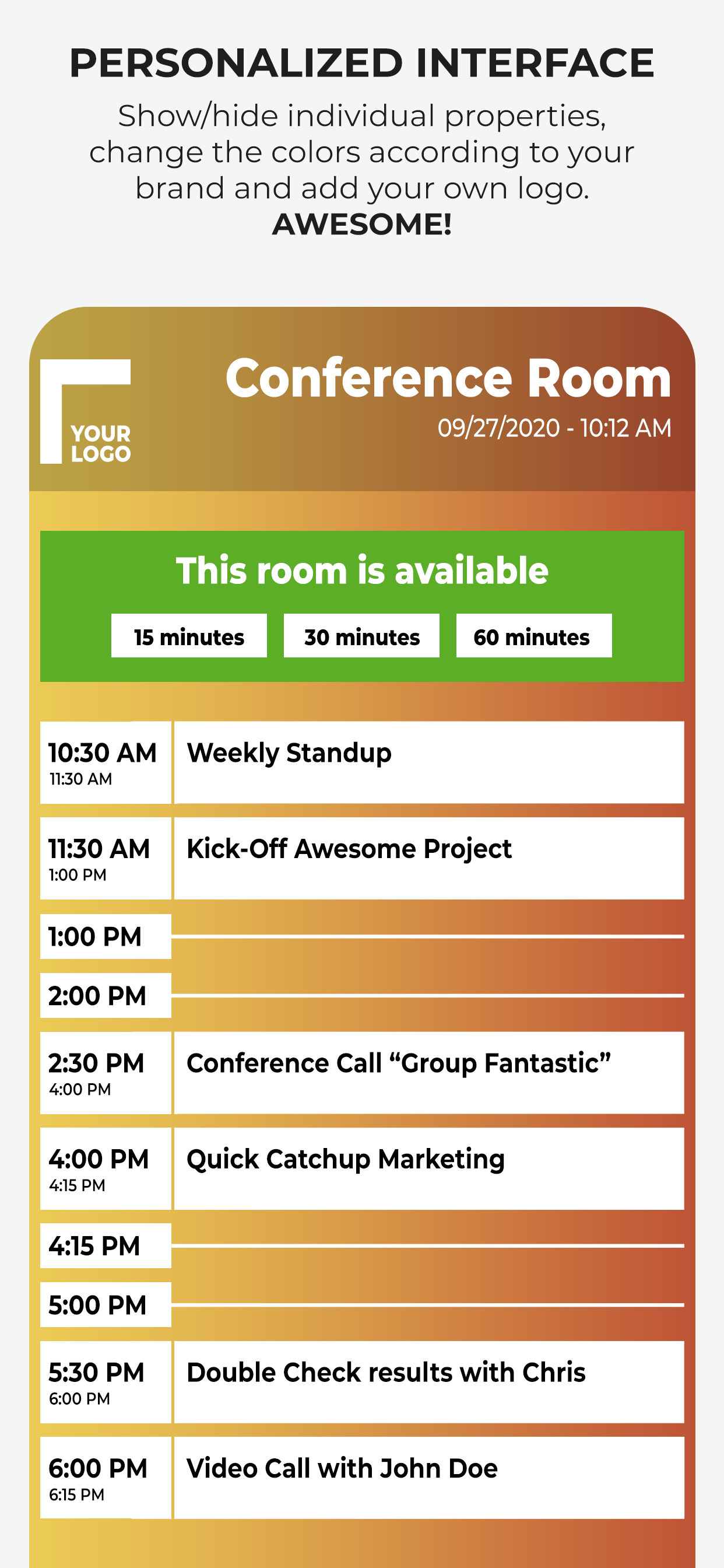
Use an iPad or iPhone outside of your conference rooms to show the day's schedule in your corporate design. ***Privacy is ensured.***
The App ensures that meeting participants are in the right place. It is highly customizable to adapt to the corporate design of your company: Colors, Your Corporate Font, Logo, Background Image.
◉ NO CLOUDS! NO SERVERS!
The app uses the calendar of the device and integrated into the normal workflow of your employees. You schedule a meeting with your calendar app by inviting the room. The data does not leave your company and stays in your calendar system.
You can use any calendar type which is supported by the device (iCloud, Gmail, Outlook/Exchange or any CalDAV Kalender).
User have the possibility to book a free meeting room on the device (ad hoc and anonymously).
Test the app as long as you want to ensure that it fits in your corporate IT environment.
Here is a complete feature list. Visit our website to get additional information:
• Privacy: No Cloud! No additional server required!
• Set Conference Room Name
• Adapt all Colors
• Upload a logo
• Set your own Background Image
• Change the Font
• Upload your Corporate Font
• Support for Ad Hoc Bookings with different length
• Adapt what is shown
• Free Hours
• Only show data of current day
• Show Current Event more prominent
• Show/Hide All-Day Events
• Additional Text for an Event
• Anonymize an Event completely
• Enable/Disable Event Properties and change the order
• Screensaver
• Monitoring of the App (if you have to manage many rooms)
• MDM Support
Simply get in touch with us if you have any questions.
For detailed configuration instructions, visit our website at http://www.ipad-conference-room-booking-display.com/
Local configuration can be shared via iTunes File Sharing or Files App (copy all files to another device). You can also define the configuration in json format.
When you want to permanently use the app, it requires a monthly subscription (auto-renewable). The subscription period is one month. Subscriptions will automatically renew unless canceled within 24-hours before the end of the current period. You can always manage your subscriptions and renewals in your iTunes Account.
If you have any questions concerning VPP, MDM or Enterprise support, please contact us.
Terms of Use: https://www.apple.com/legal/internet-services/itunes/dev/stdeula/
Disclaimer: Continuous use of the device may decrease the display and/or battery life.
Classement dans le store
Le classement des stores est basé sur plusieurs paramètres définis par Google et Apple.
Toutes les catégories dans
États-Unis--
Entreprises dans
États-Unis--
Principaux concurrents & apps alternatives
Applications ayant une forte probabilité d'être utilisées par les mêmes utilisateurs, à partir du même store.

YAROOMS Meeting Room Display

RoomKeeper

Meeting Room 365

MeetingRoomApp Booking System
 Conference Room Display 2 VS.
 avril 27, 2026