

You’ve hit your search limit
Start your free trial to keep exploring full traffic and performance insights.
Get StartedAnalyse de l'application PilotCalc pour le 18 février

PilotCalc
- Ian Longshaw
- App Store Apple
- Gratuit
- Utilitaires
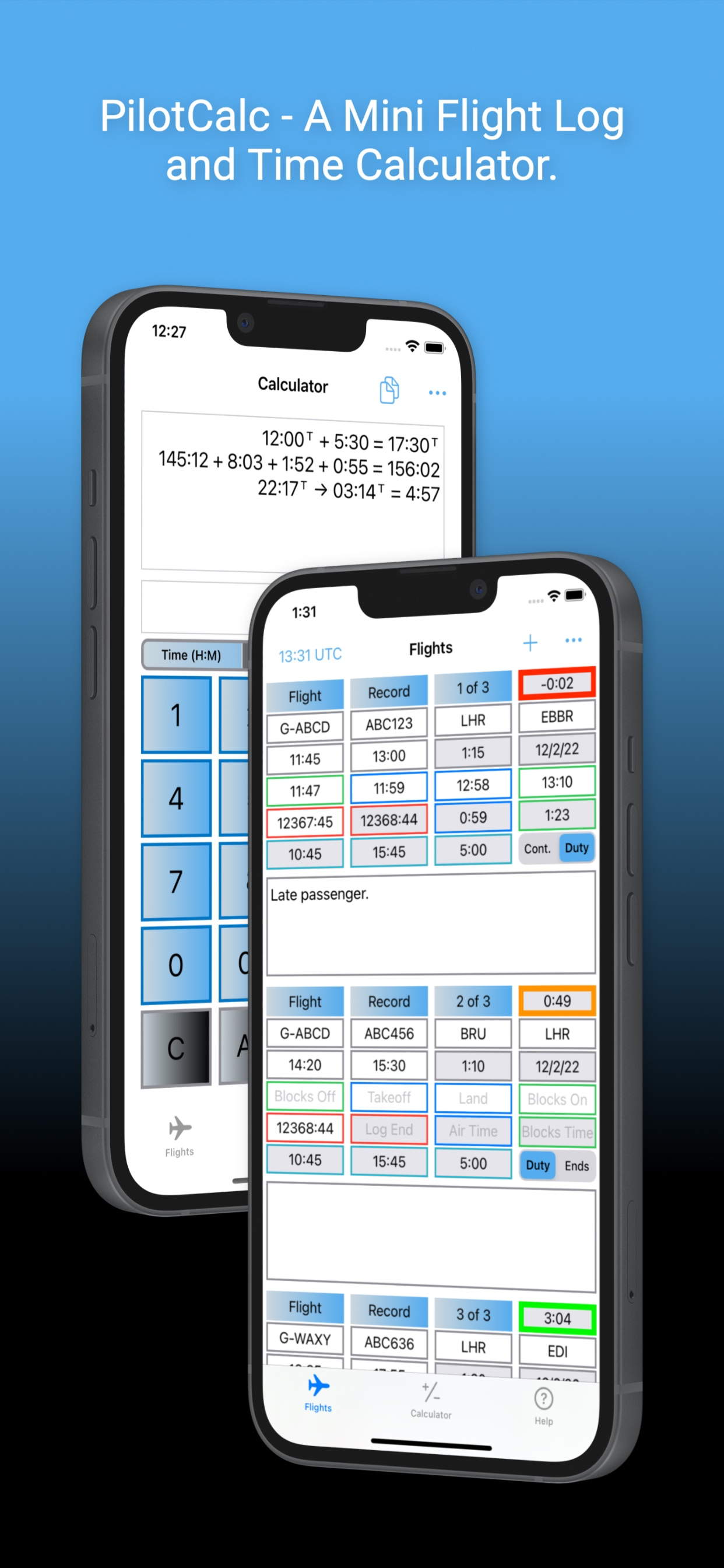
PilotCalc is a utility comprising a mini Flight Log and Time Calculator. The basic functionality of the Time Calculator and the Flight Log is free with no ads, but there are two one-off in-app purchases available to extend the usefulness of the app and to customise its appearance.
The Flight Log is designed to enable pilots to log basic flight information and a few notes for a series of flights. It automatically calculates the associated block, airborne, duty and tech log times. If scheduled times are entered before flight, it also provides a countdown to departure. The Flight Log can be used in UTC or system time. Buying the Flight Log Preferences in-app purchase allows for customisation of the Flight Log. This customisation includes:
- Tailoring the departure countdown, including adding and removing alert times, changing associated colours and the option to enable audio and/or background notifications for each countdown alert.
- Displaying elapsed times in hours and minutes or in decimals.
- Changing the default periods used for calculating the Duty Start and Duty End times.
- Changing the tech log calculation to use block times instead of airborne times.
The Time Calculator is designed to add up logbook entries with minimal keystrokes, but can be used for any hours and minutes calculations, including those involving elapsed time within a 24 hour period (useful for those duty time sums at the end of a long night). There are no practical limits to the number of hours that can be added, but time calculations resulting in negative time values are not supported. All calculations are held in a rolling tape for reference. The free version of PilotCalc offers three different calculator keyboard colour options and includes the hours and minutes time calculator. Opting to pay for the Calculator Preferences in-app purchase unlocks eight additional keyboard colours and two additional calculators - a decimal time calculator and a basic arithmetic calculator. With the Calculator Preferences enabled, hours and minutes calculations and decimal calculations are automatically converted when switching between the two time calculators.
The app was developed to work well on the relatively small screen of an iPhone but scales effectively to the larger iPad screens. This version does not allow synchronisation between devices.
Please visit www.coldaridcode.com for more information or follow us @coldaridcode for the latest news. If you find PilotCalc useful we would really appreciate a review on the App Store!
Classement dans le store
Le classement des stores est basé sur plusieurs paramètres définis par Google et Apple.
Toutes les catégories dans
États-Unis--
Utilitaires dans
États-Unis--
Principaux concurrents & apps alternatives
Applications ayant une forte probabilité d'être utilisées par les mêmes utilisateurs, à partir du même store.

Flight Time Calculator

PilotBox

Hours & Minutes Calculator

EASA FTL Calc
 PilotCalc VS.
 février 18, 2026